> For the complete documentation index, see [llms.txt](https://learnphp.gitbook.io/learnphp/llms.txt). Markdown versions of documentation pages are available by appending `.md` to page URLs; this page is available as [Markdown](https://learnphp.gitbook.io/learnphp/learn-lavarel/tong-hop-nhung-truong-du-lieu-de-facker-seeder-migration-migrate-factory-full-ok.md).
# Tổng hợp những trường dữ liệu để facker, seeder, migration, migrate, factory full (ok)
https\://fakerphp.github.io or https\://github.com/fzaninotto/Faker
### Generate primary key from group keys, Tạo khóa chính từ khóa nhóm
C:\xampp82\htdocs\lva2\database\migrations\2023\_10\_06\_020036\_create\_role\_user\_table.php
```php
id();
$table->unsignedInteger('role_id');
$table->unsignedInteger('user_id');
$table->primary(['role_id', 'user_id']);
});
}
/**
* Reverse the migrations.
*/
public function down(): void
{
Schema::dropIfExists('role_user');
}
};
```
### Facker slug
C:\xampp82\htdocs\testvn\database\migrations\2023\_04\_17\_130047\_create\_posts\_table.php
```php
id();
$table->string('detail');
$table->string('slug');
$table->timestamps();
});
}
/**
* Reverse the migrations.
*
* @return void
*/
public function down()
{
Schema::dropIfExists('posts');
}
}
```
C:\xampp82\htdocs\testvn\database\factories\PostFactory.php
```php
faker->text(15);
// $slug = str_slug($detail, '-');
$slug = Str::slug($detail, '-');
return [
'detail' => $detail,
'slug' => $slug
];
}
}
```
### Cách thêm một cột vào một bảng cho trước
```
php artisan make:migration add_role_column_to_users_table
```
```php
enum('role', ['user', 'manager', 'admin'])->default('user');
});
}
/**
* Reverse the migrations.
*
* @return void
*/
public function down()
{
}
}
```
### Sử dụng $table->unique dưới dạng mảng
C:\xampp82\htdocs\testcom\database\migrations\2023\_04\_04\_023335\_create\_roles\_table.php
```php
id();
$table->string('name');
$table->string('guard_name');
$table->timestamps();
$table->unique(['name','guard_name']);
});
}
/**
* Reverse the migrations.
*/
public function down(): void
{
Schema::dropIfExists('roles');
}
};
```
### Một cách sử dụng class tác riêng ra kết hợp database\seeders\\[DatabaseSeeder.php](https://c-i-ph-n-m-m-tr-n-ubuntu-c-n-thi.gitbook.io/learn-lavarel/laravel-8-user-roles-and-permissions-and-product-crud-with-images-tutorial-ok)
C:\xampp82\htdocs\testfr\database\seeders\DatabaseSeeder.php
```php
call([
PermissionTableSeeder::class,
CreateAdminUserSeeder::class,
]);
}
}
```
C:\xampp82\htdocs\testfr\database\seeders\PermissionTableSeeder.php
```php
$permission]);
}
}
}
```
C:\xampp82\htdocs\testfr\database\seeders\CreateAdminUserSeeder.php
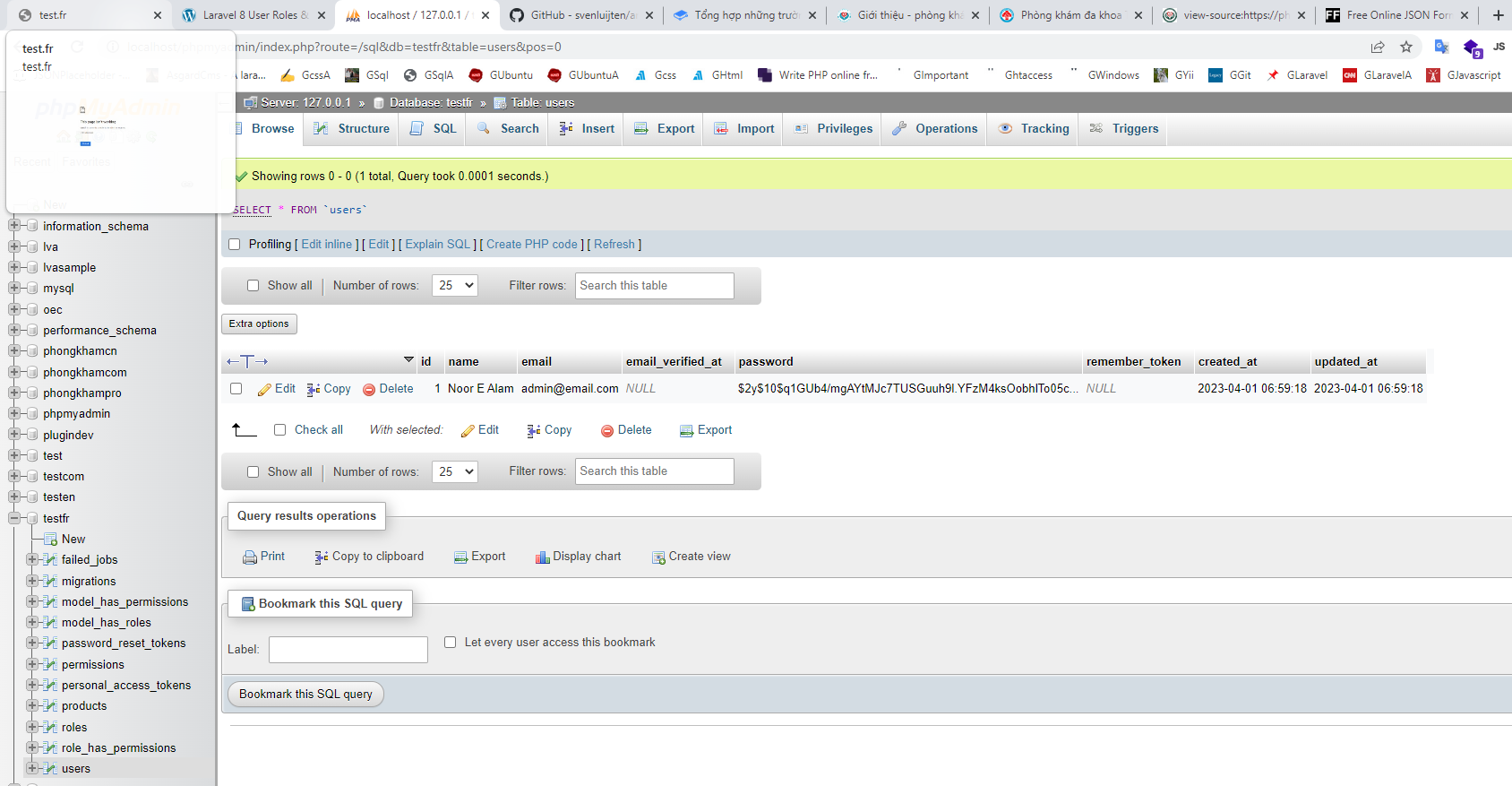
```php
'Noor E Alam',
'email' => 'admin@email.com',
'password' => bcrypt('123456')
]);
$role = Role::create(['name' => 'Admin']);
$permissions = Permission::pluck('id', 'id')->all();
$role->syncPermissions($permissions);
$user->assignRole([$role->id]);
}
}
```
### Sử dụng morphs thiết kế database :)
```php
integer('tag_id');
$table->morphs('taggable');
});
}
/**
* Reverse the migrations.
*
* @return void
*/
public function down()
{
Schema::dropIfExists('taggables');
}
};
p
```
### [**Một ví dụ sử dụng faker trực tiếp rất hay**](https://www.positronx.io/laravel-pagination-example-with-bootstrap-tutorial/)
C:\xampp\htdocs\datvietcoconut\database\seeders\DatabaseSeeder.php
```php
insert([
'firstname' => $faker->firstname,
'lastname' => $faker->lastname,
'email' => $faker->email,
'dob' => $faker->date($format = 'D-m-y', $max = '2010', $min = '1980')
]);
}
}
}
```
C:\xampp\htdocs\datvietcoconut\database\migrations\2022\_12\_09\_185509\_create\_employees\_table.php
```php
id();
$table->string('firstname');
$table->string('lastname');
$table->string('email')->unique();
$table->string('dob');
});
}
/**
* Reverse the migrations.
*
* @return void
*/
public function down()
{
Schema::dropIfExists('employees');
}
}
```
C:\xampp\htdocs\datvietcoconut\routes\web.php
```php
Route::get('/convert-to-json', function () {
return Employee::paginate(5);
});
```
## [Laravel Factory: Manual Increment of Column](https://stackoverflow.com/questions/44983693/laravel-factory-manual-increment-of-column), Number
```
class AliasCommandFactory extends Factory {
private static $order = 1;
protected $model = AliasCommand::class;
public function definition() {
$faker = $this->faker;
return [
'user_id' => User::inRandomOrder()->first()->id,
'command' => $faker->word,
'content' => $faker->sentence,
'order' => self::$order++
];
}
}
```
## [Laravel 5.5 set size of integer fields in migration file](https://stackoverflow.com/questions/47987923/laravel-5-5-set-size-of-integer-fields-in-migration-file)
{% code overflow="wrap" %}
```php
$table->increments('id')->length(11);
$table->dateTime('created_time');
$table->integer('bank_id')->length(11);
$table->tinyInteger('is_black')->length(1);
```
{% endcode %}
### Length firstName 😒
```
'permission_id' => $this->faker->numberBetween(1, 30),
'permission_name' => $this->faker->firstName(10),
'created_at' => $this->faker->dateTime(),
'create_user' => $this->faker->firstName(10),
'deleted_at' =>$this->faker->dateTime(),
'delete_user' => $this->faker->firstName(10)
```
Nguồn 1: \
Nguồn 2: \
Nguồn 3:
Chú ý cách dùng: migration
```
$faker = Faker\Factory::create();
$faker->name; // First and second name
$faker->randomDigit; // A random number
$faker->word; // A single word
$faker->sentence; // A sentence
$faker->unique()->word; // A single unique word
$faker->text($maxNbChars = 300); // 300 character long text
$faker->safeEmail; // An email address
$faker->hexcolor; // Hex color
```
**Dùng giá trị mặc định cho cột, default, enum**
C:\xampp\htdocs\reset\database\migrations\2022\_05\_20\_184747\_create\_products\_table.php
```
id();
$table->string('name');
$table->enum('status', ['Pending', 'Wait', 'Active'])->default('Pending');
$table->timestamps();
});
}
/**
* Reverse the migrations.
*
* @return void
*/
public function down() {
Schema::dropIfExists('products');
}
}
```
**Ví dụ 1: Cách tạo dữ liệu liên kết id tự động bằng migrage**
**Link:** [**https://github.com/alexeymezenin/laravel-realworld-example-app**](https://github.com/alexeymezenin/laravel-realworld-example-app)
**Factories**
C:\xampp\htdocs\laravel-realworld-example-app\database\factories\UserFactory.php
```
$this->faker->name(),
'email' => $this->faker->unique()->safeEmail(),
'password' => bcrypt('secret'),
'image' => $this->faker->imageUrl,
'bio' => $this->faker->text,
];
}
}
```
C:\xampp\htdocs\laravel-realworld-example-app\database\factories\ArticleFactory.php
```
User::factory(),
'title' => $this->faker->sentence,
'slug' => $this->faker->slug,
'description' => $this->faker->text,
'body' => $this->faker->text,
];
}
}
```
C:\xampp\htdocs\laravel-realworld-example-app\database\factories\CommentFactory.php
```
User::factory(),
'article_id' => Article::factory(),
'body' => $this->faker->text,
];
}
}
```
C:\xampp\htdocs\laravel-realworld-example-app\database\factories\TagFactory.php
```
$this->faker->word,
];
}
}
```
**Migrations**
C:\xampp\htdocs\laravel-realworld-example-app\database\migrations\2021\_11\_01\_164128\_create\_comments\_table.php
```
id();
$table->foreignIdFor(User::class)->constrained()->onDelete('cascade');
$table->foreignIdFor(Article::class)->constrained()->onDelete('cascade');
$table->text('body');
$table->timestamps();
});
}
public function down() {
Schema::dropIfExists('comments');
}
}
```
C:\xampp\htdocs\laravel-realworld-example-app\database\migrations\2021\_11\_01\_115835\_create\_article\_user\_pivot\_table.php
```
foreignIdFor(Article::class)->constrained()->onDelete('cascade');
$table->foreignIdFor(User::class)->constrained()->onDelete('cascade');
$table->index(['article_id', 'user_id']);
});
}
public function down() {
Schema::dropIfExists('article_user_pivot');
}
}
```
C:\xampp\htdocs\laravel-realworld-example-app\database\migrations\2021\_11\_01\_110547\_create\_article\_tag\_pivot\_table.php
```
foreignIdFor(Article::class)->constrained()->onDelete('cascade');
$table->foreignIdFor(Tag::class)->constrained()->onDelete('cascade');
$table->index(['article_id', 'tag_id']);
});
}
public function down() {
Schema::dropIfExists('article_tag_pivot');
}
}
```
C:\xampp\htdocs\laravel-realworld-example-app\database\migrations\2021\_11\_01\_105716\_create\_tags\_table.php
```
id();
$table->string('name')->unique();
$table->index(['name']);
});
}
public function down() {
Schema::dropIfExists('tags');
}
}
```
C:\xampp\htdocs\laravel-realworld-example-app\database\migrations\2021\_11\_01\_074539\_create\_articles\_table.php
```
id();
$table->foreignIdFor(User::class)->constrained()->onDelete('cascade');
$table->string('title');
$table->string('slug');
$table->string('description');
$table->text('body');
$table->timestamps();
$table->index(['slug']);
});
}
public function down() {
Schema::dropIfExists('articles');
}
}
```
C:\xampp\htdocs\laravel-realworld-example-app\database\migrations\2021\_10\_31\_180730\_create\_followers\_pivot\_table.php
```
foreignId('follower_id')->constrained('users')->onDelete('cascade');
$table->foreignId('following_id')->constrained('users')->onDelete('cascade');
$table->index(['follower_id', 'following_id']);
});
}
public function down() {
Schema::dropIfExists('followers');
}
}
```
C:\xampp\htdocs\laravel-realworld-example-app\database\migrations\2021\_10\_31\_000000\_create\_users\_table.php
```
id();
$table->string('username')->unique();
$table->string('email')->unique();
$table->string('password');
$table->string('image')->nullable();
$table->text('bio')->nullable();
$table->timestamps();
$table->index(['username']);
});
}
public function down() {
Schema::dropIfExists('users');
}
}
```
**Seeders**
```
create();
}
}
```
C:\xampp\htdocs\laravel-realworld-example-app\app\Models\Article.php
```
belongsTo(User::class);
}
public function tags(): BelongsToMany {
return $this->belongsToMany(Tag::class);
}
public function users(): BelongsToMany {
return $this->belongsToMany(User::class);
}
public function comments(): HasMany {
return $this->hasMany(Comment::class);
}
public function getFiltered(array $filters): Collection {
return $this->filter($filters, 'tag', 'tags', 'name')
->filter($filters, 'author', 'user', 'username')
->filter($filters, 'favorited', 'users', 'username')
->when(array_key_exists('offset', $filters), function ($q) use ($filters) {
$q->offset($filters['offset'])->limit($filters['limit']);
})
->with('user', 'users', 'tags', 'user.followers')
->get();
}
public function scopeFilter($query, array $filters, string $key, string $relation, string $column) {
return $query->when(array_key_exists($key, $filters), function ($q) use ($filters, $relation, $column, $key) {
$q->whereRelation($relation, $column, $filters[$key]);
});
}
public function setTitleAttribute(string $title): void{
$this->attributes['title'] = $title;
$this->attributes['slug'] = Str::slug($title);
}
}
```
C:\xampp\htdocs\laravel-realworld-example-app\app\Models\Comment.php
```
belongsTo(User::class);
}
}
```
C:\xampp\htdocs\laravel-realworld-example-app\app\Models\Tag.php
```
hasMany(Article::class);
}
public function favoritedArticles(): BelongsToMany {
return $this->belongsToMany(Article::class);
}
public function followers(): BelongsToMany {
return $this->belongsToMany(User::class, 'followers', 'following_id', 'follower_id');
}
public function following(): BelongsToMany {
return $this->belongsToMany(User::class, 'followers', 'follower_id', 'following_id');
}
public function doesUserFollowAnotherUser(int $followerId, int $followingId): bool {
return $this->where('id', $followerId)->whereRelation('following', 'id', $followingId)->exists();
}
public function doesUserFollowArticle(int $userId, int $articleId): bool {
return $this->where('id', $userId)->whereRelation('favoritedArticles', 'id', $articleId)->exists();
}
public function setPasswordAttribute(string $password): void{
$this->attributes['password'] = bcrypt($password);
}
public function getJWTIdentifier() {
return $this->getKey();
}
public function getJWTCustomClaims() {
return [];
}
}
```
**Ví dụ 2**:
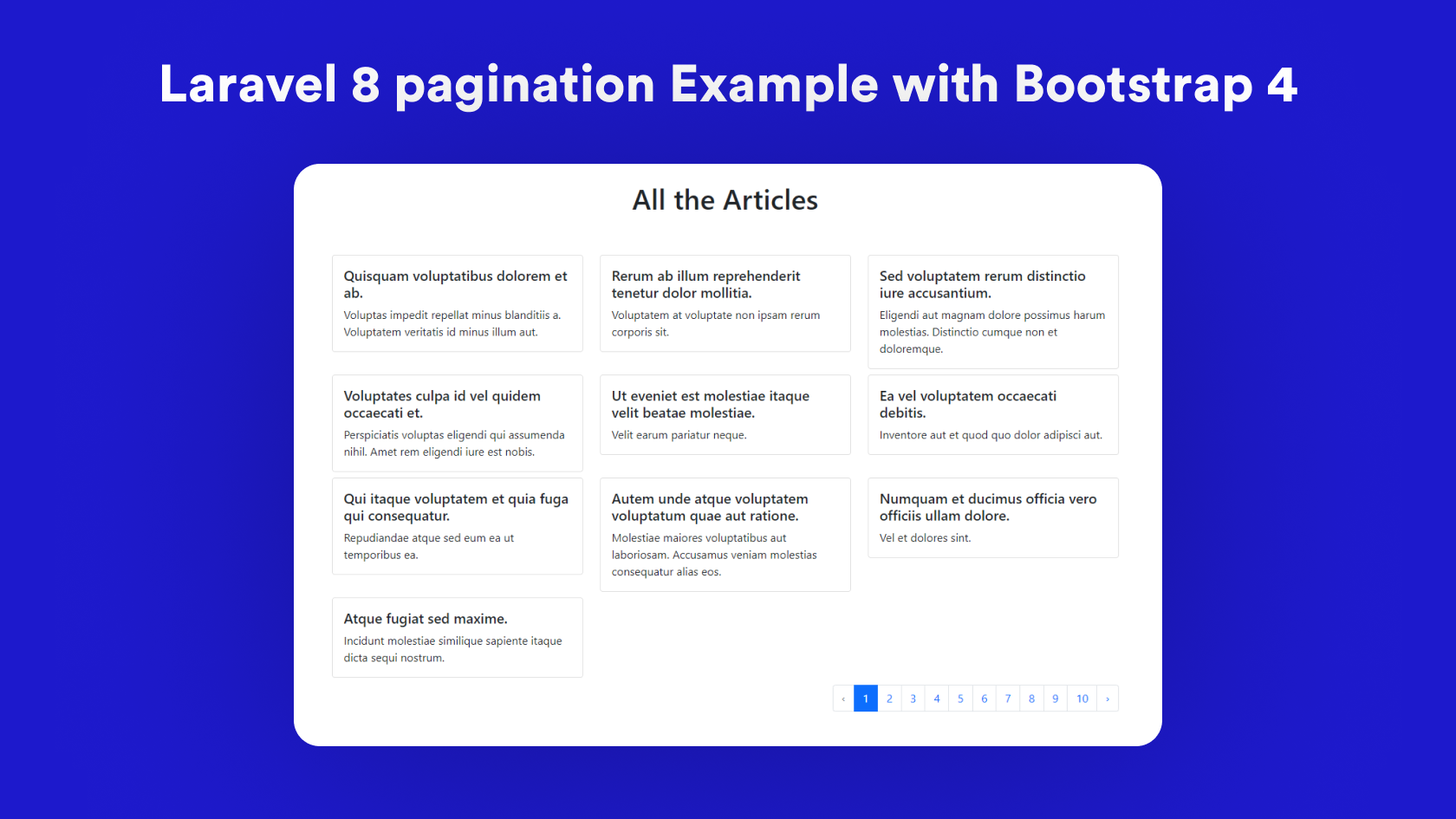
Laravel 8 pagination Example with Bootstrap 4
June 24, 2021[Laravel](https://impulsivecode.com/laravel-8-pagination-example-with-bootstrap-4/#)[Home](https://impulsivecode.com/) » [Laravel](https://impulsivecode.com/category/laravel/) » Laravel 8 pagination Example with Bootstrap 4
###
Hey guys, in this tutorial I am going to cover how you can create the pagination in laravel 8 with the example of bootstrap 4.\
\
This is a step-by-step guide on laravel pagination example with Bootstrap 4 which is easy to follow. In this article, we are using articles as the example case and will paginate the articles.\
\
We will start off with setting up the laravel, then updating the DB credentials, creating model, migration and controller, connecting route with controller and creating the view, getting data from database and using `paginate` and `links` to create the pagination.\
\
So let’s get started.
### Step 1: Install Laravel
First of all, you need to install the laravel. I am installing the laravel in pagination folder.
```
composer create-project --prefer-dist laravel/laravel pagination
```
### Step 2: Update the ENV file and start server
In this step, you need to update the DB credentials in the `env` file and start the server by typing:
```
php artisan serve
```
### Step 3: Create Article model and migration
Now we will create the article model and its migration. For migration, we are using `-m` flag.
```
php artisan make:model article -m
```
### Step 4: Update the migrate function and run migration
We will add the `title` and `description` in the article migration `up` function in `database/migrations/create_articles_table.php`.
```
Schema::create('articles', function (Blueprint $table) {
$table->id();
$table->string('title');
$table->string('description');
$table->timestamps();
});
```
Now we need to migrate the table we created.
```
php artisan migrate
```
### Step 5: Add the fake article data
You can skip this step if will add the data manually in the table.\
\
To add the dummy data we are using the seeders, so open up the `seeders/DatabaseSeeder.php` and update the `run` function to have the following code:
```
$faker= Faker::create();
foreach (range(1,100) as $index){
Article::create([
'title'=>$faker->sentence(6),
'description'=>$faker->paragraph(1),
]);
}
```
We are using `Faker` to add the dummy title and description in the `Article` Table. `'title'=>$faker->sentence(6)` will add the 6 words as the title and `'description'=>$faker->paragraph(1)` will add 1 sentence as the description. We are adding 100 articles by doing that.\
\
Make sure to include the `use App\Models\Article;` `and use Faker\Factory as Faker;` in the header as well.\
\
To generate the data run command:
```
php artisan db:seed
```
### Step 6: Create Controller and Route
Run the following command to create `ArticleController`.
```
php artisan make:controller ArticleController
```
Place the following code in the `ArticleController`.
```
Document
All the Articles
@foreach($articles as $each_article)
{{$each_article->title}}
{{$each_article->description}}
@endforeach
```
In this above `home` blade template, we have included the bootstrap and have used the card components to create the layout to show all the articles by traversing the `$articles` variable which we have passed from the `ArticleController`.\
\
If you open the browser and type `get_data` with the url on which your application is running you will see something like this.
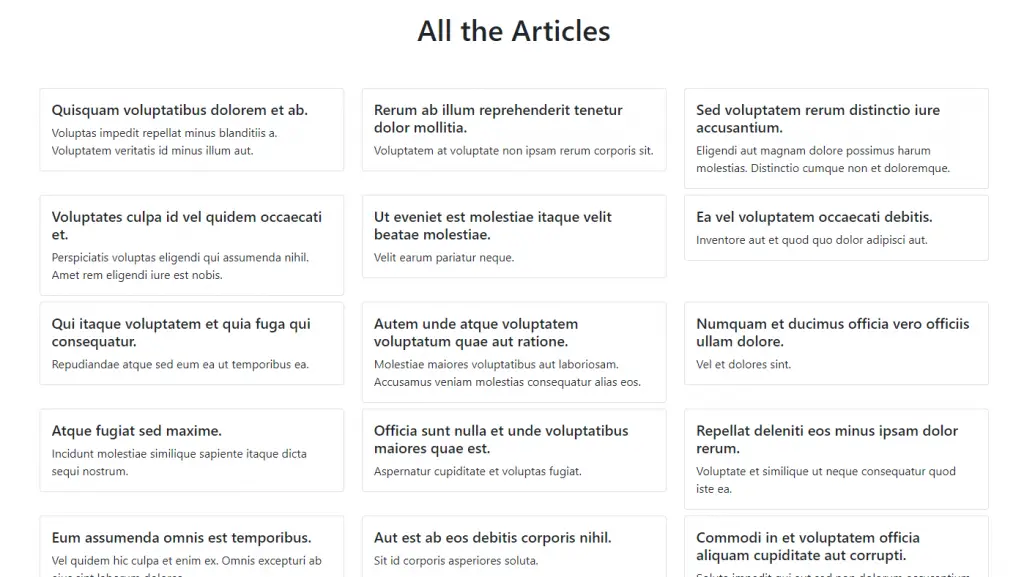
So at this point the articles are loading without any pagination. Lets convert it so that it will load with pagination.
### Step 8: Add the paginate in Controller
So in order to show articles with pagination we need to replace `Article::all();` to `Article::paginate(10);` in `ArticleController`.\
\
So our final controller code will look like:
```
links() !!}`.
So our final view file will look like this:
```
Document
All the Articles
@foreach($articles as $each_article)
{{$each_article->title}}
{{$each_article->description}}
@endforeach
{!! $articles->links() !!}
```
So the final result will look like this:
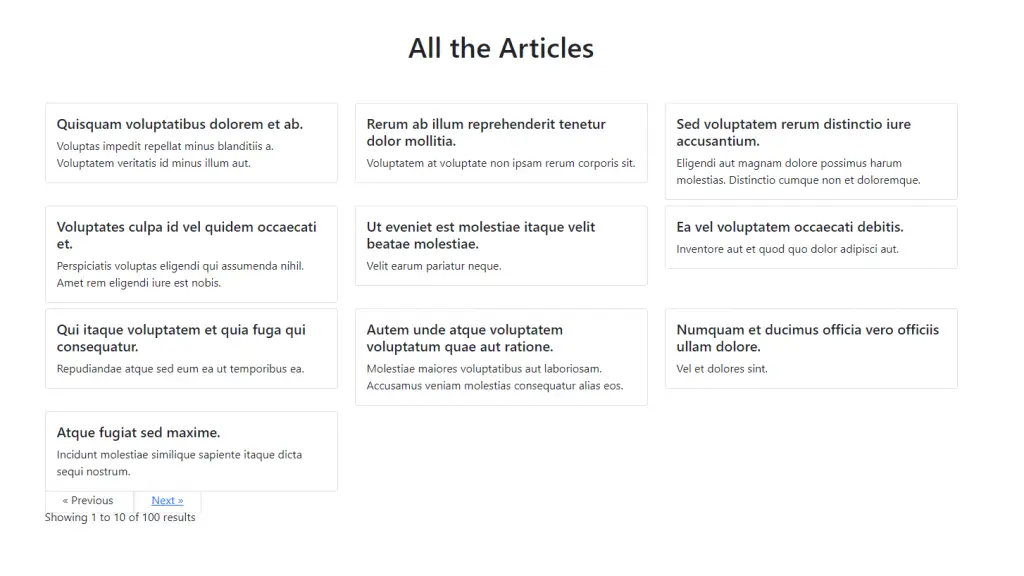
As you can see that the pagination links but its not looking good. As there is no CSS for the pagination. You can either write custom css for that or you can use the `bootstrap` pagination.\
\
In order to use the `bootstrap` pagination, we need to add the `Paginator::useBootstrap();` in `boot()` function in `app/Providers/AppServiceProvider.php` .
So your `AppServiceProvider` file will look like this:
```
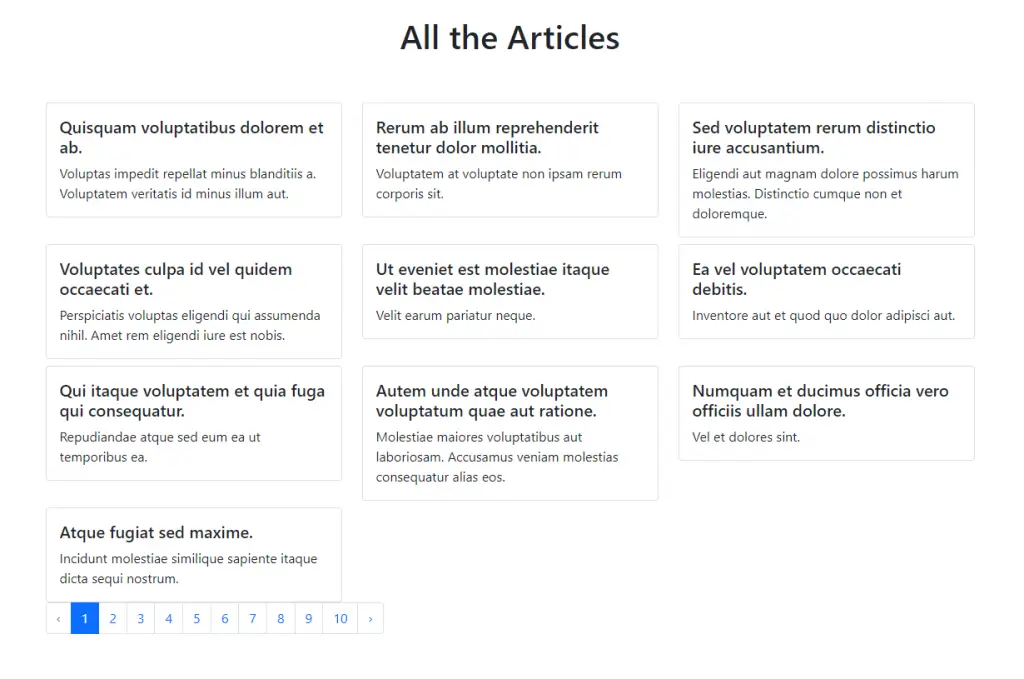
Okay we are finally here just add the following `CSS` style in the head of the `home.blade.php` file.
```
```
So the final `home.blade.php` will look like this:
```
Document
All the Articles
@foreach($articles as $each_article)
{{$each_article->title}}
{{$each_article->description}}
@endforeach
{!! $articles->links() !!}
```
And if you refresh the browser it will look like this:
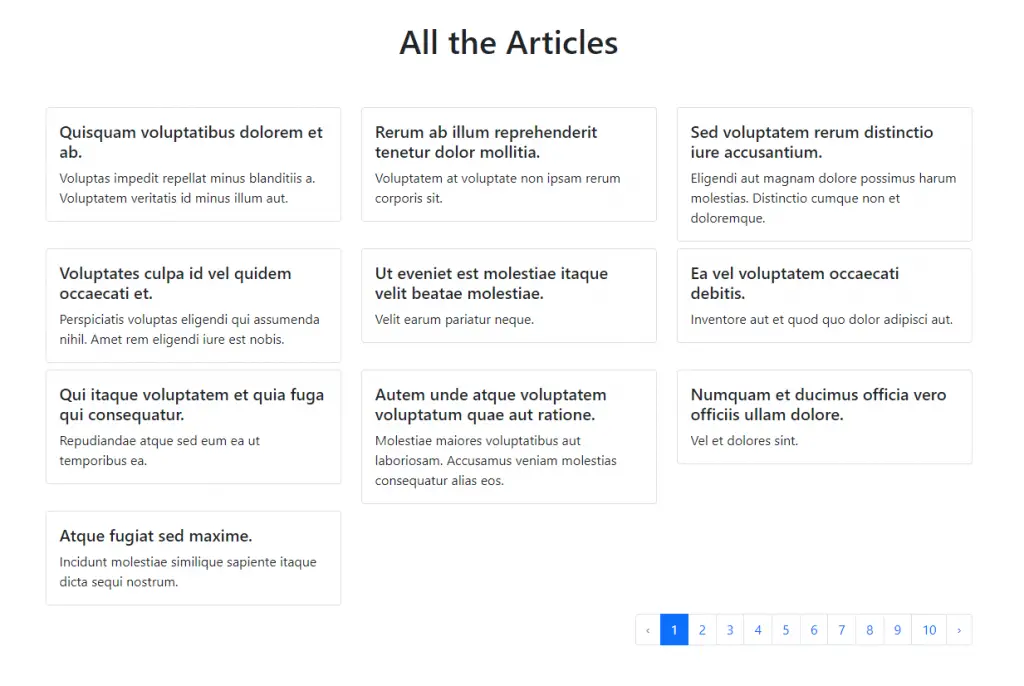
Great 🙂 That’s it.\
Ví dụ 2:
```
1. Tạo Factory
$php artisan make:factory ItemFactory --model=Item
2. Tạo Seeder
$php artisan make:seeder CustomerSeeder
3. Chạy lệnh
$php artisan db:seed --class=CustomerSeeder
```
C:\xampp\htdocs\api\database\factories\CustomerFactory.php
```
$this->faker->userName,
'phone_customer' => $this->faker->phoneNumber,
'address_customer' => $this->faker->address,
'email_customer' => $this->faker->safeEmail,
'city_customer' => $this->faker->city,
];
}
}
```
C:\xampp\htdocs\api\database\seeders\CustomerSeeder.php
```
count(5)->create();
}
}
```
C:\xampp\htdocs\api\app\Models\Customer.php
```
id();
$table->string('name');
$table->string('email')->unique();
$table->timestamps();
});
}
/**
* Reverse the migrations.
*
* @return void
*/
public function down() {
Schema::dropIfExists('employees');
}
}
```
C:\xampp\htdocs\reset\database\seeders\DatabaseSeeder.php
```
create();
$faker = Faker::create();
$gender = $faker->randomElement(['male', 'female']);
foreach (range(1, 15) as $index) {
DB::table('employees')->insert([
'name' => $faker->name($gender),
'email' => $faker->email,
]);
}
}
}
```

## [Numbers and Strings](#numbers-and-strings)
## Numbers and Strings[#](https://fakerphp.github.io/formatters/numbers-and-strings/#numbers-and-strings)
### `randomDigit`[#](https://fakerphp.github.io/formatters/numbers-and-strings/#randomdigit)
Generates a random integer from 0 until 9.
```php
echo $faker->randomDigit();
// an integer between 0 and 9
```
### `randomDigitNot`[#](https://fakerphp.github.io/formatters/numbers-and-strings/#randomdigitnot)
Generates a random integer from 0 until 9, excluding a given number.
```php
echo $faker->randomDigitNot(2);
// 0, 1, 3, 4, 5, 6, 7, 8 or 9
```
### `randomDigitNotNull`[#](https://fakerphp.github.io/formatters/numbers-and-strings/#randomdigitnotnull)
Generates a random integer from 1 until 9.
```php
echo $faker->randomDigitNotNull();
// an integer between 1 and 9
```
### `randomNumber`[#](https://fakerphp.github.io/formatters/numbers-and-strings/#randomnumber)
Generates a random integer, containing between 0 and `$nbDigits` amount of digits. When the `$strict` parameter is `true`, it will only return integers with $nbDigits amount of digits.
```php
echo $faker->randomNumber(5, false);
// 123, 43, 19238, 5, or 1203
echo $faker->randomNumber(5, true);
// 12643, 42931, or 32919
```
### `randomFloat`[#](https://fakerphp.github.io/formatters/numbers-and-strings/#randomfloat)
Generates a random float. Optionally it's possible to specify the amount of decimals.
The second and third parameters optionally specify a lower and upper bound respectively.
```php
echo $faker->randomFloat();
// 12.9830, 2193.1232312, 102.12
echo $faker->randomFloat(2);
// 43.23, 1203.49, 3428.93
echo $faker->randomFloat(1, 20, 30);
// 21.7, 27.2, 28.1
```
### `numberBetween`[#](https://fakerphp.github.io/formatters/numbers-and-strings/#numberbetween)
Generates a random integer between `$min` and `$max`. By default, an integer is generated between `0` and `2,147,483,647` (32-bit integer).
```php
echo $faker->numberBetween();
// 120378987, 182, 102310983
echo $faker->numberBetween(0, 100);
// 32, 87, 91, 13, 75
```
### `randomLetter`[#](https://fakerphp.github.io/formatters/numbers-and-strings/#randomletter)
Generates a random character from the alphabet.
```php
echo $faker->randomLetter();
// 'h', 'i', 'q'
```
### `randomElements`[#](https://fakerphp.github.io/formatters/numbers-and-strings/#randomelements)
Returns `$count` amount of random element from the given array. By default, the `$count` parameter is set to 1.
```php
echo $faker->randomElements(['a', 'b', 'c', 'd', 'e']);
// ['c']
echo $faker->randomElements(['a', 'b', 'c', 'd', 'e'], 3);
// ['a', 'd', 'e']
```
### `randomElement`[#](https://fakerphp.github.io/formatters/numbers-and-strings/#randomelement)
Returns a random element from the given array.
```php
echo $faker->randomElement(['a', 'b', 'c', 'd', 'e']);
// 'c'
```
### `randomKey`[#](https://fakerphp.github.io/formatters/numbers-and-strings/#randomkey)
Returns a random key from the given array.
```php
echo $faker->randomKey(['a' => 1, 'b' => 2, 'c' => 3]);
// 'b'
```
### `shuffle`[#](https://fakerphp.github.io/formatters/numbers-and-strings/#shuffle)
Returns a shuffled version of either an array or string.
```php
echo $faker->shuffle('hello-world');
// 'lrhoodl-ewl'
echo $faker->shuffle([1, 2, 3]);
// [3, 1, 2]
```
### `numerify`[#](https://fakerphp.github.io/formatters/numbers-and-strings/#numerify)
Generate a string where all `#` characters are replaced by digits between 0 and 10. By default, `###` is used as input.
```php
echo $faker->numerify();
// '912', '271', '109', '674'
echo $faker->numerify('user-####');
// 'user-4928', 'user-3427', 'user-1280'
```
### `lexify`[#](https://fakerphp.github.io/formatters/numbers-and-strings/#lexify)
Generate a string where all `?` characters are replaces with a random letter from the Latin alphabet. By default, `????` is used as input.
```php
echo $faker->lexify();
// 'sakh', 'qwei', 'adsj'
echo $faker->lexify('id-????');
// 'id-xoqe', 'id-pqpq', 'id-zpeu'
```
### `bothify`[#](https://fakerphp.github.io/formatters/numbers-and-strings/#bothify)
Generate a string where `?` characters are replaced with a random letter, and `#` characters are replaces with a random digit between 0 and 10. By default, `## ??` is used as input.
```php
echo $faker->bothify();
// '46 hd', '19 ls', '75 pw'
echo $faker->bothify('?????-#####');
// 'lsadj-10298', 'poiem-98342', 'lcnsz-42938'
```
### `asciify`[#](https://fakerphp.github.io/formatters/numbers-and-strings/#asciify)
Generate a string where `*` characters are replaced with a random character from the ASCII table. By default, `****` is used as input.
```php
echo $faker->asciify();
// '%Y+!', '{<"B', 'kF^a'
echo $faker->asciify('user-****');
// 'user-ntwx', 'user-PK`A', 'user-n`,X'
```
### `regexify`[#](https://fakerphp.github.io/formatters/numbers-and-strings/#regexify)
Generate a random string based on a regex. By default, an empty string is used as input.
```php
echo $faker->regexify();
// ''
echo $faker->regexify('[A-Z]{5}[0-4]{3}');
// 'DRSQX201', 'FUDPA404', 'CQVIU411'
```
## [Text and Paragraphs](https://fakerphp.github.io/formatters/text-and-paragraphs/)
### `word`[#](https://fakerphp.github.io/formatters/text-and-paragraphs/#word)
Generate a string containing random single word.
```php
echo $faker->word();
// 'molestiae', 'occaecati', 'distinctio'
```
### `words`[#](https://fakerphp.github.io/formatters/text-and-paragraphs/#words)
Generate an array containing a specified amount of random words.
Optionally, a second boolean parameter can be supplied. When `true`, a string will be returned instead of an array.
```php
echo $faker->words();
// ['praesentium', 'possimus', 'modi']
echo $faker->words(5);
// ['molestias', 'repellendus', 'qui', 'temporibus', 'ut']
echo $faker->words(3, true);
// 'placeat vero saepe'
```
### `sentence`[#](https://fakerphp.github.io/formatters/text-and-paragraphs/#sentence)
Generate a sentence containing a given amount of words. By default, `6` words is used.
Optionally, a second boolean parameter can be supplied. When `false`, only sentences with the given amount of words will be generated. By default, `sentence` will deviate from the given amount by +/- 40%.
```php
echo $faker->sentence();
// 'Sit vitae voluptas sint non voluptates.'
echo $faker->sentence(3);
// 'Laboriosam non voluptas.'
```
### `sentences`[#](https://fakerphp.github.io/formatters/text-and-paragraphs/#sentences)
Generate an array containing a given amount of sentences. By default, `3` sentences are generated.
Optionally, a second boolean parameter can be supplied. When `true`, a string will be returned instead of an array.
```php
echo $faker->sentences();
// ['Optio quos qui illo error.', 'Laborum vero a officia id corporis.', 'Saepe provident esse hic eligendi.']
echo $faker->sentences(2);
// ['Consequatur animi cumque.', 'Quibusdam eveniet ut.']
```
### `paragraph`[#](https://fakerphp.github.io/formatters/text-and-paragraphs/#paragraph)
Generate a paragraph of text, containing a given amount of sentences. By default, `3` sentences are generated.
Optionally, a second boolean parameter can be supplied. When `false`, only sentences with the given amount of words will be generated. By default, sentences will deviate from the default word length of 6 by +/- 40%.
```php
echo $faker->paragraph();
// 'Similique molestias exercitationem officia aut. Itaque doloribus et rerum voluptate iure. Unde veniam magni dignissimos expedita eius.'
echo $faker->paragraph(2);
// 'Consequatur velit incidunt ipsam eius beatae. Est omnis autem illum iure.'
echo $faker->paragraph(2, false);
// 'Laborum unde mollitia distinctio nam nihil. Quo expedita et exercitationem voluptas impedit.'
```
### `paragraphs`[#](https://fakerphp.github.io/formatters/text-and-paragraphs/#paragraphs)
Generate an array containing a given amount of paragraphs. By default, `3` paragraphs are generated.
Optionally, a second boolean parameter can be supplied. When `true`, a string will be returned instead of an array.
```php
echo $faker->paragraphs();
// [
// 'Aperiam fugiat alias nobis sunt hic. Quasi dolore autem quo sapiente et distinctio. Dolor ipsum saepe quaerat possimus molestiae placeat iste.',
// 'Et enim labore debitis consequatur id omnis. Dolorum qui id natus tenetur doloremque sed. Delectus et quis sit quod. Animi assumenda dolorum voluptate nobis aut.',
// 'Voluptas quidem corporis non sed veritatis laudantium eaque modi. Quidem est et est deserunt. Voluptatem magni assumenda voluptas et qui delectus.'
// ]
echo $faker->paragraphs(2);
// [
// 'Quasi nihil nisi enim omnis natus eum. Autem sed ea a maxime. Qui eaque doloribus sit et ab repellat. Aspernatur est rem ut.',
// 'Corrupti quibusdam qui et excepturi. Fugiat minima soluta quae sunt. Aperiam adipisci quas minus eius.'
// ]
echo $faker->paragraphs(2, true);
// Quia odit et quia ab. Eos officia dolor aut quia et sed. Quis sint amet aut. Eius enim sint praesentium error quo sed eligendi. Quo id sint et amet dolorem rem maiores.
//
// Fuga atque velit consectetur id fugit eum. Cupiditate aut itaque dolores praesentium. Eius sunt ut ut ipsam.
```
### `text`[#](https://fakerphp.github.io/formatters/text-and-paragraphs/#text)
Generate a random string of text. The first parameter represents the maximum number of characters the text should contain (by default, `200`).
```php
echo $faker->text();
// Omnis accusantium non ut dolor modi. Quo vel omnis eum velit aspernatur pariatur. Blanditiis nisi accusantium a deleniti. Nam aut dolorum aut officiis consequatur.
echo $faker->text(100);
// Quaerat eveniet magni a optio. Officia facilis cupiditate fugiat earum ipsam nemo nulla.
```
## [Date and Time](https://fakerphp.github.io/formatters/date-and-time/)
## Date and Time[#](https://fakerphp.github.io/formatters/date-and-time/#date-and-time)
Methods accepting a `$timezone` argument default to `date_default_timezone_get()`. You can pass a custom timezone string to each method, or define a custom timezone for all time methods at once using `$faker::setDefaultTimezone($timezone)`.
### `unixTime`[#](https://fakerphp.github.io/formatters/date-and-time/#unixtime)
Generate an [unix time](https://en.wikipedia.org/wiki/Unix_time) between zero, and the given value. By default, `now` is used as input.
Optionally, a parameter can be supplied containing a `DateTime`, `int` or `string`.
```php
echo $faker->unixTime();
// 1605544623, 1025544612
echo $faker->unixTime(new DateTime('+3 weeks'));
// unix timestamp between 0 and the date 3 weeks from now.
```
### `dateTime`[#](https://fakerphp.github.io/formatters/date-and-time/#datetime)
Generate a `DateTime` between January 1, 1970, and the given max. By default, `now` is used as max.
Optionally, a parameter can be supplied containing a `DateTime`, `int` or `string`.
An optional second parameter can be supplied, with the timezone.
```php
echo $faker->dateTime();
// DateTime: August 12, 1991
```
### `dateTimeAD`[#](https://fakerphp.github.io/formatters/date-and-time/#datetimead)
Generate a `DateTime` between January 1, 0001, and the given max. By default, `now` is used as max.
An optional second parameter can be supplied, with the timezone.
```php
echo $faker->dateTimeAD();
// DateTime: September 19, 718
```
### `iso8601`[#](https://fakerphp.github.io/formatters/date-and-time/#iso8601)
Generate an ISO8601 formatted `string` between January 1, 0001, and the given max. By default, `now` is used as max.
```php
echo $faker->iso8601();
```
### `date`[#](https://fakerphp.github.io/formatters/date-and-time/#date)
Generate a date `string`, with a given format and max value. By default, `'Y-m-d'` and `'now'` are used for the format and maximum value respectively.
```php
echo $faker->date();
// '1999-06-09'
echo $faker->date('Y_m_d');
// '2011_02_19'
```
### `time`[#](https://fakerphp.github.io/formatters/date-and-time/#time)
Generate a time `string`, with a given format and max value. By default, `H:i:s'` and `now` are used for the format and maximum value respectively.
```php
echo $faker->time();
// '12:02:50'
echo $faker->time('H_i_s');
// '20_49_12'
```
### `dateTimeBetween`[#](https://fakerphp.github.io/formatters/date-and-time/#datetimebetween)
Generate a `DateTime` between two dates. By default, `-30 years` and `now` are used.
An optional third parameter can be supplied, with the timezone.
```php
echo $faker->dateTimeBetween();
// a date between -30 years ago, and now
echo $faker->dateTimeBetween('-1 week', '+1 week');
// a date between -1 week ago, and 1 week from now
```
### `dateTimeInInterval`[#](https://fakerphp.github.io/formatters/date-and-time/#datetimeininterval)
Generate a `DateTime` between a date and an interval from that date. By default, the date is set to `-30 years`, and the interval is set to `+5 days`.
An optional third parameter can be supplied, with the timezone.
```php
echo $faker->dateTimeInInterval();
// a date between -30 years ago, and -30 years + 5 days
echo $faker->dateTimeInInterval('-1 week', '+3 days');
// a date between -1 week ago, and -1 week + 3 days
```
### `dateTimeThisCentury`[#](https://fakerphp.github.io/formatters/date-and-time/#datetimethiscentury)
Generate a `DateTime` that is within the current century. An optional `$max` value can be supplied, by default this is set to `now`.
An optional second parameter can be supplied, with the timezone.
```php
echo $faker->dateTimeThisCentury();
// a date somewhere in this century
echo $faker->dateTimeThisCentury('+8 years');
// a date somewhere in this century, with an upper bound of +8 years
```
### `dateTimeThisDecade`[#](https://fakerphp.github.io/formatters/date-and-time/#datetimethisdecade)
Generate a `DateTime` that is within the current decade. An optional `$max` value can be supplied, by default this is set to `now`.
An optional second parameter can be supplied, with the timezone.
```php
echo $faker->dateTimeThisDecade();
// a date somewhere in this decade
echo $faker->dateTimeThisDecade('+2 years');
// a date somewhere in this decade, with an upper bound of +2 years
```
### `dateTimeThisYear`[#](https://fakerphp.github.io/formatters/date-and-time/#datetimethisyear)
Generate a `DateTime` that is within the current year. An optional `$max` value can be supplied, by default this is set to `now`.
An optional second parameter can be supplied, with the timezone.
```php
echo $faker->dateTimeThisYear();
// a date somewhere in this year
echo $faker->dateTimeThisYear('+2 months');
// a date somewhere in this year, with an upper bound of +2 months
```
### `dateTimeThisMonth`[#](https://fakerphp.github.io/formatters/date-and-time/#datetimethismonth)
Generate a `DateTime` that is within the current month. An optional `$max` value can be supplied, by default this is set to `now`.
An optional second parameter can be supplied, with the timezone.
```php
echo $faker->dateTimeThisMonth();
// a date somewhere in this month
echo $faker->dateTimeThisMonth('+12 days');
// a date somewhere in this month, with an upper bound of +12 days
```
### `amPm`[#](https://fakerphp.github.io/formatters/date-and-time/#ampm)
Generate a random `DateTime`, with a given upper bound, and return the am/pm `string` value. By default, the upper bound is set to `now`.
```php
echo $faker->amPm();
// 'am'
echo $faker->amPm('+2 weeks');
// 'pm'
```
### `dayOfMonth`[#](https://fakerphp.github.io/formatters/date-and-time/#dayofmonth)
Generate a random `DateTime`, with a given upper bound, and return the day of month `string` value. By default, the upper bound is set to `now`.
```php
echo $faker->dayOfMonth();
// '24'
echo $faker->dayOfMonth('+2 weeks');
// '05'
```
### `dayOfWeek`[#](https://fakerphp.github.io/formatters/date-and-time/#dayofweek)
Generate a random `DateTime`, with a given upper bound, and return the day of week `string` value. By default, the upper bound is set to `now`.
```php
echo $faker->dayOfWeek();
// 'Tuesday'
echo $faker->dayOfWeek('+2 weeks');
// 'Friday'
```
### `month`[#](https://fakerphp.github.io/formatters/date-and-time/#month)
Generate a random `DateTime`, with a given upper bound, and return the month's number `string` value. By default, the upper bound is set to `now`.
```php
echo $faker->month();
// '9'
echo $faker->month('+10 weeks');
// '7'
```
### `monthName`[#](https://fakerphp.github.io/formatters/date-and-time/#monthname)
Generate a random `DateTime`, with a given upper bound, and return the month's name `string` value. By default, the upper bound is set to `now`.
```php
echo $faker->monthName();
// 'September'
echo $faker->monthName('+10 weeks');
// 'April'
```
### `year`[#](https://fakerphp.github.io/formatters/date-and-time/#year)
Generate a random `DateTime`, with a given upper bound, and return the year's `string` value. By default, the upper bound is set to `now`.
```php
echo $faker->year();
// '1998'
echo $faker->year('+10 years');
// '2022'
```
### `century`[#](https://fakerphp.github.io/formatters/date-and-time/#century)
Generate a random century name.
```php
echo $faker->century();
// 'IX', 'XVII', 'II'
```
### `timezone`[#](https://fakerphp.github.io/formatters/date-and-time/#timezone)
Generate a random timezone name.
```php
echo $faker->timezone();
// 'Europe/Amsterdam', 'America/Montreal'
echo $faker->timezone('US');
// 'America/New_York', 'America/Los_Angeles'
```
## [Internet](https://fakerphp.github.io/formatters/internet/)
## Internet[#](https://fakerphp.github.io/formatters/internet/#internet)
### `email`[#](https://fakerphp.github.io/formatters/internet/#email)
Generate an email address.
```php
echo $faker->email();
// 'orval.treutel@blick.com', 'hickle.lavern@erdman.com'
```
### `safeEmail`[#](https://fakerphp.github.io/formatters/internet/#safeemail)
Generate a safe email address.
```php
echo $faker->safeEmail();
// 'spencer.ricardo@example.com', 'wolf.sabryna@example.org'
```
### `freeEmail`[#](https://fakerphp.github.io/formatters/internet/#freeemail)
Generate a free email address (free, as in, free sign-up).
```php
echo $faker->freeEmail();
// 'marcelino.hyatt@yahoo.com', 'abby81@gmail.com'
```
### `companyEmail`[#](https://fakerphp.github.io/formatters/internet/#companyemail)
Generate a company email.
```php
echo $faker->companyEmail();
// 'hschinner@reinger.net', 'paula.blick@hessel.com'
```
### `freeEmailDomain`[#](https://fakerphp.github.io/formatters/internet/#freeemaildomain)
Generate a free email domain name.
```php
echo $faker->freeEmailDomain();
// 'gmail.com', 'hotmail.com'
```
### `safeEmailDomain`[#](https://fakerphp.github.io/formatters/internet/#safeemaildomain)
Generate a safe email domain.
```php
echo $faker->safeEmailDomain();
// 'example.net', 'example.org'
```
### `userName`[#](https://fakerphp.github.io/formatters/internet/#username)
Generate a username.
```php
echo $faker->userName();
// 'ipaucek', 'homenick.alexandre'
```
### `password`[#](https://fakerphp.github.io/formatters/internet/#password)
Generate a password, with a given minimum and maximum length. By default, the values `6` and `20` are used for the minimum and maximum respectively.
```php
echo $faker->password();
// 'dE1U[G$n4g%-Eie[]rn[', '-YCc1t|NSh)U&j6Z'
echo $faker->password(2, 6);
// 'GK,M|', '/ZG.'
```
### `domainName`[#](https://fakerphp.github.io/formatters/internet/#domainname)
Generate a domain name.
```php
echo $faker->domainName();
// 'toy.com', 'schamberger.biz'
```
### `domainWord`[#](https://fakerphp.github.io/formatters/internet/#domainword)
Generate a domain word.
```php
echo $faker->domainWord();
// 'feil', 'wintheiser'
```
### `tld`[#](https://fakerphp.github.io/formatters/internet/#tld)
Generate a tld (top-level domain).
```php
echo $faker->tld();
// 'com', 'org'
```
### `url`[#](https://fakerphp.github.io/formatters/internet/#url)
Generate a URL.
```php
echo $faker->url();
// 'http://cormier.info/eligendi-rem-omnis-quia.html', 'http://pagac.com/'
```
### `slug`[#](https://fakerphp.github.io/formatters/internet/#slug)
Generate a slug, with a given amount of words. By default, the amount of words it set to 6.
Optionally, a second parameter can be supplied. When `false`, only slugs with the given amount of words will be generated.
```php
echo $faker->slug();
// 'facere-ipsam-sit-aut-ut-dolorem', 'qui-soluta-sed-facilis-est-ratione-dolor-autem'
echo $faker->slug(2);
// 'et-et-et', 'temporibus-iure'
echo $faker->slug(3, false);
// 'ipsa-consectetur-est', 'quia-ad-nihil'
```
### `ipv4`[#](https://fakerphp.github.io/formatters/internet/#ipv4)
Generate an IPv4 address.
```php
echo $faker->ipv4();
// '90.119.172.201', '84.172.232.19'
```
### `localIpv4`[#](https://fakerphp.github.io/formatters/internet/#localipv4)
Generate an IPv4 address, inside a local subnet.
```php
echo $faker->localIpv4();
// '192.168.85.208', '192.168.217.138'
```
### `ipv6`[#](https://fakerphp.github.io/formatters/internet/#ipv6)
Generate an IPv6 address.
```php
echo $faker->ipv6();
// 'c3f3:40ed:6d6c:4e8e:746b:887a:4551:42e5', '1c3d:a2cf:80ad:f2b6:7794:4f3f:f9fb:59cf'
```
### `macAddress`[#](https://fakerphp.github.io/formatters/internet/#macaddress)
Generate a random MAC address.
```php
echo $faker->macAddress();
// '94:00:10:01:58:07', '0E:E1:48:29:2F:E2'
```
## [User Agent](https://fakerphp.github.io/formatters/user-agent/)
### `userAgent`[#](https://fakerphp.github.io/formatters/user-agent/#useragent)
Generate a user agent.
```php
echo $faker->userAgent();
// 'Mozilla/5.0 (X11; Linux x86_64) AppleWebKit/5350 (KHTML, like Gecko) Chrome/37.0.806.0 Mobile Safari/5350'
```
### `chrome`[#](https://fakerphp.github.io/formatters/user-agent/#chrome)
Generate a user agent that belongs to Google Chrome.
```php
echo $faker->chrome();
// 'Mozilla/5.0 (Macintosh; PPC Mac OS X 10_8_1) AppleWebKit/5352 (KHTML, like Gecko) Chrome/40.0.848.0 Mobile Safari/5352'
```
### `firefox`[#](https://fakerphp.github.io/formatters/user-agent/#firefox)
Generate a user agent that belongs to Mozilla Firefox.
```php
echo $faker->firefox();
// 'Mozilla/5.0 (X11; Linux i686; rv:7.0) Gecko/20121220 Firefox/35.0'
```
### `safari`[#](https://fakerphp.github.io/formatters/user-agent/#safari)
Generate a user agent that belongs to Apple Safari.
```php
echo $faker->safari();
// 'Mozilla/5.0 (Macintosh; PPC Mac OS X 10_8_3 rv:5.0; sl-SI) AppleWebKit/532.33.2 (KHTML, like Gecko) Version/5.0 Safari/532.33.2'
```
### `opera`[#](https://fakerphp.github.io/formatters/user-agent/#opera)
Generate a user agent that belongs to Opera.
```php
echo $faker->opera();
// 'Opera/8.55 (Windows 95; en-US) Presto/2.9.286 Version/11.00'
```
### `internetExplorer`[#](https://fakerphp.github.io/formatters/user-agent/#internetexplorer)
Generate a user agent that belongs to Internet Explorer.
```php
echo $faker->internetExplorer();
// 'Mozilla/5.0 (compatible; MSIE 10.0; Windows NT 5.0; Trident/5.1)'
```
### `msedge`[#](https://fakerphp.github.io/formatters/user-agent/#msedge)
Generate a user agent that belongs to Microsoft Ege.
```php
echo $faker->msedge();
// 'Mozilla/5.0 (Windows NT 10.0; Win64; x64) AppleWebKit/537.36 (KHTML, like Gecko) Chrome/99.0.4844.82 Safari/537.36 Edg/99.0.1150.36'
```
## [Payment](#payment)
##
### `creditCardType`[#](https://fakerphp.github.io/formatters/payment/#creditcardtype)
Generate a credit card type.
```php
echo $faker->creditCardType();
// 'MasterCard', 'Visa'
```
### `creditCardNumber`[#](https://fakerphp.github.io/formatters/payment/#creditcardnumber)
Generate a credit card number with a given type. By default, a random type is used. Supported types are 'Visa', ' MasterCard', 'American Express', and 'Discover'.
Optionally, a second and third parameter may be supplied. These define if the credit card number should be formatted, and which separator to use.
```php
echo $faker->creditCardNumber();
// '4556817762319090', '5151791946409422'
echo $faker->creditCardNumber('Visa');
// '4539710900519030', '4929494068680706'
echo $faker->creditCardNumber('Visa', true);
// '4624-6303-5483-5433', '4916-3711-2654-8734'
echo $faker->creditCardNumber('Visa', true, '::');
// '4539::6626::9844::3867', '4916::6161::0683::7022'
```
### `creditCardExpirationDate`[#](https://fakerphp.github.io/formatters/payment/#creditcardexpirationdate)
Generate a credit card expiration date (`DateTime`). By default, only valid dates are generated. Potentially invalid dates can be generated by using `false` as input.
```php
echo $faker->creditCardExpirationDate();
// DateTime: between now and +36 months
echo $faker->creditCardExpirationDate(false);
// DateTime: between -36 months and +36 months
```
### `creditCardExpirationDateString`[#](https://fakerphp.github.io/formatters/payment/#creditcardexpirationdatestring)
Generate a credit card expiration date (`string`). By default, only valid dates are generated. Potentially invalid dates can be generated by using `false` as input.
The string is formatted using `m/y`. Optionally, a second parameter can be passed to override this format.
```php
echo $faker->creditCardExpirationDateString();
// '09/23', '06/21'
echo $faker->creditCardExpirationDateString(false);
// '01/18', '09/21'
echo $faker->creditCardExpirationDateString(true, 'm-Y');
// '12-2020', '07-2023'
```
### `creditCardDetails`[#](https://fakerphp.github.io/formatters/payment/#creditcarddetails)
Generate an `array` with credit card details. By default, only valid expiration dates will be generated. Potentially invalid expiration dates can be generated by using `false` as input.
```php
echo $faker->creditCardDetails();
// ['type' => 'Visa', 'number' => '4961616159985979', 'name' => 'Mr. Charley Greenfelder II', 'expirationDate' => '01/23']
echo $faker->creditCardDetails(false);
// ['type' => 'MasterCard', 'number' => '2720381993865020', 'name' => 'Dr. Ivy Gerhold Jr.', 'expirationDate' => '10/18']
```
### `iban`[#](https://fakerphp.github.io/formatters/payment/#iban)
Generate an `IBAN` string with a given country and bank code. By default, a random country and bank code will be used.
The country code format should be [ISO 3166-1 alpha-2](https://en.wikipedia.org/wiki/ISO_3166-1_alpha-2).
```php
echo $faker->iban();
// 'LI2690204NV3C0BINN164', 'NL56ETEE3836179630'
echo $faker->iban('NL');
// 'NL95ZOGL3572193597', 'NL76LTTM8016514526'
echo $faker->iban('NL', 'INGB');
// 'NL11INGB2348102199', 'NL87INGB6409935479'
```
### `swiftBicNumber`[#](https://fakerphp.github.io/formatters/payment/#swiftbicnumber)
Generate a random [SWIFT/BIC](https://en.wikipedia.org/wiki/ISO_9362) number `string`.
```php
echo $faker->swiftBicNumber();
// 'OGFCTX2GRGN', 'QFKVLJB7'
```
## [Color](https://fakerphp.github.io/formatters/color/)
##
### `hexColor`[#](https://fakerphp.github.io/formatters/color/#hexcolor)
Generate a random hex color.
```php
$faker->hexColor();
// '#ccd578', '#fafa11', '#ea3781'
```
### `safeHexColor`[#](https://fakerphp.github.io/formatters/color/#safehexcolor)
Generate a random hex color, containing only 16 values per R, G and B.
```php
$faker->safeHexColor();
// '#00eecc', '#00ff88', '#00aaee'
```
### `rgbColorAsArray`[#](https://fakerphp.github.io/formatters/color/#rgbcolorasarray)
Generate a random RGB color, as an `array`.
```php
$faker->rgbColorAsArray();
// [0 => 30, 1 => 22, 2 => 177], [0 => 150, 1 => 55, 2 => 34], [0 => 219, 1 => 253, 2 => 248]
```
### `rgbColor`[#](https://fakerphp.github.io/formatters/color/#rgbcolor)
Generate a comma-separated RGB color `string`.
```php
$faker->rgbColor();
// '105,224,78', '97,249,98', '24,250,221'
```
### `rgbCssColor`[#](https://fakerphp.github.io/formatters/color/#rgbcsscolor)
Generate a CSS-friendly RGB color `string`.
```php
$faker->rgbCssColor();
// 'rgb(9,110,101)', 'rgb(242,133,147)', 'rgb(124,64,0)'
```
### `rgbaCssColor`[#](https://fakerphp.github.io/formatters/color/#rgbacsscolor)
Generate a CSS-friendly RGBA (alpha channel) color `string`.
```php
$faker->rgbaCssColor();
// 'rgba(179,65,209,1)', 'rgba(121,53,231,0.4)', 'rgba(161,239,152,0.9)'
```
### `safeColorName`[#](https://fakerphp.github.io/formatters/color/#safecolorname)
Generate a CSS-friendly color name.
```php
$faker->safeColorName();
// 'white', 'fuchsia', 'purple'
```
### `colorName`[#](https://fakerphp.github.io/formatters/color/#colorname)
Generate a CSS-friendly color name.
```php
$faker->colorName();
// 'SeaGreen', 'Crimson', 'DarkOliveGreen'
```
### `hslColor`[#](https://fakerphp.github.io/formatters/color/#hslcolor)
Generate a random HSL color `string`.
```php
$faker->hslColor();
// '87,10,25', '94,24,27', '207,68,84'
```
### `hslColorAsArray`[#](https://fakerphp.github.io/formatters/color/#hslcolorasarray)
Generate a random HSL color, as an `array`.
```php
$faker->hslColorAsArray();
// [0 => 311, 1 => 84, 2 => 31], [0 => 283, 1 => 85, 2 => 49], [0 => 57, 1 => 48, 2 => 36]
```
## [File](https://fakerphp.github.io/formatters/file/)
##
### `mimeType`[#](https://fakerphp.github.io/formatters/file/#mimetype)
Generate a random MIME-type `string`.
```php
$faker->mimeType();
// 'application/vnd.ms-artgalry', 'application/mods+xml', 'video/x-sgi-movie'
```
### `fileExtension`[#](https://fakerphp.github.io/formatters/file/#fileextension)
Generate a random file extension type `string`.
```php
$faker->fileExtension();
// 'deb', 'mp4s', 'uvg'
```
### `file`[#](https://fakerphp.github.io/formatters/file/#file_1)
Copy a random file from the source directory to the target directory and return the filename / relative path.
```php
$faker->file('docs', 'site', true);
// 'site/f6df6c74-2884-35c7-b802-6f96cf2ead01.md', 'site/423cfca4-709c-3942-8d66-34b08affd90b.md', 'site/c7a76943-e2cc-3c99-b75b-ac2df15cb3cf.md'
$faker->file('docs', 'site', false);
// 'c4cdee40-0eee-3172-9bca-bdafbb743c17.md', '88aef77e-040d-39a3-8f88-eca522f759ba.md', 'ecbee0e9-6fad-397b-88fb-d84704c7a71c.md'
```
## Image
### `imageUrl`[#](https://fakerphp.github.io/formatters/image/#imageurl)
Get a random image URL from [placeholder.com](https://placeholder.com/).
To provide a less verbose explanation of this function, we'll use a function definition here:
```php
function imageUrl(
int $width = 640,
int $height = 480,
?string $category = null, /* used as text on the image */
bool $randomize = true,
?string $word = null,
bool $gray = false,
string $format = 'png'
): string;
```
Below, a few examples of possible parameter combinations:
```php
echo $faker->imageUrl(640, 480, 'animals', true);
// 'https://via.placeholder.com/640x480.png/004466?text=animals+omnis'
echo $faker->imageUrl(360, 360, 'animals', true, 'cats');
// 'https://via.placeholder.com/360x360.png/00bbcc?text=animals+cats+vero'
echo $faker->imageUrl(360, 360, 'animals', true, 'dogs', true);
// https://via.placeholder.com/360x360.png/CCCCCC?text=animals+dogs+veniam
echo $faker->imageUrl(360, 360, 'animals', true, 'dogs', true, 'jpg');
// https://via.placeholder.com/360x360.jpg/CCCCCC?text=animals+dogs+veniam
```
### `image`[#](https://fakerphp.github.io/formatters/image/#image_1)
Get a random `image` from [placeholder.com](https://placeholder.com/) and download it to a directory (`$dir`). The full path of the image is returned as a `string`.
All the parameters are the same as `imageUrl`. Except an extra first parameter, this defines where the image should be stored.
```php
function image(
?string $dir = null,
int $width = 640,
int $height = 480,
?string $category = null,
bool $fullPath = true,
bool $randomize = true,
?string $word = null,
bool $gray = false,
string $format = 'png'
)
```
Below, a few examples of possible parameter combinations:
```php
echo $faker->image(null, 640, 480);
// '/tmp/309fd63646f6d781848850277c14aef2.png'
echo $faker->image(null, 360, 360, 'animals', true);
// '/tmp/4d2666e5968e10350428e3ed64de9175.png'
echo $faker->image(null, 360, 360, 'animals', true, true, 'cats', true);
// '/tmp/9444227f06f0b024a14688ef3b31fe7a.png'
echo $faker->image(null, 360, 360, 'animals', true, true, 'cats', true, 'jpg');
// '/tmp/9444227f06f0b024a14688ef3b31fe7a.jpg'
```
## [UUID](https://fakerphp.github.io/formatters/uuid/)
### `uuid`[#](https://fakerphp.github.io/formatters/uuid/#uuid_1)
Generate a random UUID.
```php
echo $faker->uuid();
// 'bf91c434-dcf3-3a4c-b49a-12e0944ef1e2', '5b2c0654-de5e-3153-ac1f-751cac718e4e'
```
## [Barcode](https://fakerphp.github.io/formatters/barcode/)
##
### `ean13`[#](https://fakerphp.github.io/formatters/barcode/#ean13)
Generate a random [EAN-13](https://en.wikipedia.org/wiki/International_Article_Number) barcode.
```php
echo $faker->ean13();
// '5803352818140', '4142935337533'
```
### `ean8`[#](https://fakerphp.github.io/formatters/barcode/#ean8)
Generate a random [EAN-8](https://en.wikipedia.org/wiki/International_Article_Number) barcode.
```php
echo $faker->ean8();
// '30272446', '00484527'
```
### `isbn10`[#](https://fakerphp.github.io/formatters/barcode/#isbn10)
Generate a random [ISBN-10](https://en.wikipedia.org/wiki/International_Standard_Book_Number#ISBN-10_check_digit_calculation) compliant `string`.
```php
echo $faker->isbn10();
// '4250151735', '8395066937'
```
### `isbn13`[#](https://fakerphp.github.io/formatters/barcode/#isbn13)
Generate a random [ISBN-13](https://en.wikipedia.org/wiki/International_Standard_Book_Number#ISBN-13_check_digit_calculation) compliant `string`.
```php
echo $faker->isbn13();
// '9786881116078', '9785625528412'
```
## [Miscellaneous](https://fakerphp.github.io/formatters/miscellaneous/)
### `boolean`[#](https://fakerphp.github.io/formatters/miscellaneous/#boolean)
Generate a random `bool`.
```php
echo $faker->boolean();
// true, true, false
```
### `md5`[#](https://fakerphp.github.io/formatters/miscellaneous/#md5)
Generate a random [MD5](https://en.wikipedia.org/wiki/MD5) hash `string`.
```php
echo $faker->md5();
// 'b1f447c2ee6029c7d2d8b3112ecfb160', '6d5d81469dfb247a15c9030d5aae38f1'
```
### `sha1`[#](https://fakerphp.github.io/formatters/miscellaneous/#sha1)
Generate a random [SHA-1](https://en.wikipedia.org/wiki/SHA-1) hash `string`.
```php
echo $faker->sha1();
// '20d1061c44ca4eef07e8d129c7000101b3e872af', '28cda1350140b3465ea8f65b933b1dad98ee5425'
```
### `sha256`[#](https://fakerphp.github.io/formatters/miscellaneous/#sha256)
Generate a random [SHA-256](https://en.wikipedia.org/wiki/SHA-2) hash `string`.
```php
echo $faker->sha256();
// 'bfa80759a5c40a8dd6694a3752bac231ae49c136396427815b0e33bd10974919'
```
### `locale`[#](https://fakerphp.github.io/formatters/miscellaneous/#locale)
Generate a random locale `string`.
```php
echo $faker->locale();
// 'ln_CD', 'te_IN', 'sh_BA'
```
### `countryCode`[#](https://fakerphp.github.io/formatters/miscellaneous/#countrycode)
Generate a random [two-letter country code](https://en.wikipedia.org/wiki/ISO_3166-1_alpha-2) `string`.
```php
echo $faker->countryCode();
// 'LK', 'UM', 'CZ'
```
### `countryISOAlpha3`[#](https://fakerphp.github.io/formatters/miscellaneous/#countryisoalpha3)
Generate a random [three-letter country code](https://en.wikipedia.org/wiki/ISO_3166-1_alpha-3) `string`.
```php
echo $faker->countryISOAlpha3();
// 'ZAF', 'UKR', 'MHL'
```
### `languageCode`[#](https://fakerphp.github.io/formatters/miscellaneous/#languagecode)
Generate a random [two-letter language code](https://en.wikipedia.org/wiki/List_of_ISO_639-1_codes) `string`.
```php
echo $faker->languageCode();
// 'av', 'sc', 'as'
```
### `currencyCode`[#](https://fakerphp.github.io/formatters/miscellaneous/#currencycode)
Generate a random [currency code](https://en.wikipedia.org/wiki/ISO_4217) `string`.
```php
echo $faker->currencyCode();
// 'AED', 'SAR', 'KZT'
```
### `emoji`[#](https://fakerphp.github.io/formatters/miscellaneous/#emoji)
Generate a random emoji. K
```php
echo $faker->emoji();
// '😦', '😎', '😢'
```
## [Biased](https://fakerphp.github.io/formatters/biased/)
### `biasedNumberBetween`[#](https://fakerphp.github.io/formatters/biased/#biasednumberbetween)
Generate a random `integer`, with a bias using a given function.
```php
function biasedNumberBetween(
int $min = 0,
int $max = 100,
string $function = 'sqrt'
): int;
```
Examples:
```php
echo $faker->biasedNumberBetween(0, 20);
// 14, 18, 12
echo $faker->biasedNumberBetween(0, 20, 'log');
// 9, 4, 12
```
## [HTML Lorem](https://fakerphp.github.io/formatters/html-lorem/)
### `randomHtml`[#](https://fakerphp.github.io/formatters/html-lorem/#randomhtml)
Generate a random HTML `string`, with a given maximum depth and width. By default, the depth and width are `4`.
Depth defines the maximum depth of the body.
Width defines the maximum of siblings each element can have.
```php
echo $faker->randomHtml();
// 'Laborum doloribus voluptatum vitae quia voluptatum ipsum veritatis.
Numquam magnam.
Neque facere consequuntur autem quisquam.
Veritatis sint.
Et ducimus.
Veniam accusamus cupiditate.
Eligendi eum et doloribus.
Voluptate ipsa dolores est.
Enim.
Dignissimos nostrum atque et excepturi.
Nisi veniam.
Voluptate nihil labore sapiente.
Ut.
Id suscipit.
Qui tempora minima ad.
'
```
## Version
### `semver`[#](https://fakerphp.github.io/formatters/version/#semver)
Generate a random [semantic version v2.0.0](https://semver.org/spec/v2.0.0.html) string.
Optionally, the parameters `$preRelease` and `$build` can be set to `true` to randomly include pre-release and/or build parts into the version.
Examples:
```php
echo $faker->semver();
// 0.0.1, 1.0.0, 9.99.99
echo $faker->semver(true, true);
// 0.0.1-beta, 1.0.0-rc.1, 1.5.9+276e88b, 5.6.2-alpha.2+20180419085616
```
## [Locales](https://fakerphp.github.io/locales/en_HK/)
## English (Hong Kong SAR China)[#](https://fakerphp.github.io/locales/en_HK/#english-hong-kong-sar-china)
#### `Faker\Provider\en_HK\Address`[#](https://fakerphp.github.io/locales/en_HK/#fakerprovideren_hkaddress)
```php
// Generates a fake town name based on the words commonly found in Hong Kong
echo $faker->town(); // "Yuen Long"
// Generates a fake village name based on the words commonly found in Hong Kong
echo $faker->village(); // "O Tau"
// Generates a fake estate name based on the words commonly found in Hong Kong
echo $faker->estate(); // "Ching Lai Court"
```
#### `Faker\Provider\en_HK\Phone`[#](https://fakerphp.github.io/locales/en_HK/#fakerprovideren_hkphone)
```php
// Generates a Hong Kong mobile number (starting with 5, 6 or 9)
echo $faker->mobileNumber(); // "92150087"
// Generates a Hong Kong landline number (starting with 2 or 3)
echo $faker->landlineNumber(); // "32750132"
// Generates a Hong Kong fax number (starting with 7)
echo $faker->faxNumber(); // "71937729"
```
```
// Some code
```