Laravel 9 Summernote Editor with Image Upload, TinyMCE Editor (ok)
Laravel 9 Summernote Editor with Image Upload TinyMCE Editor
By Hardik Savani March 15, 2022 Category : LaravelPauseUnmuteLoaded: 2.53%FullscreenToday, I will let you know the example of laravel 9 summernote editor example. step by step explain laravel 9 summernote image upload. In this article, we will implement a how to use summernote editor in laravel 9. you'll learn how to install summernote in laravel 9. follow bellow step for summernote editor in laravel 9.
In this tutorial, we will create a posts table with a title and body column. we will create for with input for the title and summernote rich textbox for the body, Then save it to the database.
So, just follow bellow step here:
Step 1: Install Laravel 9
This is optional; however, if you have not created the laravel app, then you may go ahead and execute the below command:
Step 2: Create Post Table and Model
in first step, we need create new migration for adding "posts" table:
In this is step we need to create some routes for listing posts and creating post.
routes/web.php
Step 4: Create Controller
in this step, in this file we write image upload code, image will upload on "uploads" folder in public directory. we need to create PostController and add following code on that file:
app/Http/Controllers/PostController.php
Step 5: Create Blade Files
here, we need to create blade files for index and create. so let's create one by one files:
resources/views/postsCreate.blade.php
Run Laravel App:
All the required steps have been done, now you have to type the given below command and hit enter to run the Laravel app:
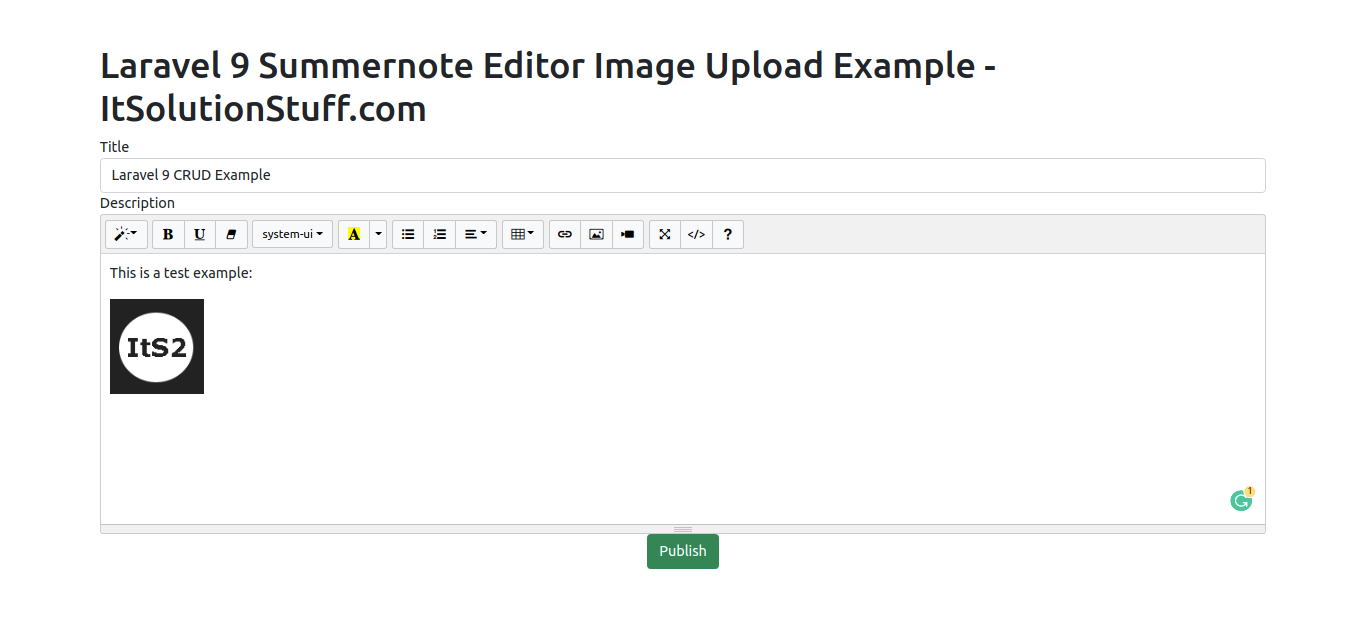
Now, Go to your web browser, type the given URL and view the app output:
<?php use Illuminate\Database\Migrations\Migration;use Illuminate\Database\Schema\Blueprint;use Illuminate\Support\Facades\Schema; return new class extends Migration{ /** * Run the migrations. * * @return void */ public function up() { Schema::create('posts', function (Blueprint $table) { $table->id(); $table->string('title'); $table->text('body'); $table->timestamps(); }); } /** * Reverse the migrations. * * @return void */ public function down() { Schema::dropIfExists('posts'); }};
php artisan migrate
<?php namespace App\Models; use Illuminate\Database\Eloquent\Factories\HasFactory;use Illuminate\Database\Eloquent\Model; class Post extends Model{ use HasFactory; protected $fillable = [ 'title', 'body', ];}
<?php use Illuminate\Support\Facades\Route; use App\Http\Controllers\PostController; /*|--------------------------------------------------------------------------| Web Routes|--------------------------------------------------------------------------|| Here is where you can register web routes for your application. These| routes are loaded by the RouteServiceProvider within a group which| contains the "web" middleware group. Now create something great!|*/Route::get('posts/create',[PostController::class,'create']);Route::post('posts/store',[PostController::class,'store'])->name('posts.store');

 PauseUnmuteLoaded: 2.53%Fullscreen
 Today, I will let you know the example of laravel 9 summernote editor example. step by step explain laravel 9 summernote image upload. In this article, we will implement a how to use summernote editor in laravel 9. you'll learn how to install summernote in laravel 9. follow bellow step for summernote editor in laravel 9.