By Hardik Savani May 17, 2022 Category : LaravelPauseUnmuteLoaded: 3.10%FullscreenHi Dev,
This article will provide some of the most important example laravel 9 google recaptcha v2 example. We will use how to use google recaptcha v2 in laravel 9. if you want to see example of how to add google recaptcha v2 in laravel 9 then you are a right place. you can understand a concept of integrate google recaptcha v2 in laravel 9.
As we know, When we created a contact us form or feedback form or any form that is accessed publicly Then we have so many submissions from spam. They submit those forms using curl request or something. So we can not get the real users from those forms. Here, i we will use google recaptcha v2 to prevent spam submission. we will create a contact us form and use google recaptcha v2 and prevent them. So that way you have only real users and real feedback you will get.
Let's see below steps and make it done.
Step 1: Install Laravel
This step is not required; however, if you have not created the laravel app, then you may go ahead and execute the below command:
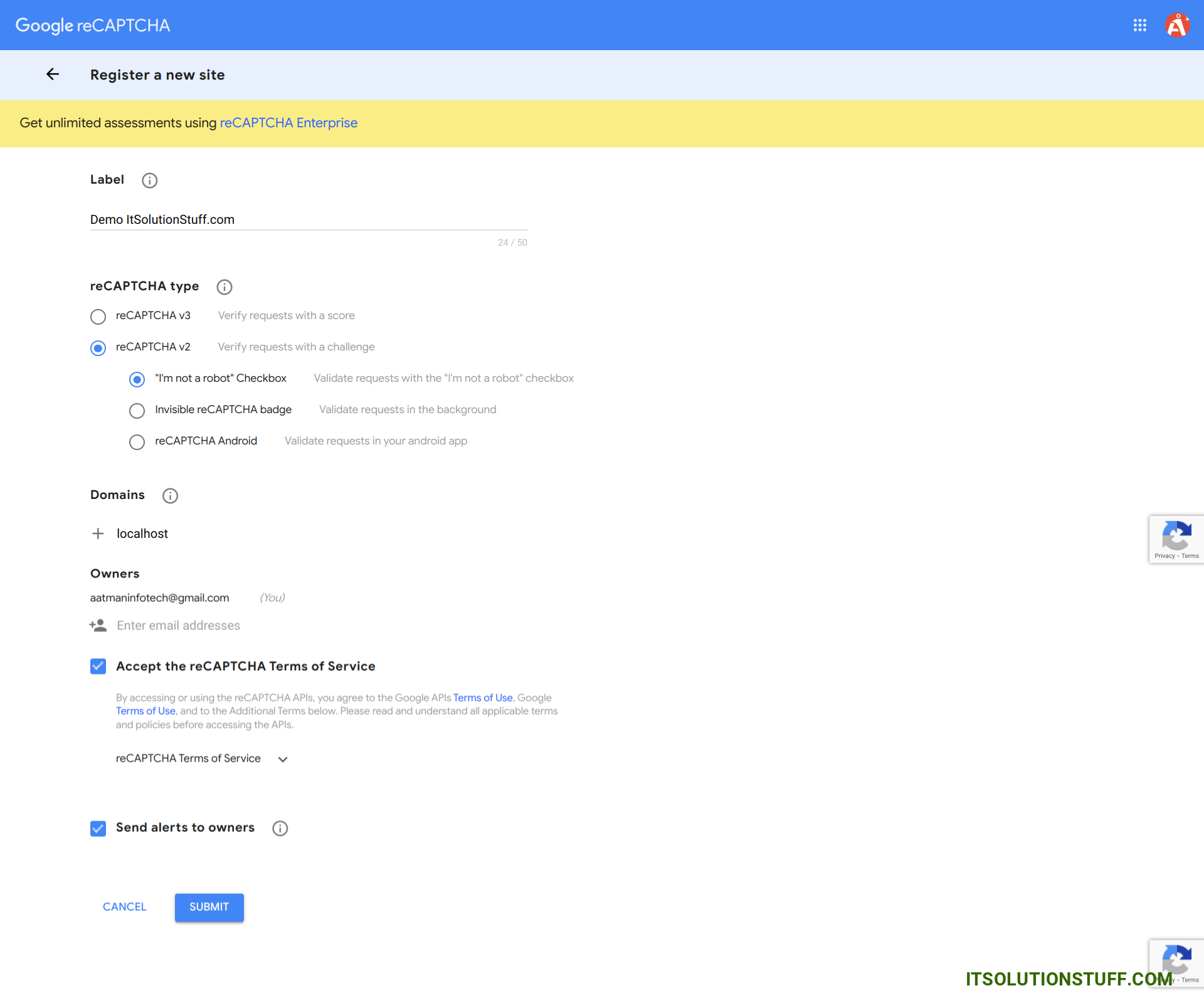
In this step we need to set google site key and secret key. If you don't have site key and secret key then you can create from here. First click on this link : Recaptcha Admin
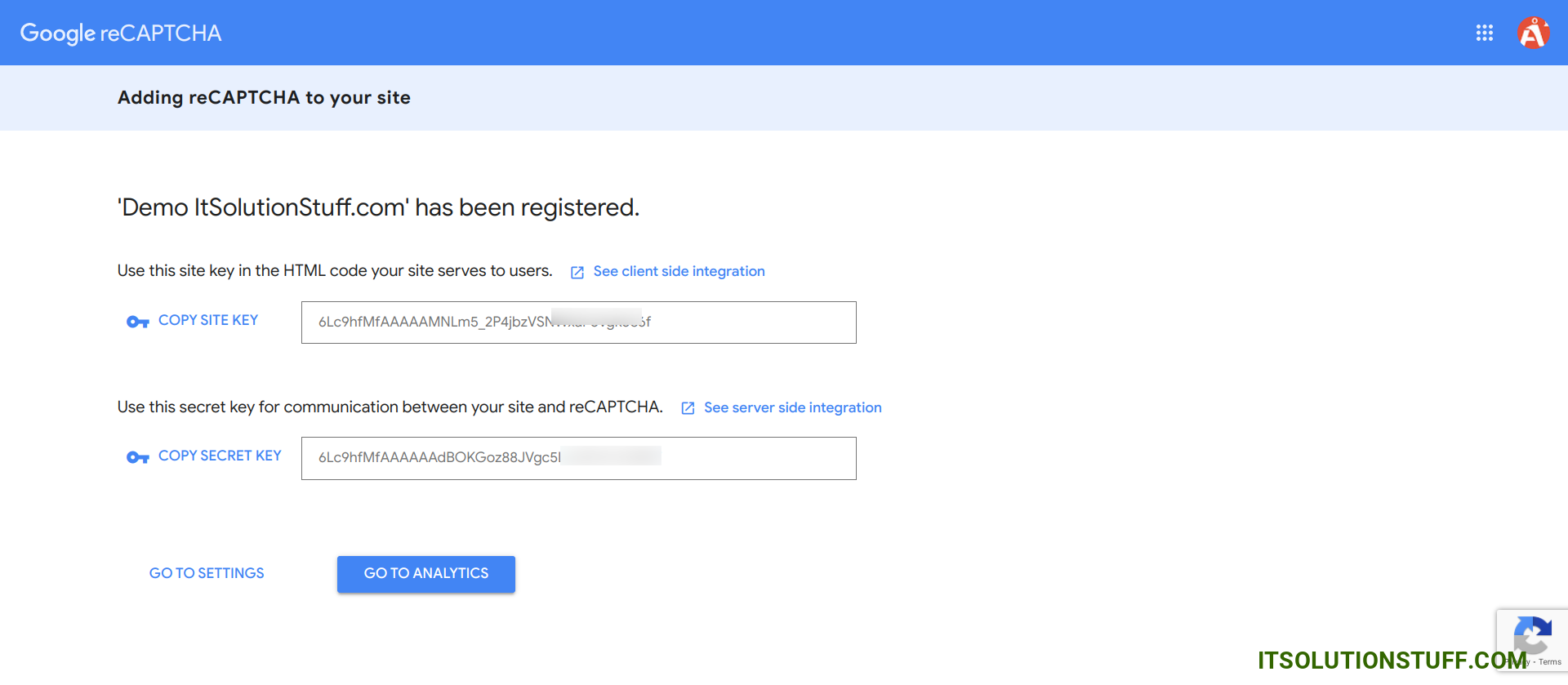
Ok, after sucessfully register you can get site key and secret key from like bellow preview.
In this step, we will create two routes GET and POST. so let's add it.
routes/web.php
Step 4: Create Validation Rule
In this step, we will create new "ReCaptcha" validation rule that will check user is real or not using google recaptcha v2 API. so let's run below command and update rule validation file.
app/Rules/ReCaptcha.php
Step 5: Create Controller
In this step, we have to create new controller as ContactController and we have also need to add two methods index() and store() on that controller. We will use recaptcha validation on store method. so let's update follow code:
app/Http/Controllers/ContactController.php
Step 6: Create View File
In Last step, let's create contactForm.blade.php(resources/views/contactForm.blade.php) for create form with google recaptcha v2 and put following code:
resources/views/contactForm.blade.php
Run Laravel App:
All the required steps have been done, now you have to type the given below command and hit enter to run the Laravel app:
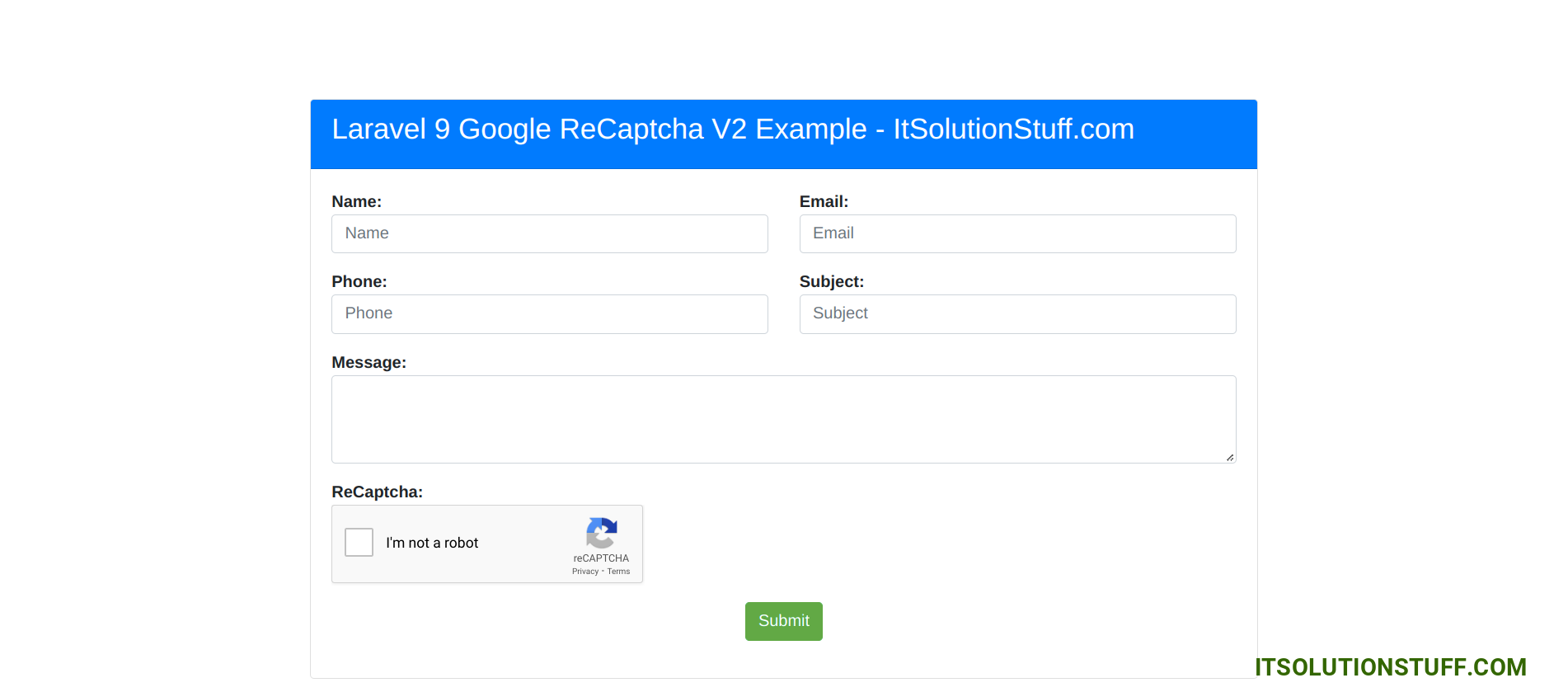
Now, Go to your web browser, type the given URL and view the app output:
<?php use Illuminate\Support\Facades\Route; use App\Http\Controllers\ContactController; /*|--------------------------------------------------------------------------| Web Routes|--------------------------------------------------------------------------|| Here is where you can register web routes for your application. These| routes are loaded by the RouteServiceProvider within a group which| contains the "web" middleware group. Now create something great!|*/ Route::get('contact-us', [ContactController::class, 'index']);Route::post('contact-us', [ContactController::class, 'store'])->name('contact.us.store');
php artisan make:rule ReCaptcha
<?php namespace App\Rules; use Illuminate\Contracts\Validation\Rule;use Illuminate\Support\Facades\Http; class ReCaptcha implements Rule{ /** * Create a new rule instance. * * @return void */ public function __construct() { } /** * Determine if the validation rule passes. * * @param string $attribute * @param mixed $value * @return bool */ public function passes($attribute, $value) { $response = Http::get("https://www.google.com/recaptcha/api/siteverify",[ 'secret' => env('GOOGLE_RECAPTCHA_SECRET'), 'response' => $value ]); return $response->json()["success"]; } /** * Get the validation error message. * * @return string */ public function message() { return 'The google recaptcha is required.'; }}
<?php namespace App\Http\Controllers; use Illuminate\Http\Request;use App\Rules\ReCaptcha; class ContactController extends Controller{ /** * Write code on Method * * @return response() */ public function index() { return view('contactForm'); } /** * Write code on Method * * @return response() */ public function store(Request $request) { $request->validate([ 'name' => 'required', 'email' => 'required|email', 'phone' => 'required|digits:10|numeric', 'subject' => 'required', 'message' => 'required', 'g-recaptcha-response' => ['required', new ReCaptcha] ]); $input = $request->all(); /*------------------------------------------ -------------------------------------------- Write Code for Store into Database -------------------------------------------- --------------------------------------------*/ dd($input); return redirect()->back()->with(['success' => 'Contact Form Submit Successfully']); }}

 PauseUnmuteLoaded: 3.10%Fullscreen
 Hi Dev,