
API Rest with Laravel 5.6 Passport Authentication — Generate avatar (Part 3)(ok)
https://medium.com/modulr/api-rest-with-laravel-5-6-passport-authentication-generate-avatar-part-3-d92ec7935eff
Bearer eyJ0eXAiOiJKV1QiLCJhbGciOiJSUzI1NiJ9.eyJhdWQiOiIxIiwianRpIjoiMTgzYWU0ZDljNDM2MDczZTNmMTdiYjIyZTA3OGJhYzA1MTMyMmMwMDllZjlmMTNiYzM3N2RkYjg3ODljOWY0NTJkNTIwYTE5NDU4ZTIyYjIiLCJpYXQiOjE1OTU5NTU3MzUsIm5iZiI6MTU5NTk1NTczNSwiZXhwIjoxNjI3NDkxNzM1LCJzdWIiOiIzIiwic2NvcGVzIjpbXX0.uUXU0huvU1aJnwp4muC5xvJyRsMbxd1nl0nVayBxjhMJoKur0hN9VooYC4cODq85KAptzMuUpoamDim3JvyIvQWNf4AjkxsHtDVRUCLZIsqbUAyB2ER5KKigOUNzBBIO7b3p2oWOPMyh-mkHqkrErcw20_IH79ukrDcXvDqRXpZyyxY4tFc7oxkOyHj34FAP3jfROasrYnrCjs09ph9GPWbMBd1QxOYjGk8H1U7-Tnzgj_-_gbkDOCkbZDd2OwhX_tnhGuFzfocpdWQMtn31hgXB21Rnxys7ndiC62EvWYwYTMG0K2rv5U2xp8hZMMmX8ZU6hdaViCvUrGKX2-lNe_ms4u6W7HGNp8qTlsIH_pq6wlY28_lo2W3YyYdzt4wTceLPZXRekvRiZ3Q6gzzNBbcNE_o4uO2yDDtNYC2snQNeoThTIWK8Bqe6PIpVDabtH6Q46vDH0-qaxG8IVWUkWHblVB6qGS-Q50WVWIQ_tTfEnlGx4sXG0OPCDRbpZ4VDH3ho8tMV2dMJuJOxa2NNL-wNGNLhplJ2LUUt2qkmHbRLlY9nbhyhmHdj5K2PtJcbysArxUPEFGckjRuMnWwUslUAo_s-fwcaNA-xClL5sKdC6KJr-gmz_IAvl1h3iKoNzUeYbSirxBJv-c-3oTbd2A6__6jMXBiQMAMW7GHCBUk{
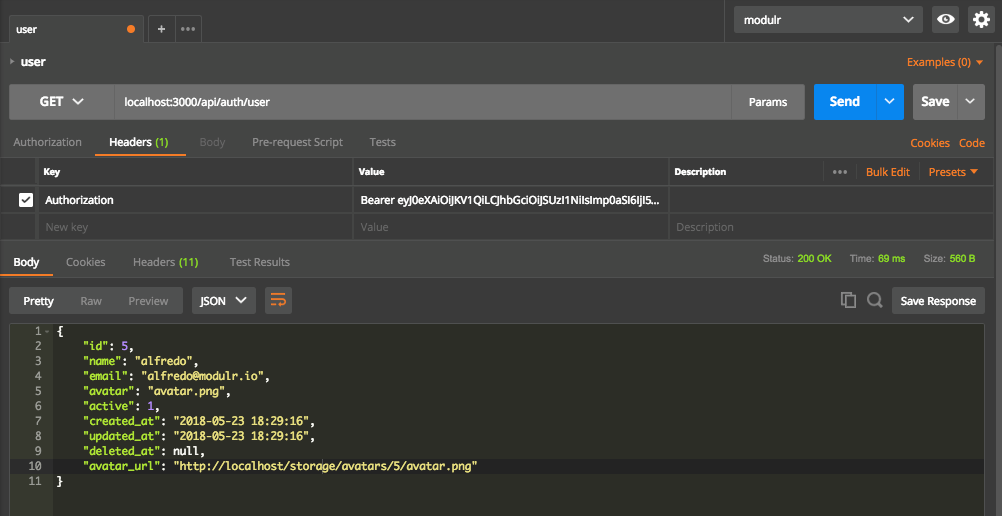
"id": 3,
"name": "Lionel1",
"email": "phamngoctuong1805@gmail.com",
"avatar": "avatar.png",
"active": 1,
"created_at": "2020-07-28T16:54:53.000000Z",
"updated_at": "2020-07-28T16:55:47.000000Z",
"deleted_at": null,
"avatar_url": "/storage/avatars/3/avatar.png"
}
API Rest with Laravel 5.6 Passport Authentication — Generate avatar (Part 3)
 Alfredo BarronFollowMay 24, 2018 · 3 min read
We will learn to generate avatar for user accounts, in the authentication system with Laravel API Authentication Passport.
 This tutorial is continuation of the API Rest with Laravel 5.6 Passport Authentication — Confirm account + notifications (Part 2) tutorial.
Step 1. Install Avatar Package
Step 2. Add column in users table
Step 3. Create avatar for user account
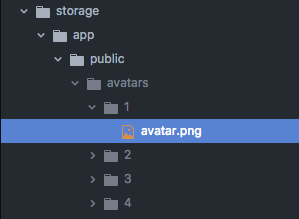
The avatar will create in to storage/avatars folder.
Step 4. Get avatar of authenticated user
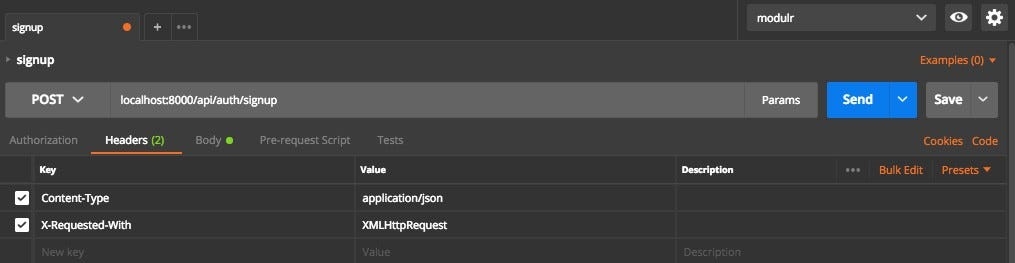
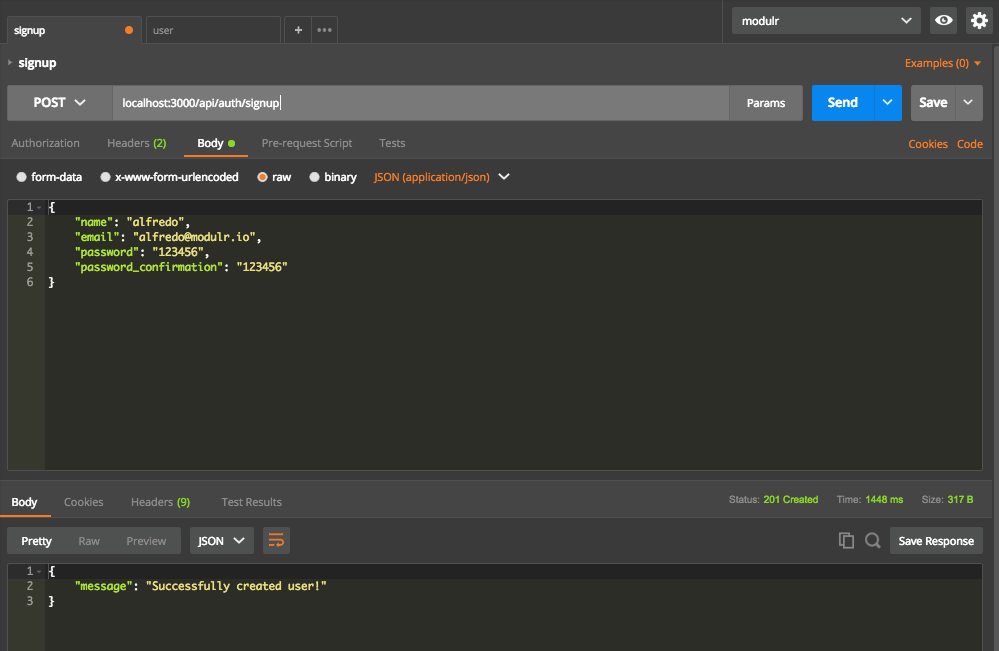
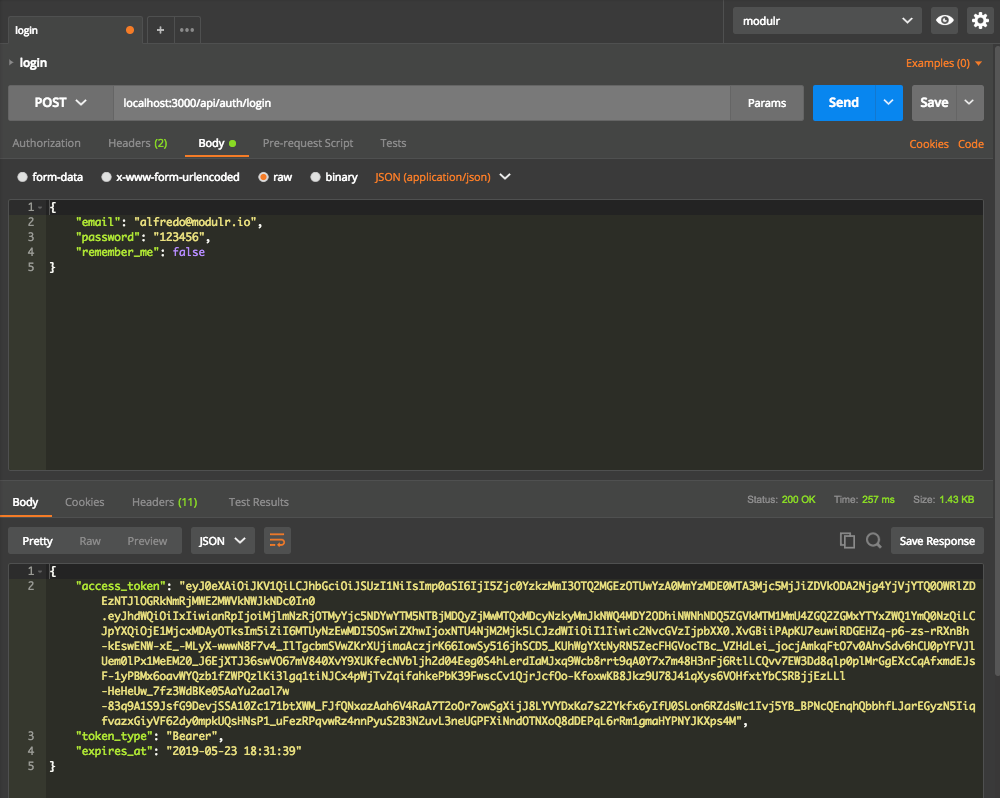
Tests



Resources
PreviousAPI Rest with Laravel 5.6 Passport Authentication — Confirm account + notifications (Part 2) (ok)NextAPI Rest with Laravel 5.6 Passport Authentication — Reset Password (Part 4)
Last updated