
Laravel 9 Stripe Payment Gateway Integration Tutorial
https://www.itsolutionstuff.com/post/laravel-9-stripe-payment-gateway-integration-tutorialexample.html
Laravel 9 Stripe Payment Gateway Integration Tutorial
By Hardik Savani March 31, 2022 Category : Laravel PauseUnmuteLoaded: 5.32%Fullscreen
 Hi,
Hi,
I am going to explain to you an example of laravel 9 stripe integration. This tutorial will give you a simple example of stripe payment gateway integration in laravel 9. I would like to share with you laravel 9 stripe payment gateway example. it's a simple example of laravel 9 payment integration stripe example.
You need to create a stripe developer account and need to get API key and secret from there. Then we will use stripe/stripe-php composer library for the stripe payment gateway in laravel 9. I write step by step integration for the stripe payment gateway.
Stripe is a very popular and secure internet payment gateway company that helps to accept payments worldwide. Stripe provides really nice development interface to start and you don’t have to pay subscription charges to learn it provides a free developer account, before starting to code in your app.
I will give you an example from scratch to implement a stripe payment gateway in the laravel 9 application. You just need to follow a few steps to get a full example to pay.

Step 1: Install Laravel 9
This is optional; however, if you have not created the laravel app, then you may go ahead and execute the below command:
Step 2: Install stripe-php Package
In this step we need to install stripe-php via the Composer package manager, so one your terminal and fire bellow command:
Step 3: Set Stripe API Key and SECRET
Now, we need to set stripe key and secret. so first you can go on Stripe website and create development stripe account key and secret and add bellow:
.env
Step 4: Create Controller File
in next step, now we have create new controller as StripePaymentController and write both method on it like as bellow, So let's create both controller:
app/Http/Controllers/StripePaymentController.php
If you must need to pass customer name and address with shipping address then you can use bellow method code:
Step 5: Create Routes
In this step, we will create two routes for get request and another for post request. So, let's add new route on that file.
routes/web.php
Step 6: Create Blade File
In Last step, let's create stripe.blade.php(resources/views/stripe.blade.php) for layout and write code of jquery to get token from stripe here and put following code:
resources/views/stripe.blade.php
Run Laravel App:
All the required steps have been done, now you have to type the given below command and hit enter to run the Laravel app:
Now, Go to your web browser, type the given URL and view the app output:
Output:
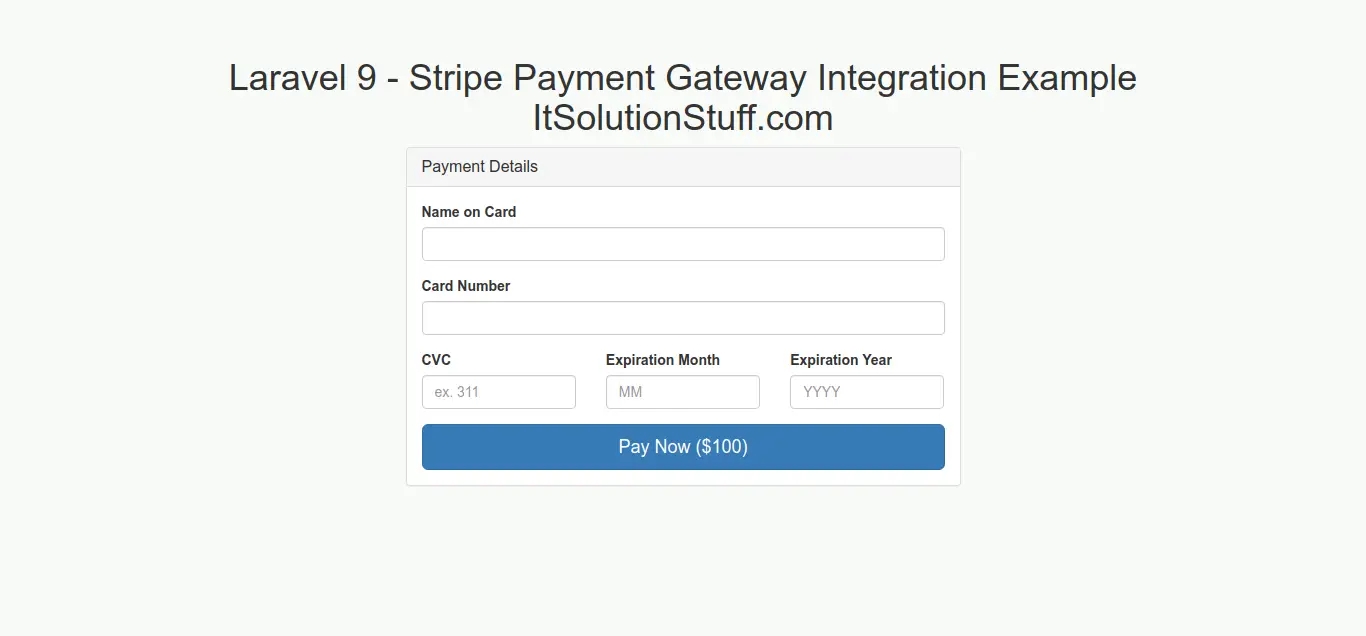
Now you can check with following card details:
Read Also: Laravel 9 Google Recaptcha V3 Example Tutorial
I hope it can help you...
Last updated