
Laravel Livewire Wizard Form Example
https://www.itsolutionstuff.com/post/laravel-livewire-wizard-form-exampleexample.html?fbclid=IwAR0N-KN1GWoQCArFRehMa_iTIIOSzN4NEG9Fkb_gKloMRsxoBqA_JILv-pU
Laravel Livewire Wizard Form Example
By Hardik Savani | November 28, 2020 | Category : Laravel
Hi Dev,
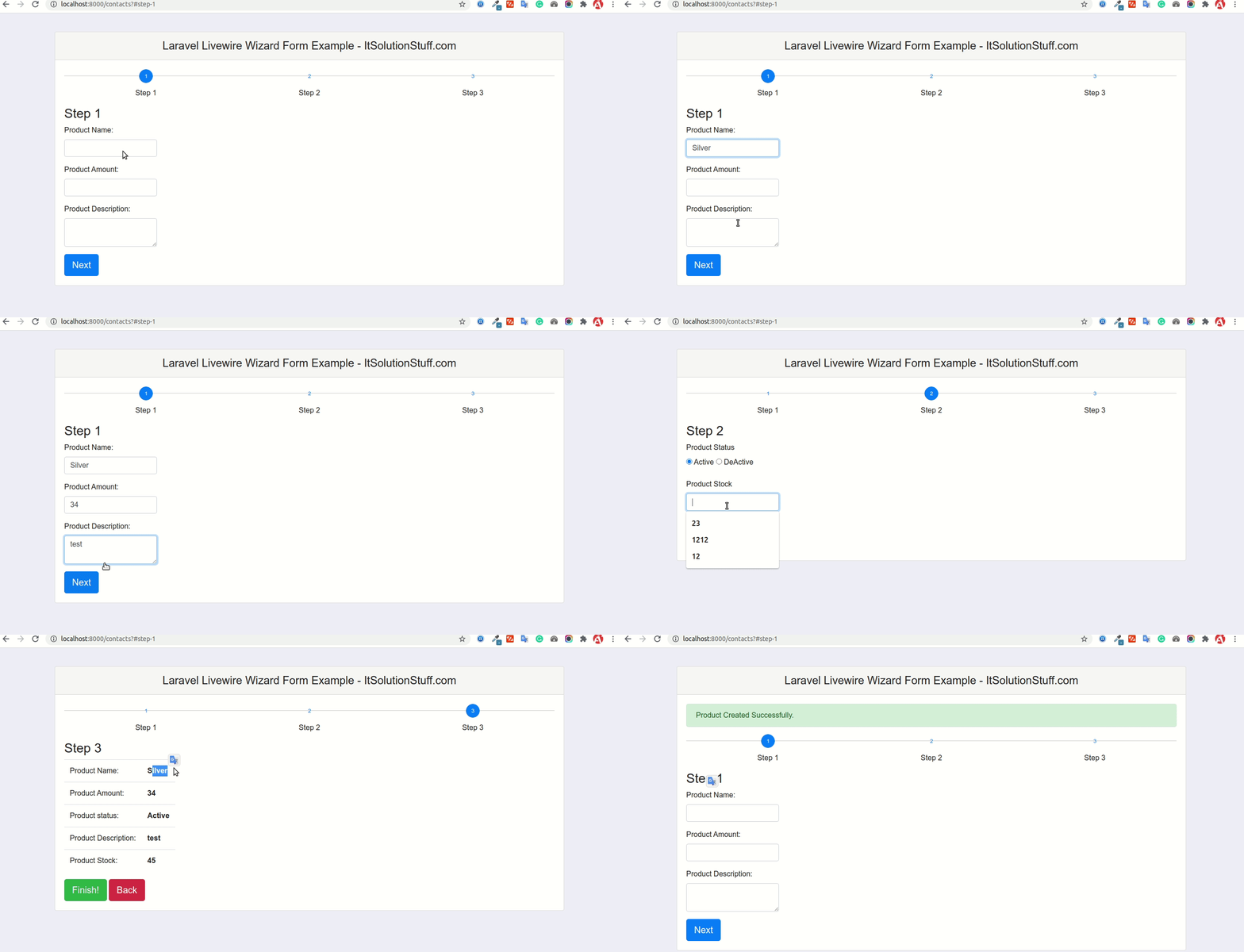
This simple article demonstrates of laravel livewire wizard form. you can see laravel livewire multi step form example. step by step explain wizard form bootstrap laravel livewire. i would like to share with you step by step wizard form in laravel livewire. Let's get started with livewire multi step form laravel example.
we can easily create multi step form using livewire in laravel 6, laravel 7 and laravel 8 version. let's see simple example of laravel livewire wizard form.
Livewire is a full-stack framework for Laravel framework that makes building dynamic interfaces simple, without leaving the comfort of Laravel. if you are using livewire with laravel then you don't worry about writing jquery ajax code, livewire will help to write very simple way jquery ajax code using php. without page refresh laravel validation will works, form will submit etc.
Here, i will give you very simple example to multi step using bootstrap wizard design. we will create product table and create new record with multi step.
So, let's follow bellow step and you will get bellow layout:
Step 1 : Install Laravel 8
first of all we need to get fresh Laravel 8 version application using bellow command, So open your terminal OR command prompt and run bellow command:
Step 2 : Create Migration and Model
Here, we need create database migration for files table and also we will create model for files table.
Migration:
now we will create Product model by using following command:
App/Models/Product.php
Read Also: Laravel Livewire Form Example
Step 3: Install Livewire
now in this step, we will simply install livewire to our laravel 8 application using bellow command:
Step 4: Create Component
Now here we will create livewire component using their command. so run bellow command to create add more component.
Now they created fies on both path:
Now both file we will update as bellow for our contact us form.
app/Http/Livewire/Wizard.php
resources/views/livewire/wizard.blade.php
Step 5: Create Route
now we will create one route for calling our example, so let's add new route to web.php file as bellow:
routes/web.php
Step 6: Create View File
here, we will create blade file for call form route. in this file we will use @livewireStyles, @livewireScripts and @livewire('wizard'). so let's add it.
resources/views/default.blade.php
public/wizard.css
Now you can run using bellow command:
Open bellow URL:
Read Also: Laravel Livewire Datatables Example Tutorial
I hope it can help you...
Last updated