
Laravel 9 Socialite Login with Google Account Example
https://www.itsolutionstuff.com/post/laravel-9-socialite-login-with-google-account-exampleexample.html
Hi Dev,
Here, I will show you laravel 9 login with google. it's a simple example of laravel 9 login with gmail account. I would like to share with you laravel 9 jetstream login with google. In this article, we will implement login with gmail in laravel 9. Let's see below example laravel 9 socialite login with google.
As we know social media becomes more and more popular in the world. Everyone has a social account like Gmail, Facebook, etc. I think also most have Gmail accounts. So if your application have login with social then it becomes awesome. you got more people to connect with your website because most of the people do not want to fill out the sign up or sign in form. If their login with social then it becomes awesome.
So if you want to also implement login with a Google Gmail account then I will help you with step-by-step instructions. let's follow the tutorial and implement it.
Preview:

Step 1: Install Laravel 9
This is optional; however, if you have not created the laravel app, then you may go ahead and execute the below command:
composer create-project laravel/laravel example-appStep 2: Install JetStream
Now, in this step, we need to use composer command to install jetstream, so let's run bellow command and install bellow library.
composer require laravel/jetstreamnow, we need to create authentication using bellow command. you can create basic login, register and email verification. if you want to create team management then you have to pass addition parameter. you can see bellow commands:
php artisan jetstream:install livewireNow, let's node js package:
npm installlet's run package:
npm run devnow, we need to run migration command to create database table:
Read Also: Laravel 9 Clear Cache of Route, View, Config, Event Commands
Step 3: Install Socialite
In first step we will install Socialite Package that provide api to connect with google account. So, first open your terminal and run bellow command:

Step 4: Create Google App
In this step we need google client id and secret that way we can get information of other user. so if you don't have google app account then you can create from here : Google Developers Console. you can find bellow screen :
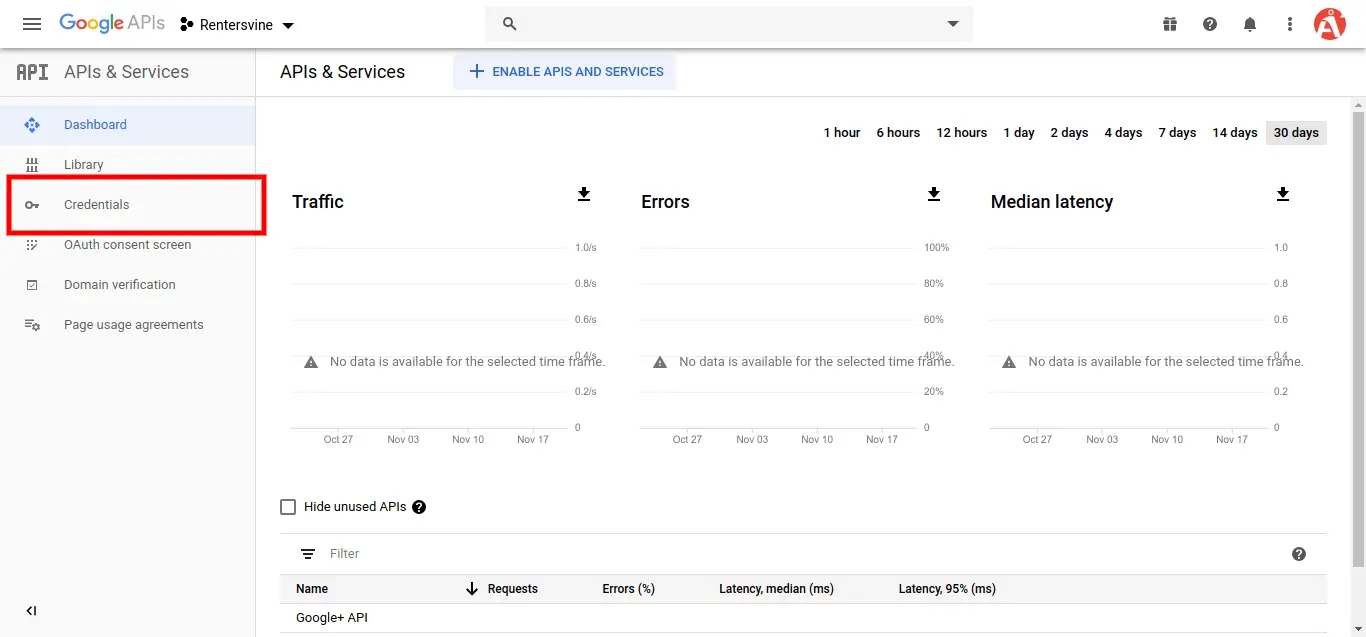
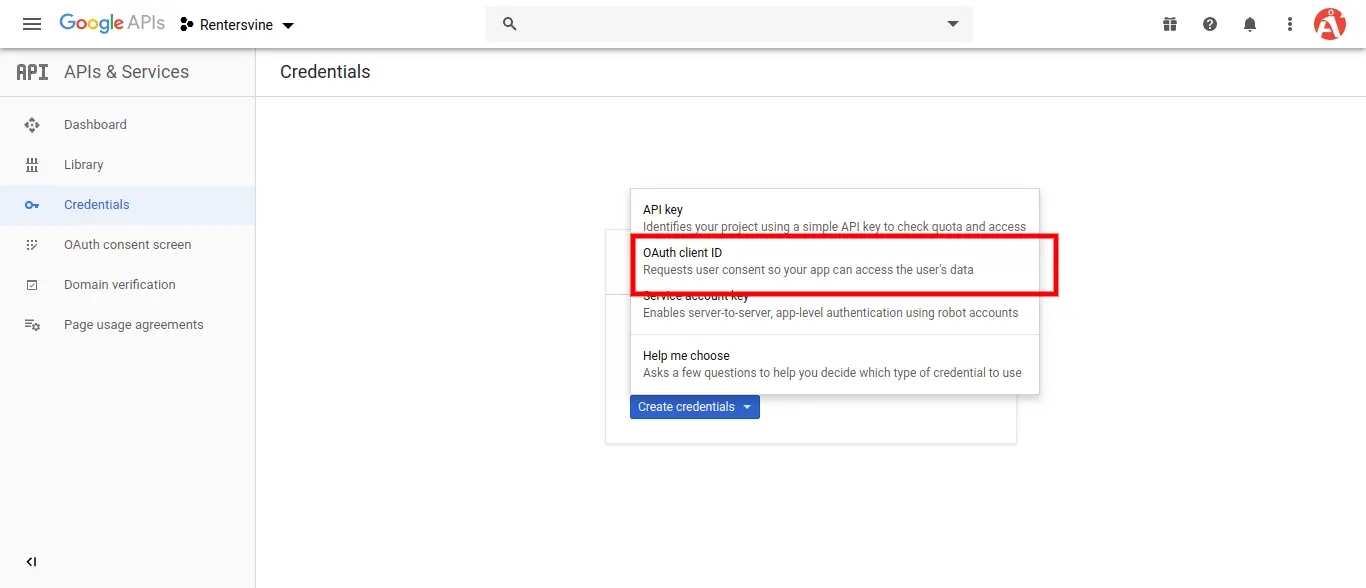
Now you have to click on Credentials and choose first option oAuth and click Create new Client ID button. now you can see following slide:
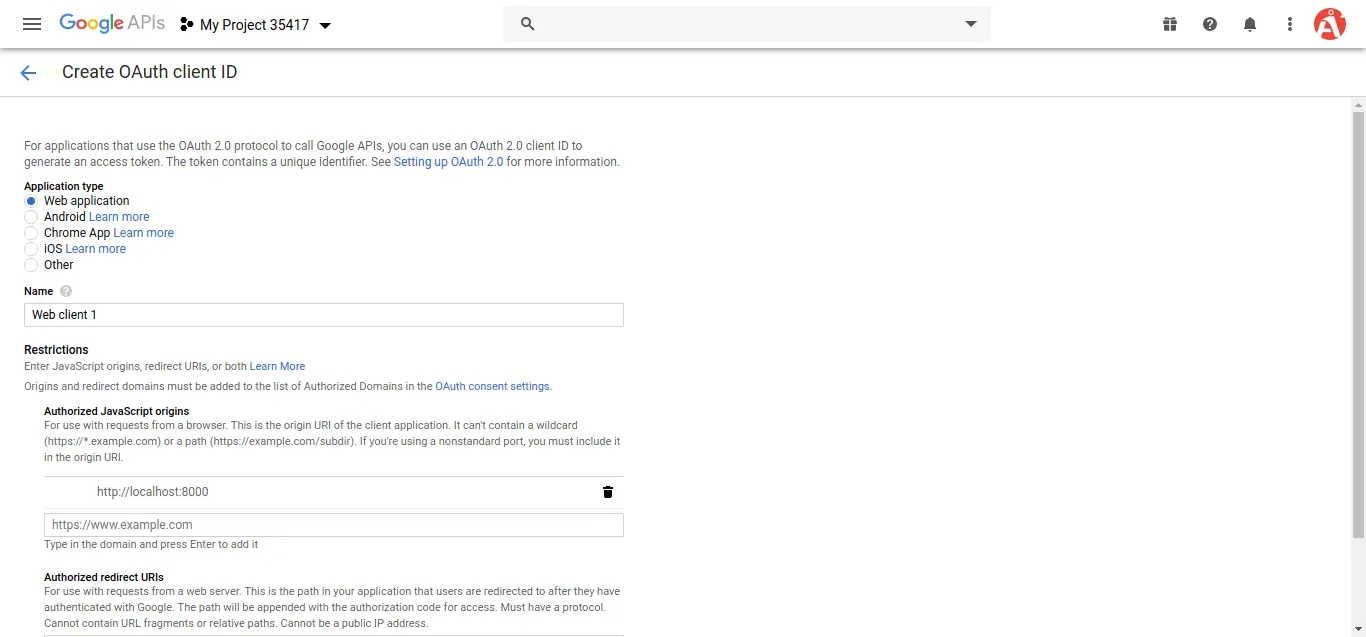
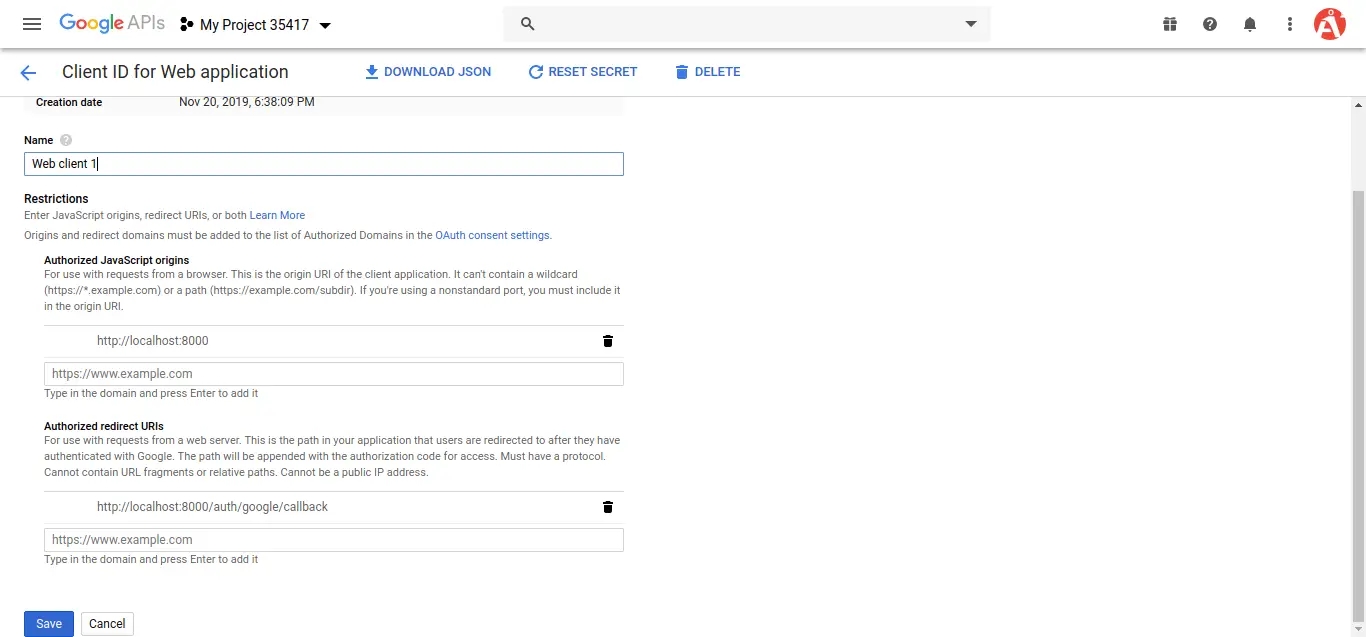
after create account you can copy client id and secret.
Now you have to set app id, secret and call back url in config file so open config/services.php and set id and secret this way:
config/services.php
Then you need to add google client id and client secret in .env file:
.env
Step 5: Add Database Column
In this step first we have to create migration for add google_id in your user table. So let's run bellow command:
Migration
Update mode like this way:
app/Models/User.php
Step 6: Create Routes
After adding google_id column first we have to add new route for google login. so let's add bellow route in routes.php file.
routes/web.php
Step 7: Create Controller
After add route, we need to add method of google auth that method will handle google callback url and etc, first put bellow code on your GoogleController.php file.
app/Http/Controllers/GoogleController.php
Step 8: Update Blade File
Ok, now at last we need to add blade view so first create new file login.blade.php file and put bellow code:
resources/views/auth/login.blade.php
Run Laravel App:
All the required steps have been done, now you have to type the given below command and hit enter to run the Laravel app:
Now, Go to your web browser, type the given URL and view the app output:
Read Also: Laravel 9 Get Current Logged in User Data Example
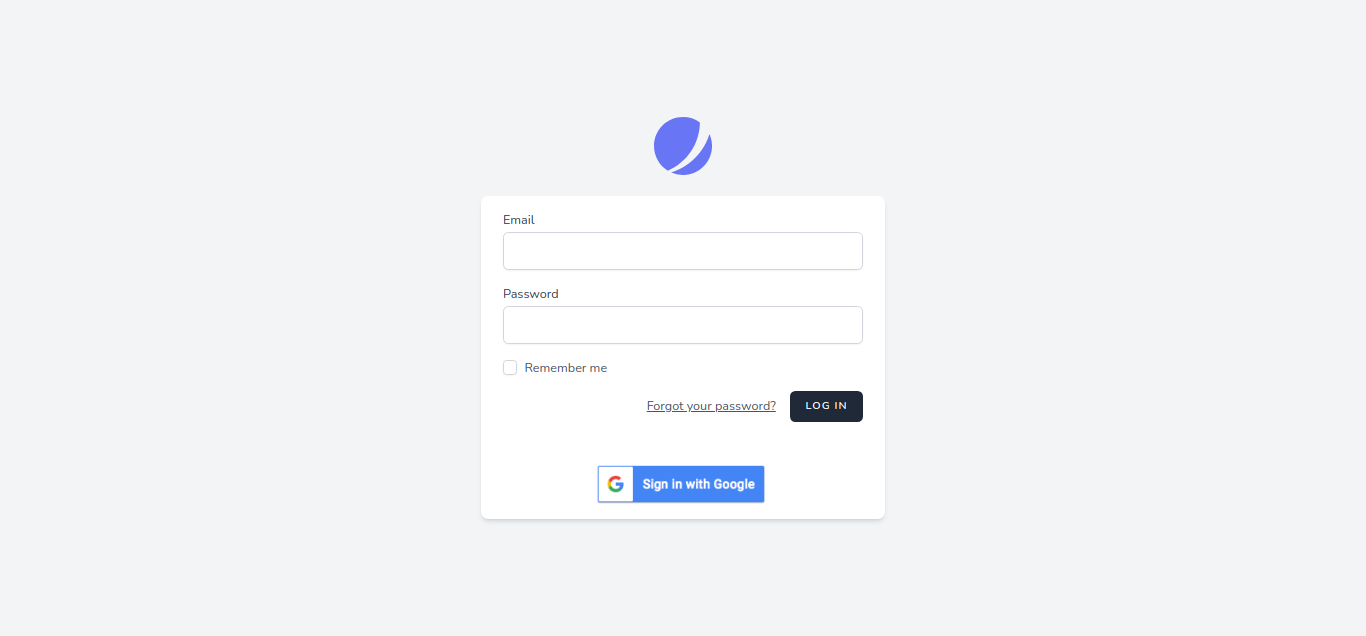
Output:
I hope it can help you...
Last updated