
Laravel 9 Inertia JS CRUD with Jetstream & Tailwind CSS
https://www.itsolutionstuff.com/post/laravel-9-inertia-js-crud-with-jetstream-tailwind-cssexample.html
This article goes in detailed on laravel 9 inertia js crud example. We will use laravel 9 inertia js crud with jetstream & tailwind css. step by step explain laravel 9 inertia js crud with modal. you can see laravel 9 jetstream inertia js crud application example.
Laravel 9 jetstream design by Tailwind CSS and they provide auth using inertia js and Inertia. I will show you how to create module with inertia.js vue js on default jetstream auth in laravel 9.
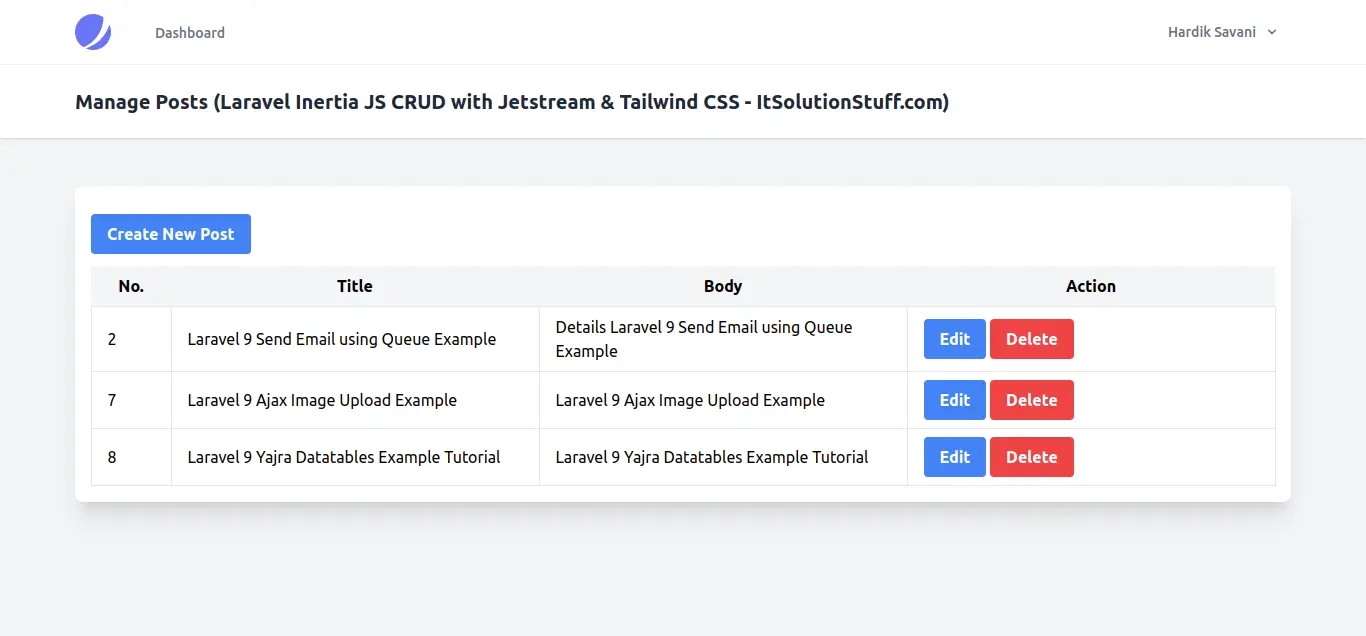
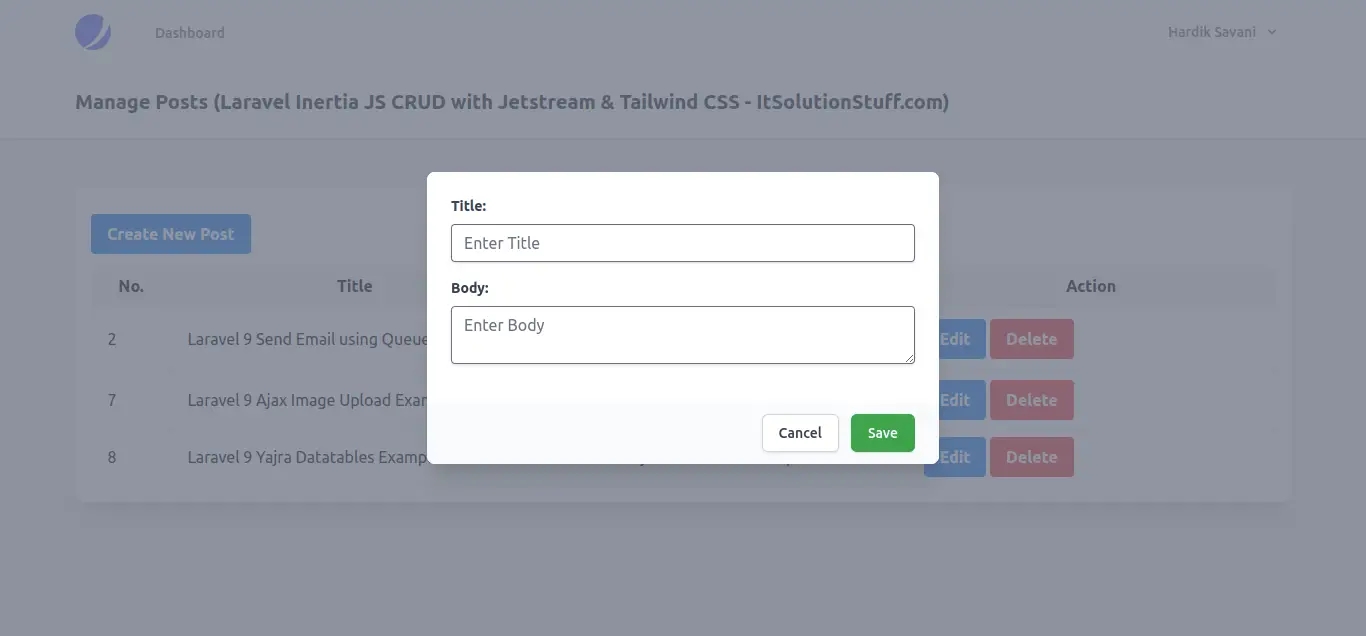
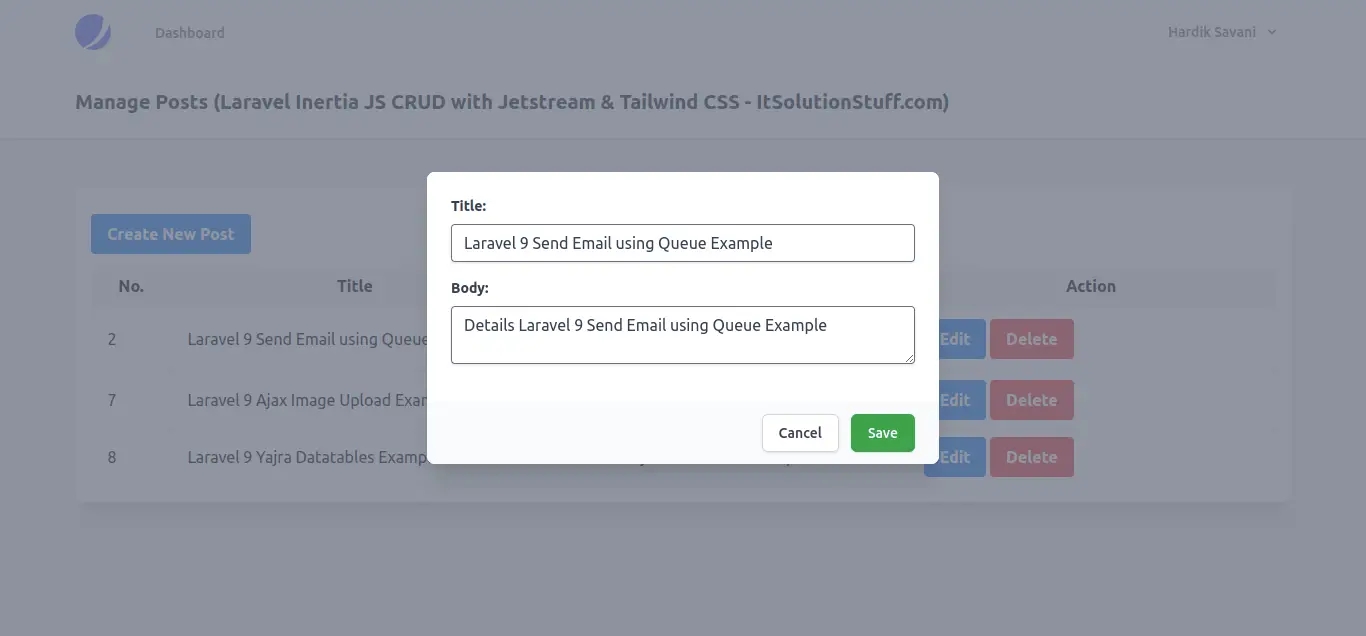
Here, below i wrote step by step, so you can easily start a simple postmaster with your existing step up of laravel 9 jetstream auth with tailwind css. you just need to follow few below step and you will get the layout as like below:
List View:
Create View:
Update View:
Step 1: Install Laravel 9
This is optional; however, if you have not created the laravel app, then you may go ahead and execute the below command:
Step 2: Create Auth with Jetstream Inertia JS
Now, in this step, we need to use composer command to install jetstream, so let's run bellow command and install bellow library.
now, we need to create authentication using bellow command. you can create basic login, register and email verification. if you want to create team management then you have to pass addition parameter. you can see bellow commands:
Now, let's node js package:
let's run package:
now, we need to run migration command to create database table:
Read Also: Laravel 9 Eloquent Mutators and Accessors Example
Step 3: Create Migration and Model
Here, we need create database migration for files table and also we will create model for files table.
Migration:
now we will create Post model by using following command:
App/Models/Post.php
Step 4: Create Route
In third step, we will create routes for crud app. so create resource route here.
routes/web.php
Step 5: Create Controller
In this step, we will create postcontroller file and add following code on it.
app/Http/Controllers/PostController.php
Step 6: Share Inertia Var
Here, we will share 'message' and 'errors' variable for success message and validation error so. we need to share this variables on appservices provider as like bellow:
app/Providers/AppServiceProvider.php
Step 7: Create Vue Page
Here, we need to create posts. vue file where we will write code to list of posts and create and update model code.
so, let's create it and add bellow code on it.
resources/js/Pages/posts.vue
Run Laravel App:
All the required steps have been done, now you have to type the given below command and hit enter to run the Laravel app:
Now, Go to your web browser, type the given URL and view the app output:
Read Also: Laravel 9 Stripe Payment Gateway Integration Tutorial
now it's works...
I hope it can help you...
Last updated