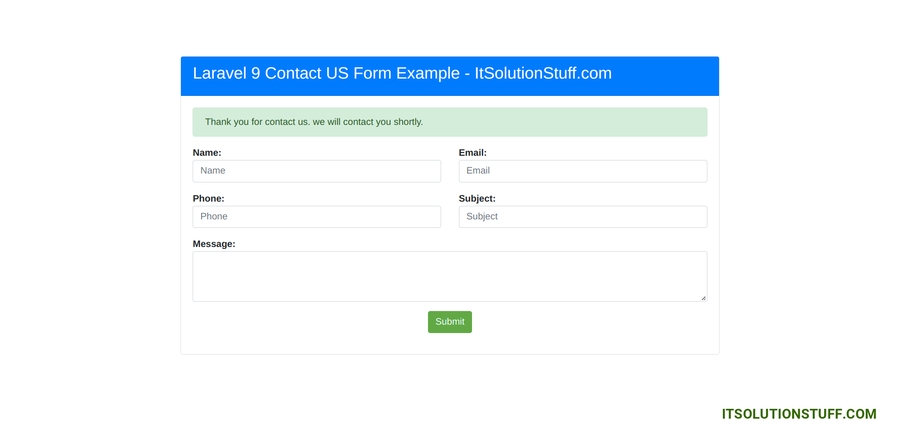
By Hardik Savani May 19, 2022 Category : LaravelPlayUnmuteLoaded: 0.16%FullscreenHello all! In this article, we will talk about laravel 9 contact form send email. let’s discuss about contact us form in laravel 9. step by step explain contact form validation in laravel 9. This article goes in detailed on laravel 9 feedback form example.
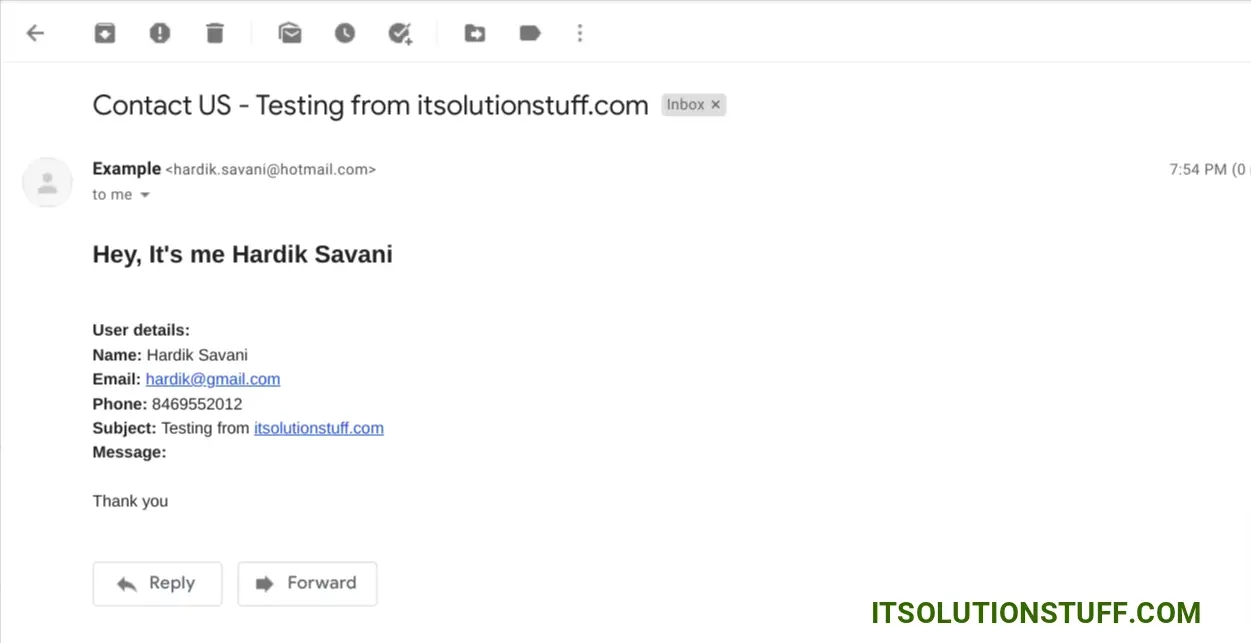
In this example, we will create a contact us form with name, email, phone, subject, and message. we will also add form validation for the contact form. After submitting the form we will store data in the database and send an email notification to the admin email. so let's follow the below step to make this example.
Preview:
Step 1: Install Laravel
This step is not required; however, if you have not created the laravel app, then you may go ahead and execute the below command:
Step 2: Database Configuration
In second step, we will make database configuration for example database name, username, password etc for our crud application of laravel. So let's open .env file and fill all details like as bellow:
we are going to create contact us form. so we have to create migration for "contacts" table using Laravel 9 php artisan command, so first fire bellow command:
After this command you will find one file in following path "database/migrations" and you have to put bellow code in your migration file for create products table.
Now you have to run this migration by following command:
Step 4: Create Model
In this step, we will create Contact.php model and i will create send email code on created event. so in last step we will create email class and template.
let's copy below code and paste it.
app/Models/Contact.php
Step 5: Create Routes
In this step, we will create two routes GET and POST. so let's add it.
routes/web.php
Step 6: Create Controller
In this step, we have to create new controller as ContactController and we have also need to add two methods index() and store() on that controller. We will use validation on store method. so let's update follow code:
app/Http/Controllers/ContactController.php
Step 7: Create View File
In Last step, let's create contactForm.blade.php(resources/views/contactForm.blade.php) for create form with display validation message and put following code:
resources/views/contactForm.blade.php
Step 8: Create Mail Class
In this step we will create mail class ContactMail for email send on contact us form create. So let's run bellow command.
now, let's update code on ContactMail.php file as bellow:
app/Mail/ContactMail.php
Here, we will create blade view file for email. In this file we will write all contact form details. now we just write some dummy text. create bellow files on "emails" folder.
resources/views/emails/contact.blade.php
next, you have to add send mail configuration with mail driver, mail host, mail port, mail username, mail password so laravel will use those sender configuration for sending email. So you can simply add as like following.
.env
Run Laravel App:
All the required steps have been done, now you have to type the given below command and hit enter to run the Laravel app:
Now, Go to your web browser, type the given URL and view the app output:
DB_CONNECTION=mysqlDB_HOST=127.0.0.1DB_PORT=3306DB_DATABASE=here your database name(blog)DB_USERNAME=here database username(root)DB_PASSWORD=here database password(root)
php artisan make:migration create_contacts_table
<?php use Illuminate\Database\Migrations\Migration;use Illuminate\Database\Schema\Blueprint;use Illuminate\Support\Facades\Schema; return new class extends Migration{ /** * Run the migrations. * * @return void */ public function up() { Schema::create('contacts', function (Blueprint $table) { $table->id(); $table->string('name'); $table->string('email'); $table->string('phone'); $table->string('subject'); $table->text('message'); $table->timestamps(); }); } /** * Reverse the migrations. * * @return void */ public function down() { Schema::dropIfExists('contacts'); }};
php artisan migrate
<?php namespace App\Models; use Illuminate\Database\Eloquent\Factories\HasFactory;use Illuminate\Database\Eloquent\Model;use Mail;use App\Mail\ContactMail; class Contact extends Model{ use HasFactory; public $fillable = ['name', 'email', 'phone', 'subject', 'message']; /** * Write code on Method * * @return response() */ public static function boot() { parent::boot(); static::created(function ($item) { $adminEmail = "your_admin_email@gmail.com"; Mail::to($adminEmail)->send(new ContactMail($item)); }); }}
<?php use Illuminate\Support\Facades\Route; use App\Http\Controllers\ContactController; /*|--------------------------------------------------------------------------| Web Routes|--------------------------------------------------------------------------|| Here is where you can register web routes for your application. These| routes are loaded by the RouteServiceProvider within a group which| contains the "web" middleware group. Now create something great!|*/ Route::get('contact-us', [ContactController::class, 'index']);Route::post('contact-us', [ContactController::class, 'store'])->name('contact.us.store');
<?php namespace App\Http\Controllers; use Illuminate\Http\Request;use App\Models\Contact; class ContactController extends Controller{ /** * Write code on Method * * @return response() */ public function index() { return view('contactForm'); } /** * Write code on Method * * @return response() */ public function store(Request $request) { $request->validate([ 'name' => 'required', 'email' => 'required|email', 'phone' => 'required|digits:10|numeric', 'subject' => 'required', 'message' => 'required' ]); Contact::create($request->all()); return redirect()->back() ->with(['success' => 'Thank you for contact us. we will contact you shortly.']); }}
<?php namespace App\Mail; use Illuminate\Bus\Queueable;use Illuminate\Contracts\Queue\ShouldQueue;use Illuminate\Mail\Mailable;use Illuminate\Queue\SerializesModels; class ContactMail extends Mailable{ use Queueable, SerializesModels; public $data; /** * Create a new message instance. * * @return void */ public function __construct($data) { $this->data = $data; } /** * Build the message. * * @return $this */ public function build() { return $this->subject('Contact US - '. $this->data->subject) ->view('emails.contact'); }}

 PlayUnmuteLoaded: 0.16%Fullscreen
 Hello all! In this article, we will talk about laravel 9 contact form send email. let’s discuss about contact us form in laravel 9. step by step explain contact form validation in laravel 9. This article goes in detailed on laravel 9 feedback form example.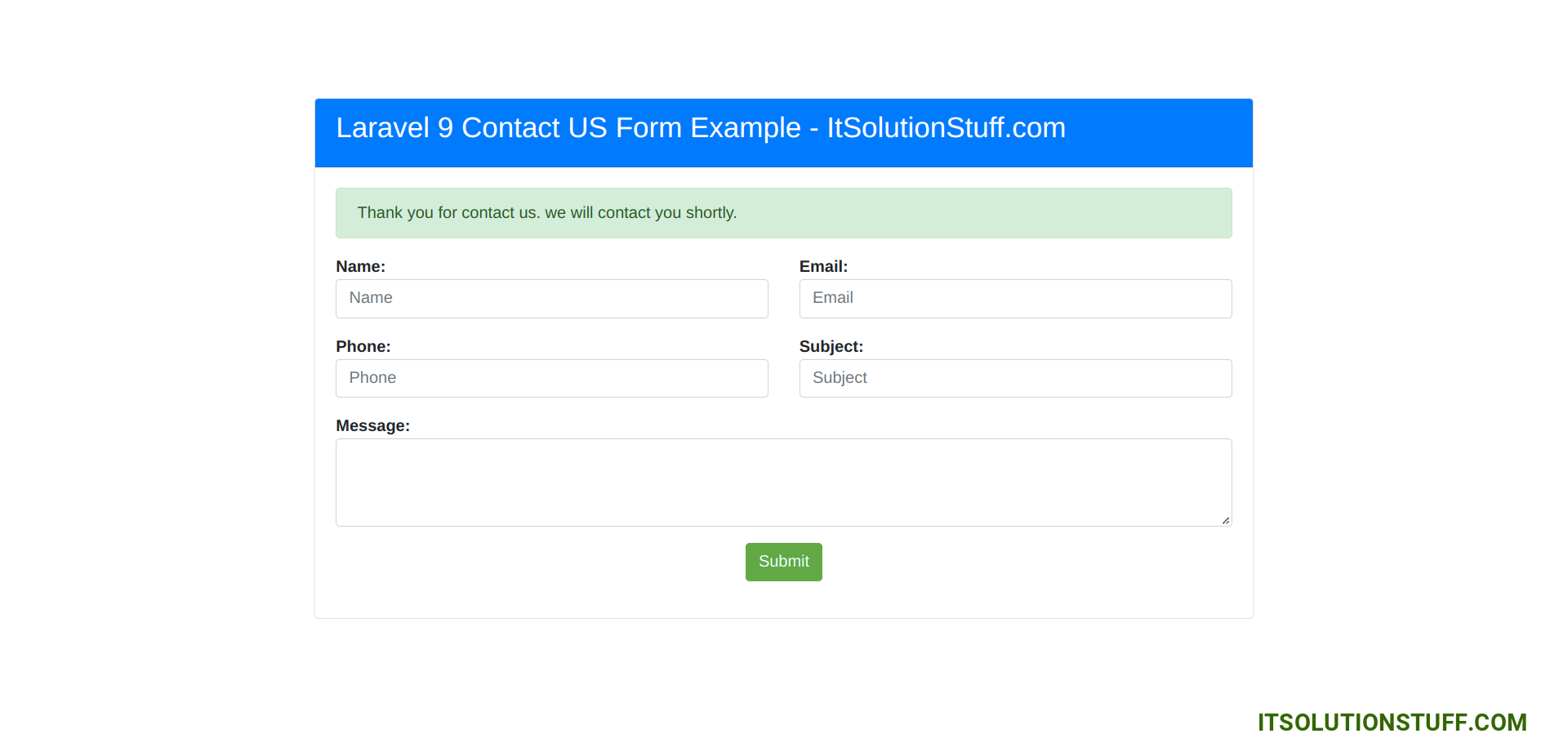
 Read Also: Laravel 9 Send Email using Queue Example