
Laravel Yajra Datatables Export to Excel CSV Button Example
https://www.itsolutionstuff.com/post/laravel-yajra-datatables-export-to-excel-csv-button-exampleexample.html
Laravel Yajra Datatables Export to Excel CSV Button Example
By Hardik Savani July 4, 2020 Category : Laravel PlayUnmuteLoaded: 1.00%Fullscreen
 Hi Dev,
Today, laravel datatables export excel is our main topic. you can see laravel datatables export csv. if you want to see example of how to add export button in yajra datatable then you are a right place. you'll learn yajra laravel datatables export to excel csv.
So, let's follow few step to create example of yajra datatables export csv in laravel 6, laravel 7, laravel 8 and laravel 9.
In this post, i will show you step by step how to add CSV Excel buttons in Laravel Yajra Datatables. we will use yajra/laravel-datatables-buttons package to adding export button in your datatables. you can easily export table data into xlsx file and csv file so it can help you to export it.
So, let's follow few step to done how to export csv excel file from datatable in laravel application.
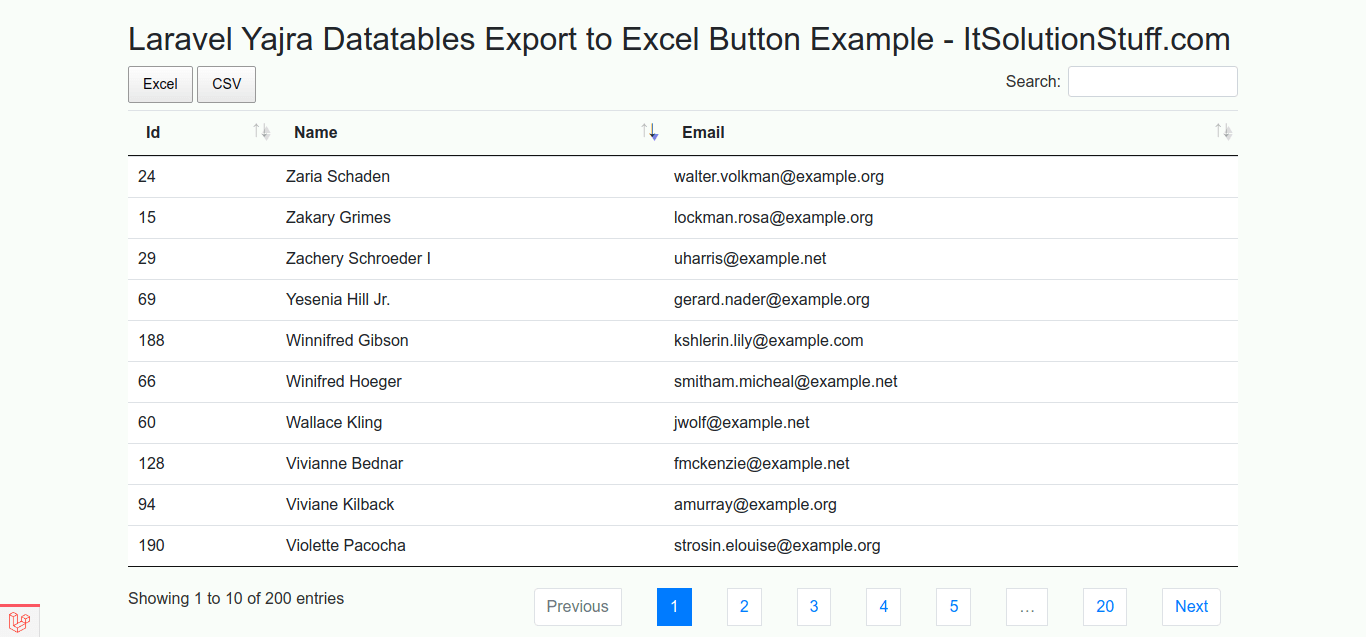
So let's follow this tutorial and you will get layout as like bellow:
Preview:
Step 1: Install Laravel
In this step, if you haven't laravel application setup then we have to get fresh laravel 7 application. So run bellow command and get clean fresh laravel 7 application.
Step 2 : Install Yajra Datatable
We need to install yajra datatable composer package for datatable and yajra/laravel-datatables-buttons export buttons, so you can install using following command:
After that you need to set providers and alias.
config/app.php
Now you have to run bellow command to get configuration file, so let's run bellow command:
Read Also: PHP - jquery datatables with mysql database example from scratch
Step 3: Add Dummy Records
In this step, we will create some dummy users using tinker factory. so let's create dummy records using bellow command:
Step 4: Create DataTable Class
Here, we need to create User DataTable class using Yajra Datatable command. so let's run bellow command:
you have created new class file for DataTable. so let's update following file. here we will add display column, buttons and all then things.
app/DataTables/UsersDataTable.php
Step 5: Add Route
In this is step we need to create route for datatables layout file and another one for getting data. so open your routes/web.php file and add following route.
routes/web.php
Step 6: Create Controller
In this point, now we should create new controller as UserController. this controller will manage layout and getting data request and return response, so put bellow content in controller file:
app/Http/Controllers/UserController.php
Step 7: Create View
In Last step, let's create users.blade.php(resources/views/users.blade.php) for layout and we will write design code here and put following code:
resources/views/users.blade.php
Now we are ready to run our example so run bellow command ro quick run:
Now you can open bellow url on your browser:
Read Also: How to Add Action Button in Laravel Yajra Datatables?
I hope it can help you...
Last updated