By Hardik Savani July 23, 2021 Category : LaravelPlayUnmuteLoaded: 1.20%FullscreenHi,
This post will give you example of laravel summernote image upload. step by step explain upload image summernote laravel. you can understand a concept of image upload in summernote editor laravel. if you want to see example of laravel image upload in summernote then you are a right place.
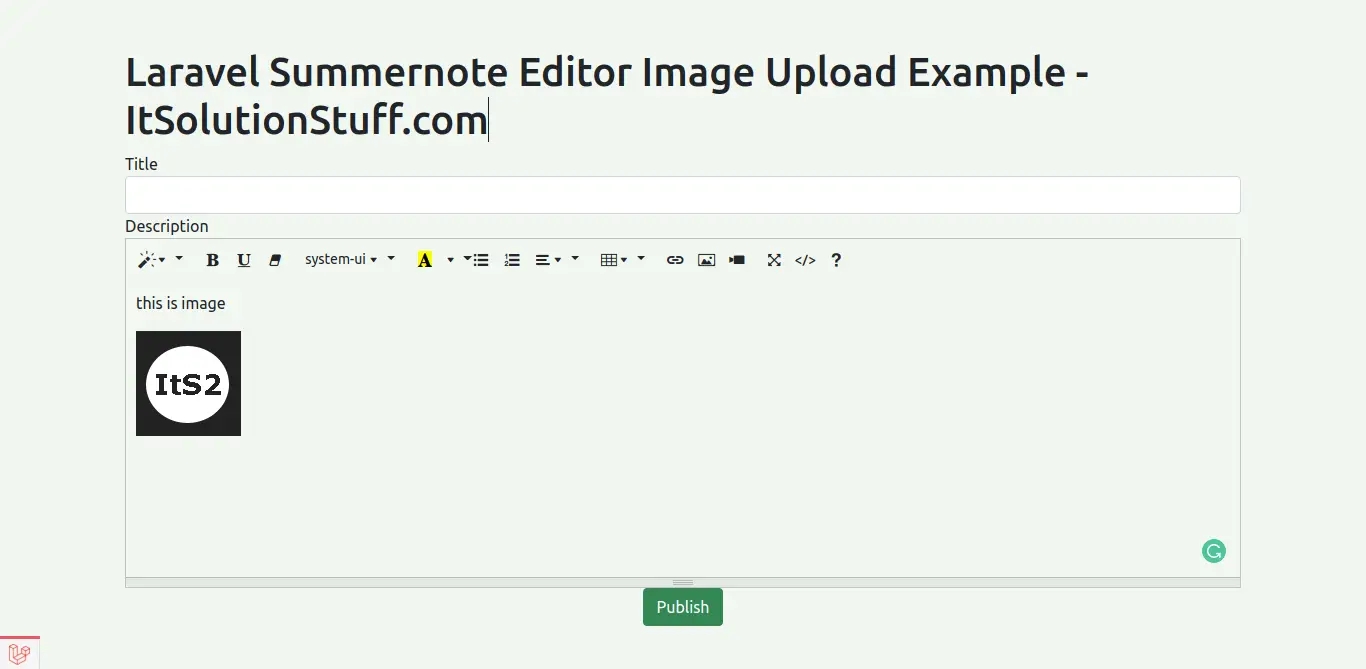
As we know, summernote provide image upload by default. but when you upload image in summernote editor then they convert image into base64 string image and send as content. that content if we store in database then latter it can be issue with database size. so best way is when you upload image then it should store image in our public or storage folder.
here i will give you simple example of image will upload on folder. you can also use this example in laravel 6, laravel 7, laravel 8 and laravel 9 version.
Just let's follow bellow step and see preview as bellow:
Preview:
Step 1: Create Laravel Project
first of all we need to get fresh Laravel 8 version application using bellow command, So open your terminal OR command prompt and run bellow command:
Step 2: Create Post Table and Model
in first step, we need create new migration for adding "posts" table:
In this is step we need to create some routes for listing posts and creating post.
routes/web.php
Step 4: Create Controller
in this step, in this file we write image upload code, image will upload on "upload" folder in public directory. we need to create PostController and add following code on that file:
app/Http/Controllers/PostController.php
Step 5: Create Blade Files
here, we need to create blade files for index and create. so let's create one by one files:
resources/views/postsCreate.blade.php
Now we are ready to run our example. so run bellow command so quick run:
<?php use Illuminate\Database\Migrations\Migration;use Illuminate\Database\Schema\Blueprint;use Illuminate\Support\Facades\Schema; class CreatePostsTable extends Migration{ /** * Run the migrations. * * @return void */ public function up() { Schema::create('posts', function (Blueprint $table) { $table->id(); $table->string('title'); $table->text('body'); $table->timestamps(); }); } /** * Reverse the migrations. * * @return void */ public function down() { Schema::dropIfExists('posts'); }}
php artisan migrate
<?php namespace App\Models; use Illuminate\Database\Eloquent\Factories\HasFactory;use Illuminate\Database\Eloquent\Model; class Post extends Model{ use HasFactory; protected $fillable = [ 'title', 'body', ];}
<?php use Illuminate\Support\Facades\Route; use App\Http\Controllers\PostController; /*|--------------------------------------------------------------------------| Web Routes|--------------------------------------------------------------------------|| Here is where you can register web routes for your application. These| routes are loaded by the RouteServiceProvider within a group which| contains the "web" middleware group. Now create something great!|*/Route::get('posts/create',[PostController::class,'create']);Route::post('posts/store',[PostController::class,'store'])->name('posts.store');

 PlayUnmuteLoaded: 1.20%Fullscreen
 Hi,
Hi,