
Laravel Firebase Push Notification Tutorial
https://www.itsolutionstuff.com/post/laravel-firebase-push-notification-tutorialexample.html
Laravel Firebase Push Notification Tutorial
By Hardik Savani October 24, 2020 Category : Laravel PlayUnmuteLoaded: 1.17%Fullscreen
Hi All,
Today our leading topic is laravel firebase push notification example. i would like to share with you laravel firebase web push notification. This tutorial will give you simple example of laravel send push notification firebase. let’s discuss about send firebase push notification using laravel. follow bellow step for firebase push notification laravel.
Today, i will give you simple example of send firebase push notification using laravel. you can also use in laravel 6, laravel 7, laravel 8 and laravel 9 version.
Firebase provides a realtime database and backend as a service. The service provides application developers an API that allows application data to be synchronized across clients and stored on Firebase’s cloud.
firebase push notification is a free open source and you can easily implement using your google account. here i will give you simple to getting device token of logged in users and then we will send web push notification. so let's simply follow bellow step to create push notification with laravel app.
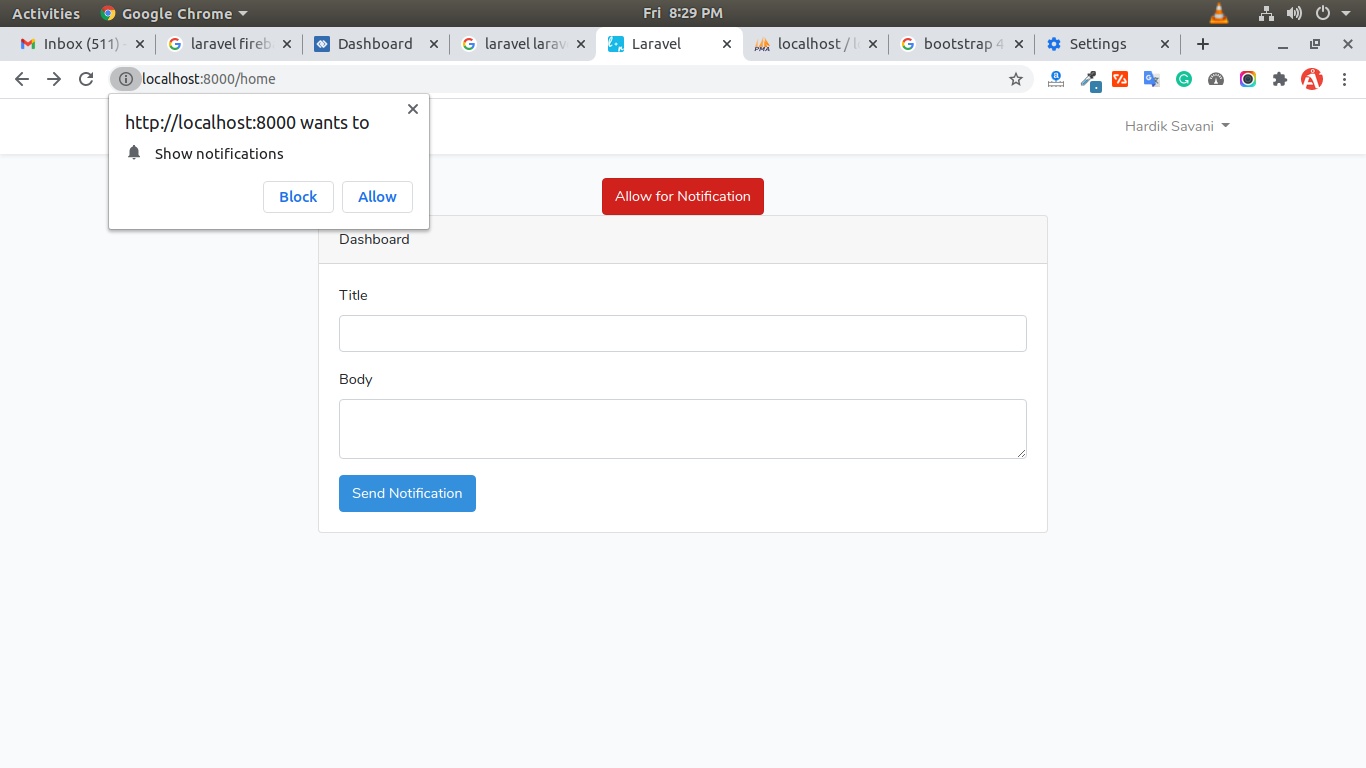
Preview:
Step 1: Create Firebase Project and App
In first step, we have to go Firebase Console and create a project. then you have to create web app on that project as like i added bellow screenshot:
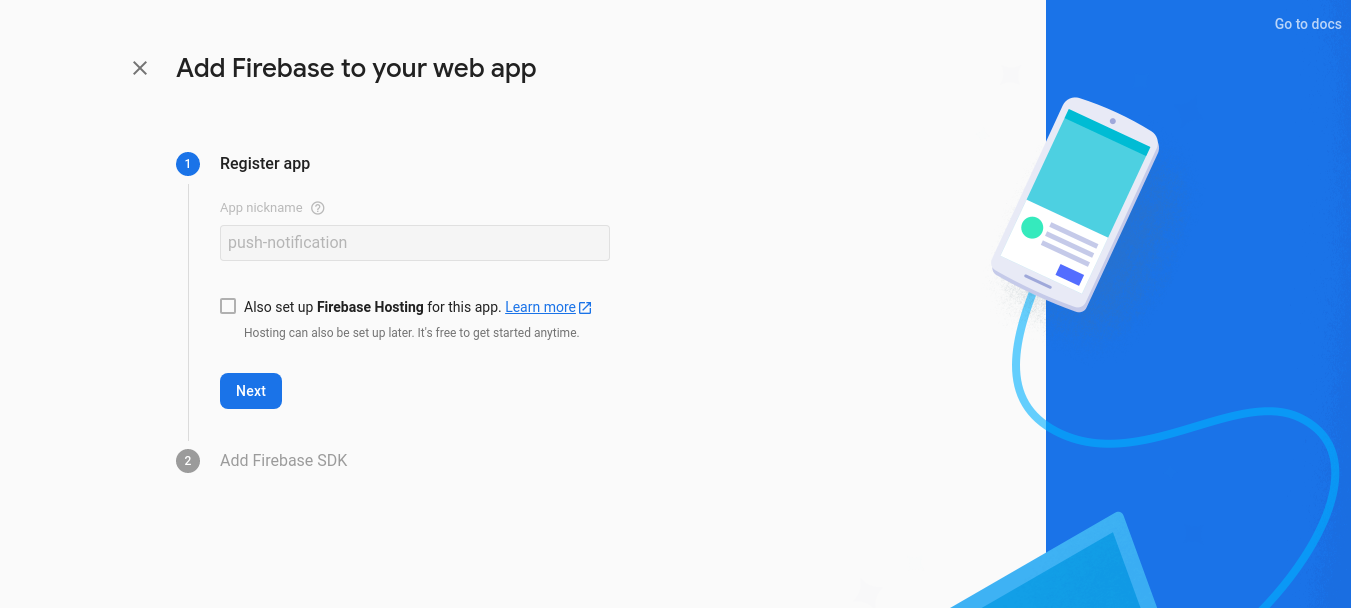
After given name and next then you will received firebase sdk as like bellow screen shot:
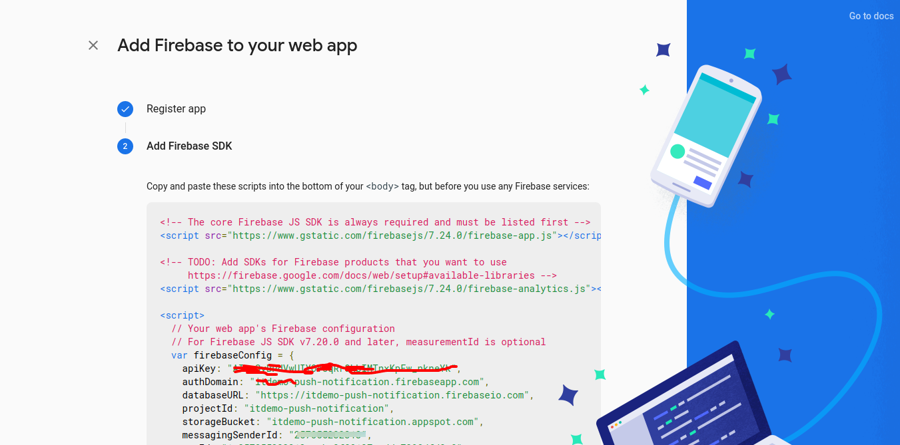
You have to save that all information because we will use in our app.
Step 2: Install Laravel
first of all we need to get fresh Laravel application using bellow command, So open your terminal OR command prompt and run bellow command:
Read Also: Laravel notification message popup using toastr js plugin
Step 3: Create Auth using scaffold
Now, in this step, we will create auth scaffold command to create login, register and dashboard. so run following commands:
Laravel UI Package
Generate auth
Step 4: Create Migration and Update Model
In this step, we need to add new row "device_token" in users table and model. than we need to create new migration. so let's create new migration by following command.
database/migrations/2020_10_23_144523_add_column_device_token.php
app/Models/User.php
Now we need to run migration.
so let's run bellow command:
Step 5: Create Route
Here, we need to add some routes to store token and send push notification so let's add that route in web.php file.
routes/web.php
Step 6: Add Method on Controller
Here, we need add saveToken() and sendNotification() method for admin route in HomeController.
In this controller there is a $SERVER_API_KEY variable where you have to get server key from firebase console setting page as like bellow screenshot:
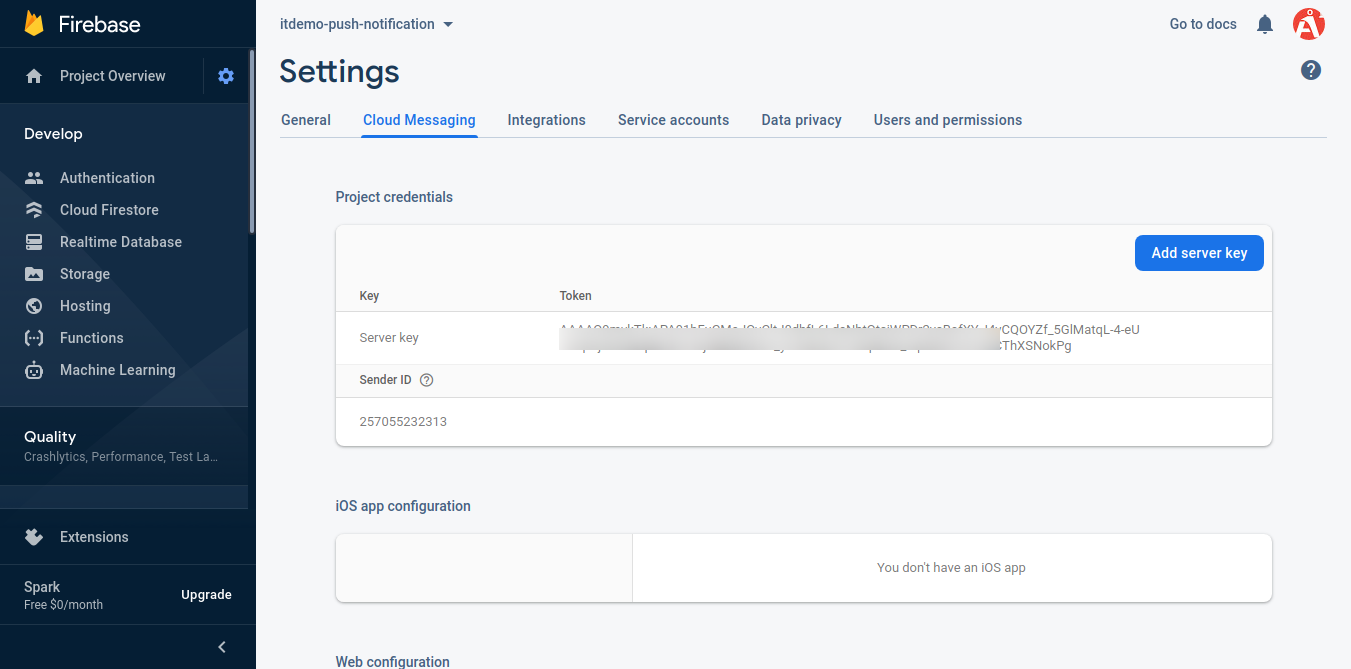
now, so let's add like as bellow:
app/Http/Controllers/HomeController.php
Step 7: Update Blade File
In this step, we need to update home.blade.php file where you have to write code for send notification and allow notification button. When you click on that button that browser popup will open with allow option and you have to allow it.
so let's change it.
resources/views/home.blade.php
Step 8: Create firebase-messaging-sw.js File
In this step, we have to create firebase-messaging-sw.js in public folder and put bellow code.
public/firebase-messaging-sw.js
Ok, now we are ready to run.
So let's run project using this command:
Read Also: Laravel Model Events Tutorial
You can login and then allow push notification to click on button. then send notification from given form.
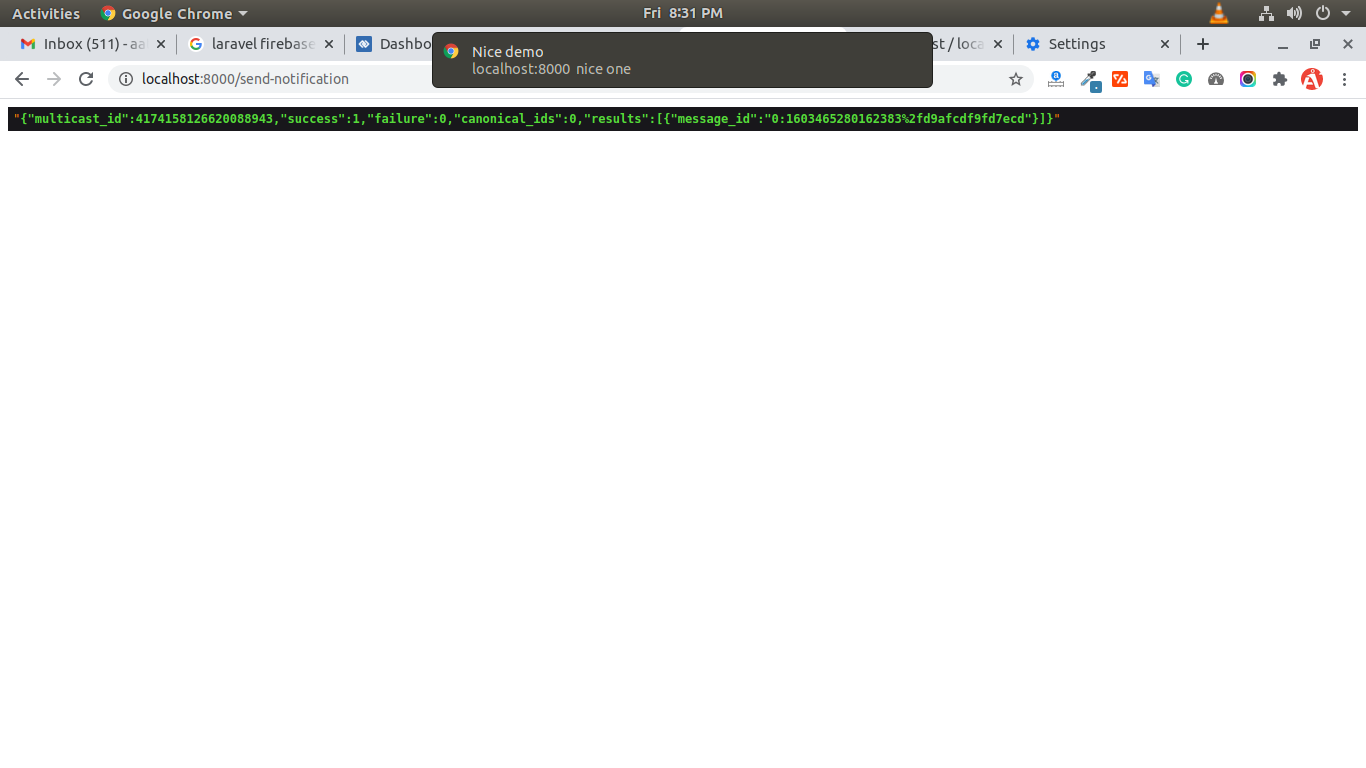
you will receive notification as like bellow:
You can download code from git: Download Code from Github
I hope it can help you...
Last updated