By Hardik Savani January 19, 2021 Category : LaravelPlayUnmuteLoaded: 1.17%FullscreenHi,
If you need to see example of how to send mail using mailjet in laravel. i would like to share with you laravel send mail mailjet example. you'll learn laravel mailjet smtp example. Here you will learn laravel mailjet send email. Alright, let’s dive into the steps.
we can easily send mail using mailjet driver in laravel 6, laravel 7, laravel 8 and laravel 9 app.
In this example, i will give you step by step instruction to send email in laravel using mailjet. you can create blade file design and also with dynamic information for mail layout. so let's see step by step guide and send email to your requirement.
Step 1: Add Configuration
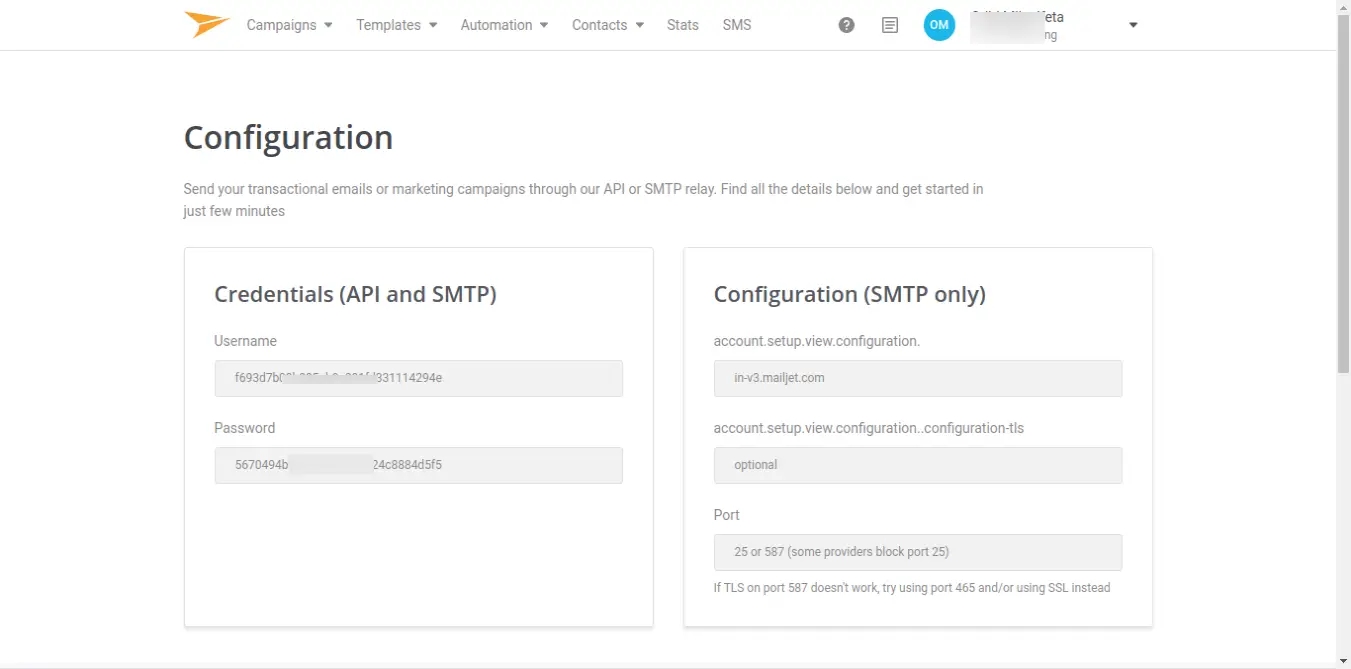
First you need to create account on mailjet if you don't have. So click bellow link to create account:
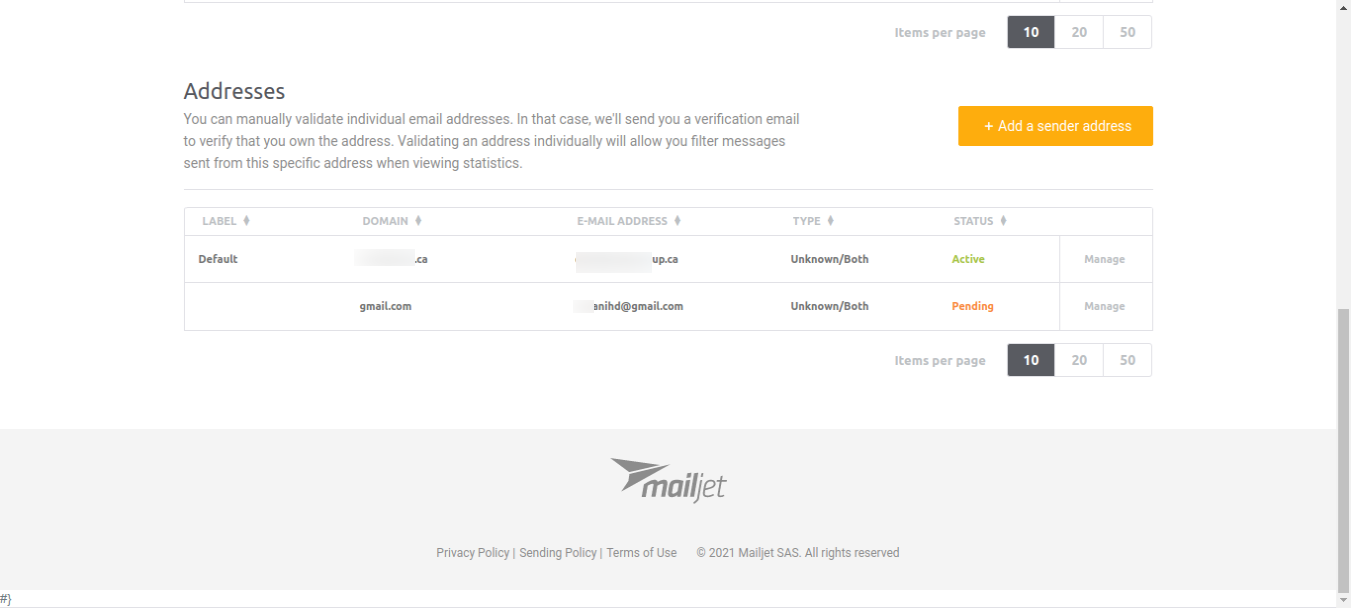
Here you have to take active email for MAIL_FROM_ADDRESS.
add details from there bellow:
.env
now you have to add mail driver on mail.php config file as like bellow:
config/mail.php
Step 2: Create Mail
In this step we will create mail class MyTestMail for email sending. Here we will write code for which view will call and object of user. So let's run bellow command.
In this step, we will create blade view file and write email that we want to send. now we just write some dummy text. create bellow files on "emails" folder.
resources/views/emails/myTestMail.blade.php
Step 4: Add Route
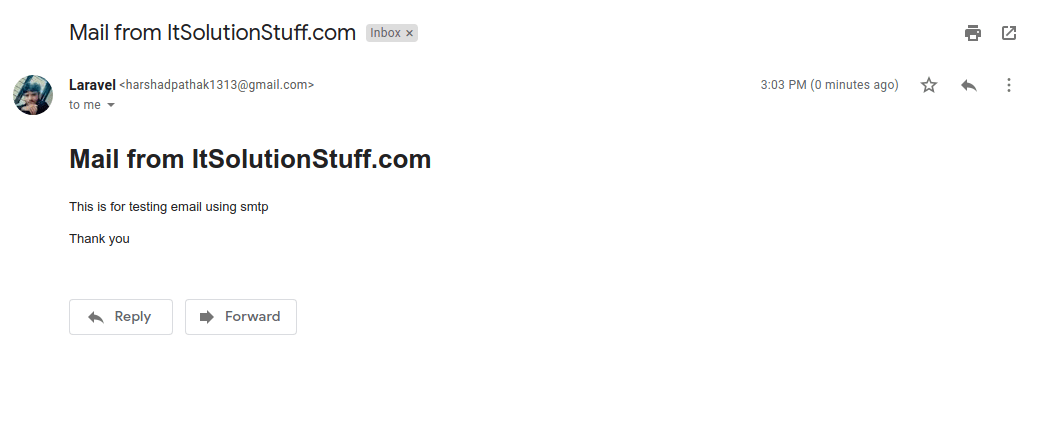
Now at last we will create "MyTestMail" for sending our test email. so let's create bellow web route for testing send email.
<?php namespace App\Mail; use Illuminate\Bus\Queueable;use Illuminate\Contracts\Queue\ShouldQueue;use Illuminate\Mail\Mailable;use Illuminate\Queue\SerializesModels; class MyTestMail extends Mailable{ use Queueable, SerializesModels; public $details; /** * Create a new message instance. * * @return void */ public function __construct($details) { $this->details = $details; } /** * Build the message. * * @return $this */ public function build() { return $this->subject('Mail from ItSolutionStuff.com') ->view('emails.myTestMail'); }}
Route::get('send-mail', function () { $details = [ 'title' => 'Mail from ItSolutionStuff.com', 'body' => 'This is for testing email using smtp' ]; \Mail::to('your_receiver_email@gmail.com')->send(new \App\Mail\MyTestMail($details)); dd("Email is Sent.");});

 PlayUnmuteLoaded: 1.17%Fullscreen
 Hi,
Hi,