By Hardik Savani December 24, 2017 Category : PHP Laravel Bootstrap jQuery AjaxPlayUnmuteLoaded: 1.17%FullscreenToday, i want to share with you how to implement simple captcha code with refresh button in laravel 5, laravel 6, laravel 7, laravel 8 and laravel 9 app form. In this tutorial you can simply use captcha with validation in your register form or login form as you want. i use mews library package for captcha in laravel 5.5 application, it will help to generate captcha image with proper validation.
As we know well, some time we need to add captcha code for security level, it will improve security of your application. Generally we implement captcha code in register and login form for prevent bots and crawler. So it will help you to integrate captcha code in laravel 5.5 application.
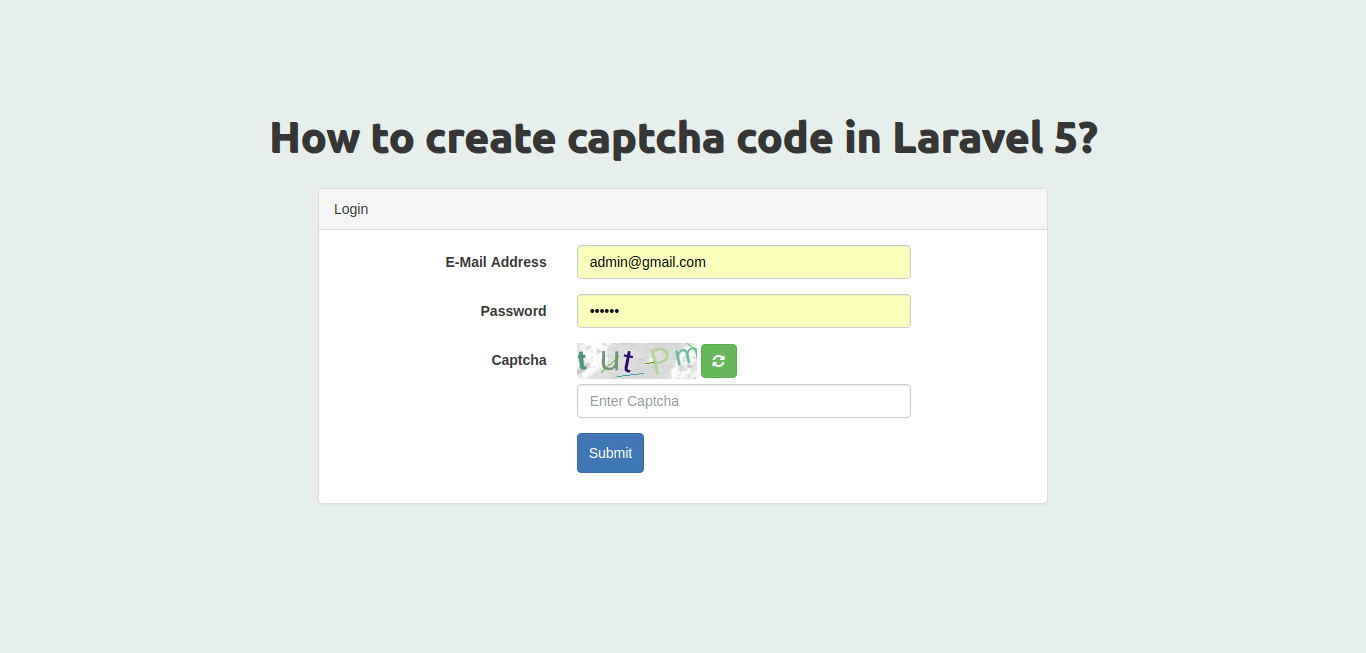
I use mews/captcha composer package for generate captcha code image. they also provide validation for captcha. it is very helpful package. So if you also want to create captcha in your php laravel app then follow bellow step and you will get layout like as bellow:
Preview:
Step 1 : Install Laravel 5 Application
we are going from scratch, So we need to download fresh Laravel 5.5 version application using bellow command, So open your terminal OR command prompt and run bellow command:
Step 2: Install mews Captcha Package
Here, we have to add mews Captcha package so one your cmd or terminal and fire bellow command:
After successfully install package, open config/app.php file and add service provider and alias.
here, we require to add three routes display login form, post login form and another for refresh captcha code. so open your routes/web.php file and add following route.
routes/web.php
Step 4: Create HomeController Methods
Now we require to create HomeController and add new three methods as myCaptcha(), myCaptchaPost() and refreshCaptcha(). So let's create controller and then put bellow code:
routes/web.php
Step 5: Create View File
At last step, we have to simple create myCaptcha.blade.php file and need to write code there for generate bootstrap login form, jquery ajax code. So let's copy bellow code:
resources/views/myCaptcha.blade.php
Now we are ready to run our captcha code example so run bellow command for quick run:

 PlayUnmuteLoaded: 1.17%Fullscreen
 Today, i want to share with you how to implement simple captcha code with refresh button in laravel 5, laravel 6, laravel 7, laravel 8 and laravel 9 app form. In this tutorial you can simply use captcha with validation in your register form or login form as you want. i use mews library package for captcha in laravel 5.5 application, it will help to generate captcha image with proper validation.