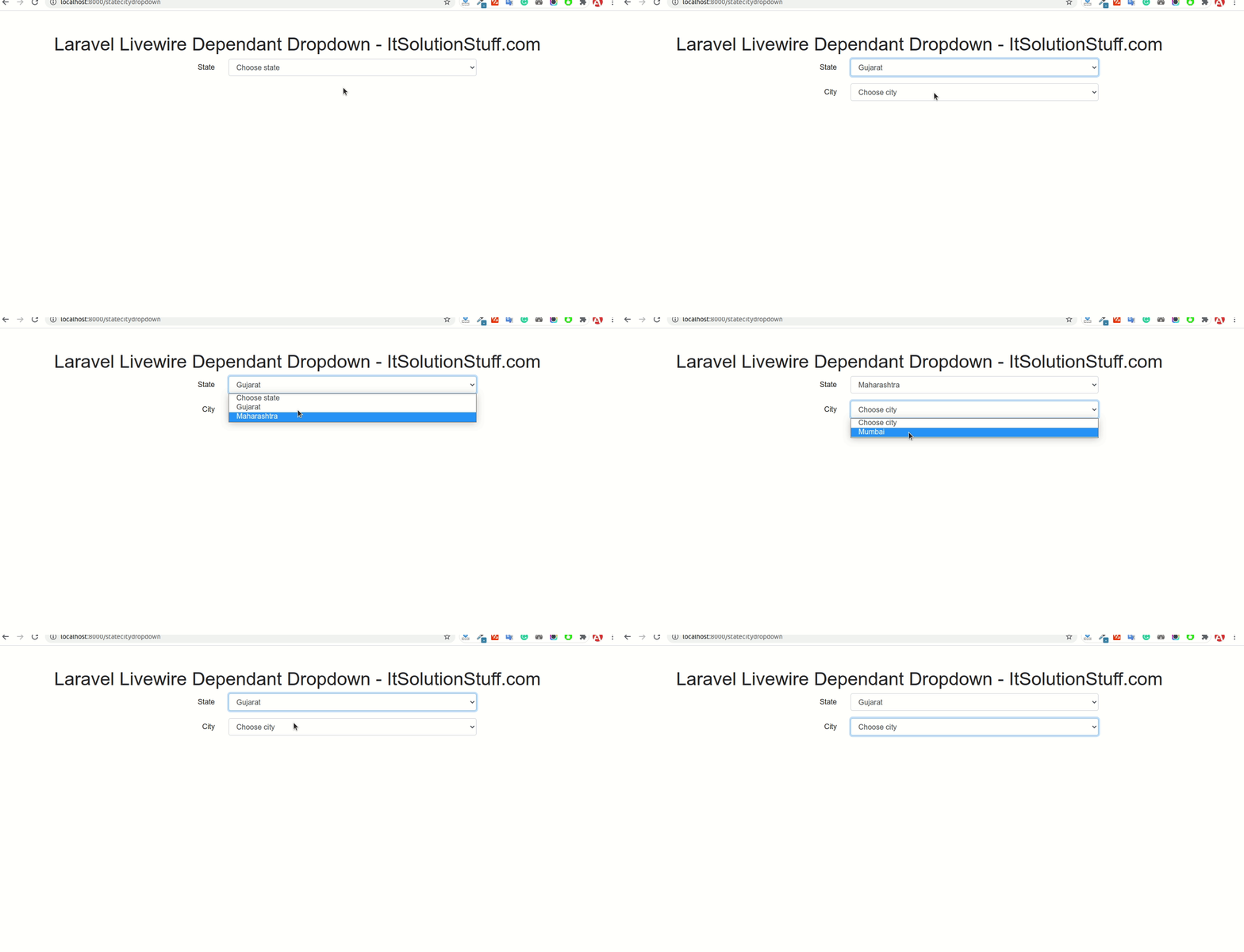
By Hardik Savani February 3, 2021 Category : LaravelPauseUnmuteLoaded: 2.53%FullscreenNow, let's see example of laravel livewire dependant dropdown. This article will give you simple example of laravel livewire state city dropdown. This tutorial will give you simple example of how to add dependent drop down list in laravel livewire. step by step explain livewire dependent dropdown in laravel. Let's see bellow example livewire laravel dependent dropdown.
In this tutorial, we will create example of city and state dependant dropdown using laravel livewire. you can use easily add livewire dependant dropdown laravel 6, laravel 7, laravel 8 and laravel 9 version.
So, let's follow bellow step and you will get bellow layout:
Step 1: Install Laravel 8
first of all we need to get fresh Laravel 8 version application using bellow command, So open your terminal OR command prompt and run bellow command:
Step 2: Create Migration and Model
In this step, we need to create states and cities table with model. so let's create as bellow:
<?php use Illuminate\Database\Migrations\Migration;use Illuminate\Database\Schema\Blueprint;use Illuminate\Support\Facades\Schema; class CreateStatesCitiesTables extends Migration{ /** * Run the migrations. * * @return void */ public function up() { Schema::create('states', function (Blueprint $table) { $table->id(); $table->string('name'); $table->timestamps(); }); Schema::create('cities', function (Blueprint $table) { $table->id(); $table->integer('state_id'); $table->string('name'); $table->timestamps(); }); } /** * Reverse the migrations. * * @return void */ public function down() { Schema::dropIfExists('states'); Schema::dropIfExists('cities'); }}
php artisan make:model Statephp artisan make:model City
<?php namespace App\Models; use Illuminate\Database\Eloquent\Factories\HasFactory;use Illuminate\Database\Eloquent\Model; class State extends Model{ use HasFactory; protected $fillable = ['name'];}
<?php namespace App\Models; use Illuminate\Database\Eloquent\Factories\HasFactory;use Illuminate\Database\Eloquent\Model; class City extends Model{ use HasFactory; protected $fillable = ['state_id', 'name'];}
<?php use Illuminate\Support\Facades\Route; use App\Http\Livewire\Statecitydropdown; /*|--------------------------------------------------------------------------| Web Routes|--------------------------------------------------------------------------|| Here is where you can register web routes for your application. These| routes are loaded by the RouteServiceProvider within a group which| contains the "web" middleware group. Now create something great!|*/ Route::get('statecitydropdown', Statecitydropdown::class);

 PauseUnmuteLoaded: 2.53%Fullscreen
 Now, let's see example of laravel livewire dependant dropdown. This article will give you simple example of laravel livewire state city dropdown. This tutorial will give you simple example of how to add dependent drop down list in laravel livewire. step by step explain livewire dependent dropdown in laravel. Let's see bellow example livewire laravel dependent dropdown.