
[CURL] Tạo ứng dụng xem thời tiết của các thành phố đơn giản bằng CURL trong PHP
https://viblo.asia/p/tao-ung-dung-xem-thoi-tiet-cua-cac-thanh-pho-don-gian-bang-curl-trong-php-L4x5xdaa5BM
<?php
$apiKey = "0a0b49b08fba3cfdab39a4dedb0b841f";
$cityId = 1581129;
$googleApiUrl = "http://api.openweathermap.org/data/2.5/weather?id=" . $cityId . "&lang=en&units=metric&APPID=" . $apiKey;
echo 'bbbbbbbbbbbbbbbbbbbbb';
$ch = curl_init();
curl_setopt($ch, CURLOPT_HEADER, 0);
curl_setopt($ch, CURLOPT_RETURNTRANSFER, 1);
curl_setopt($ch, CURLOPT_URL, $googleApiUrl);
curl_setopt($ch, CURLOPT_FOLLOWLOCATION, 1);
curl_setopt($ch, CURLOPT_VERBOSE, 0);
curl_setopt($ch, CURLOPT_SSL_VERIFYPEER, false);
$response = curl_exec($ch);
curl_close($ch);
$data = json_decode($response);
$currentTime = time();
echo '<pre>';
	var_export($data);
echo '</pre>';
?>
<!doctype html>
<html>
<head>
<title>Forecast Weather using OpenWeatherMap with PHP</title>
</head>
<body>
    <div class="report-container">
        <h2><?php echo $data->name; ?> Weather Status</h2>
        <div class="time">
            <div><?php echo date("l g:i a", $currentTime); ?></div>
            <div><?php echo date("jS F, Y",$currentTime); ?></div>
            <div><?php echo ucwords($data->weather[0]->description); ?></div>
        </div>
        <div class="weather-forecast">
            <img
                src="http://openweathermap.org/img/w/<?php echo $data->weather[0]->icon; ?>.png"
                class="weather-icon" /> <?php echo $data->main->temp_max; ?>°C<span
                class="min-temperature"><?php echo $data->main->temp_min; ?>°C</span>
        </div>
        <div class="time">
            <div>Humidity: <?php echo $data->main->humidity; ?> %</div>
            <div>Wind: <?php echo $data->wind->speed; ?> km/h</div>
        </div>
    </div>
</body>
</html>Tạo ứng dụng xem thời tiết của các thành phố đơn giản bằng CURL trong PHP
Giới Thiệu
Các bước sử dụng CURL
Cấu hình CURL
Các bước thực hiện
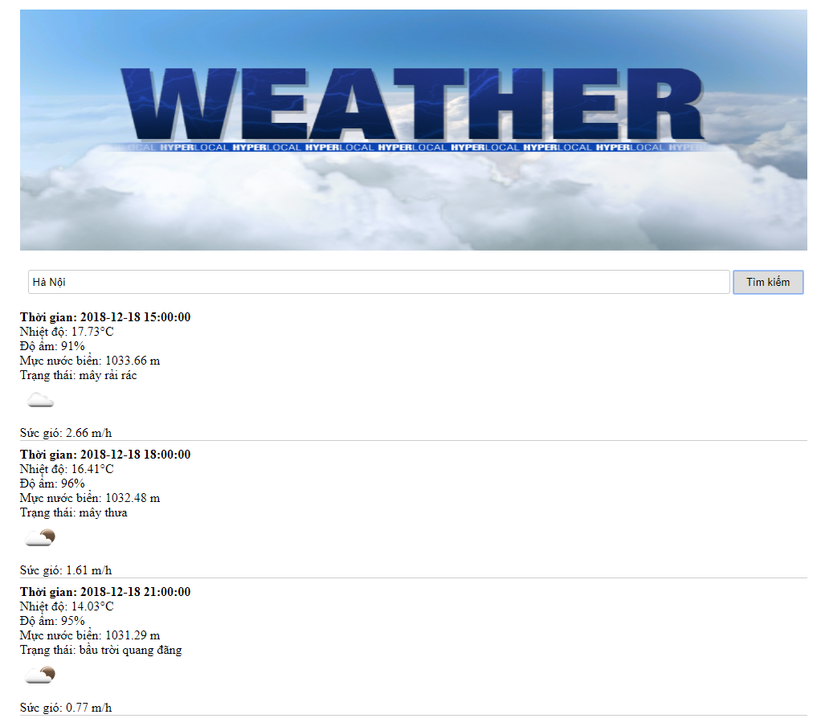
 Sau đó tạo 1 file để hiển thị kết quả phía dưới sau khi tìm kiếm tên thành phố
Kết luận
Previous[CURL] Sử dụng cURL trong PHP xuan thu(ok)NextHow to use cURL to Get JSON Data and Decode JSON Data in PHP? (ok)
Last updated