> For the complete documentation index, see [llms.txt](https://learnphp.gitbook.io/learnphp/llms.txt). Markdown versions of documentation pages are available by appending `.md` to page URLs; this page is available as [Markdown](https://learnphp.gitbook.io/learnphp/wordpress/api-creating-custom-endpoints-for-the-wordpress-rest-api.md).
# \[API] Creating Custom Endpoints for the WordPress REST API
https\://www\.sitepoint.com/creating-custom-endpoints-for-the-wordpress-rest-api/
**This WordPress REST API tutorial walks you through creating a custom** [**WP-API**](http://v2.wp-api.org/) **endpoint. We’ll first create a child theme of the default *****“Twenty Seventeen”***** theme, which will allow us to add functionality to our theme, and then proceed to register our custom API endpoint.**
The WordPress REST API provides you with more than just a set of built-in routes. You can also create custom routes and endpoints using the same APIs used to create default routes (for example, the `register_rest_route()` function and the `WP_Rest_Controller` class etc.). With WP-API, you’ll have the possibility to integrate WordPress with other ecosystems, which makes WordPress a powerful and modern application development platform.
You can create or register custom endpoints either in plugins or themes.
### Creating a Child Theme
Inside your WordPress installation folder, create a folder for your child theme. Let’s call it `twentyseventeen-child`:
```
cd /var/www/html/wp-content/themes
mkdir twentyseventeen-child
```
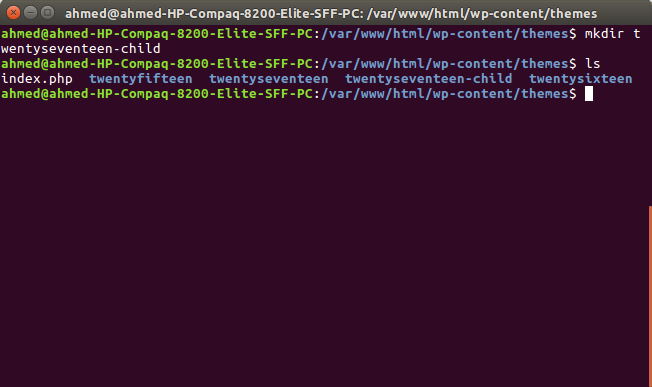
Next create a `style.css` file:
```
touch style.css
```
And add the following header information:
```
/*
Theme Name: Twenty Seventeen Child Theme
description: A child theme of the Twenty Seventeen WordPress theme
Author: Ahmed Bouchefra
Template: twentyseventeen
Version: 1.0.0
*/
```
The **Template** field refers to the folder’s name of the parent theme.
Go to *Appearance -> Themes* in the WordPress admin and choose your child theme:
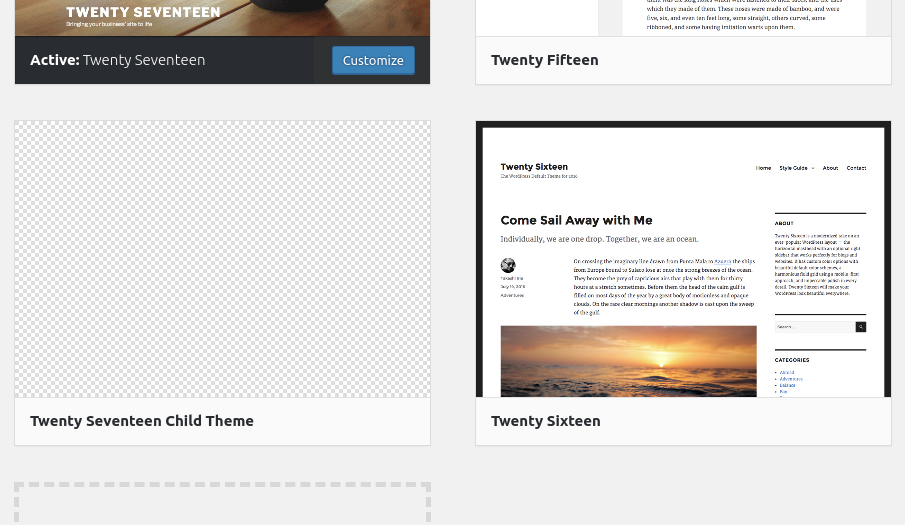
Next, click on the *Activate* button to activate your child theme:
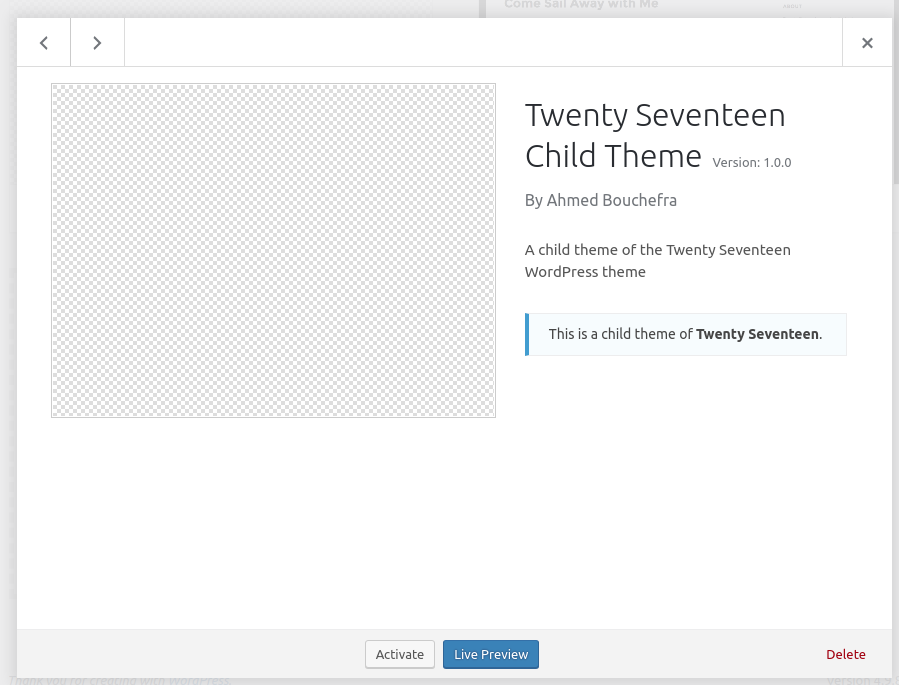
Inside the theme folder, add a `functions.php` file with the following initial code:
```
We want to create a new route that will allow us to retrieve the latest recent posts by category ID with the following format:
```
http://localhost/wp-json/mytwentyseventeentheme/v1/latest-posts/
```
At this point, if we visit the above URL in our browser we’ll get a 404 error with the message *“No route was found matching the URL and request method”*:

This is because we don’t actually have that route. Let’s change that!
In the `functions.php` file of your theme, add the following code:
#### Learn PHP for free!
Make the leap into server-side programming with a comprehensive cover of PHP & MySQL.\
\
Normally RRP $11.95 **Yours absolutely free**Get the book free
```
add_action('rest_api_init', function () {
register_rest_route( 'mytwentyseventeentheme/v1', 'latest-posts/(?P\d+)',array(
'methods' => 'GET',
'callback' => 'get_latest_posts_by_category'
));
});
```
We’re using the `register_rest_route()` with the following parameters:
* a namespace, `mytwentyseventeentheme/v1`
* a resource path with a regex for catching the category ID, `latest-posts/(?P\d+)`
* an option array where we specify the GET method and a `get_latest_posts_by_category()` callback function that handles the request.
A namespace allows two plugins or themes to use the same route paths without conflict and the clients to detect the support for your custom API by simply using the `/wp-json/wp/v2` API and checking the *namespaces* field.
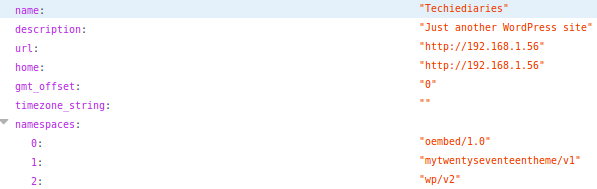
You can see from the screenshot, the `mytwentyseventeentheme/v1` namespace we used for our custom route is added to the *namespaces* field (this screenshot is taken after we fully implement our custom endpoint; please continue below).
Notice the `?P\d+` part. It will enable us to retrieve the category ID from the current request. It’s simply a regex, so you can use [normal regex logic](https://regex101.com/r/6iO5z0/1/) to create any pattern.
#### Implementing the Callback Function
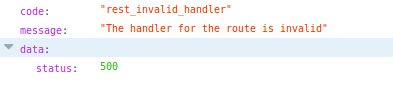
At this point, if we visit our previous URL, WordPress recognizes the route, since we’ve defined it. But we still get a *500* error with the *“The handler for the route is invalid”* message.
After registering the custom route and specifying the `get_latest_posts_by_category()` function as the callback that will be called for processing and handling the GET request, let’s actually implement it:
```
function get_latest_posts_by_category($request) {
$args = array(
'category' => $request['category_id']
);
$posts = get_posts($args);
if (empty($posts)) {
return new WP_Error( 'empty_category', 'there is no post in this category', array('status' => 404) );
}
$response = new WP_REST_Response($posts);
$response->set_status(200);
return $response;
}
```
We first retrieve the `category_id` argument from the `$request` parameter by direct access. Next we create an `$args` array with the `category` key set to the value of `category_id` that will be extracted from the route.
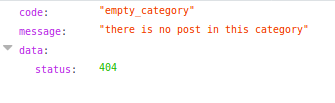
We then call the `get_posts()` method to query for posts with the specified category ID. If we get an empty posts array, we return an error message comprised of an `empy_category` code, a `there is no post in this category` message and 404 status code — all of which are passed to the constructor of the [`WP_Error`](https://codex.wordpress.org/Class_Reference/WP_Error) class.
This is a screenshot we get if we have an empty category:
We finally create a new instance of the [`WP_REST_Response`](https://developer.wordpress.org/reference/classes/wp_rest_response/) class; we pass in the `$posts` array; we set the 200 status code; and we return the REST response. We can also directly return the `$posts` array and it will be automatically converted to JSON.
The `WP_Error` and `WP_REST_Response` classes are used to make sure that the endpoint returns a valid JSON response.
Now, if we return to our browser and visit for example this URL:
```
http:///wp-json/mytwentyseventeentheme/v1/latest-posts/1
```
… we’ll either get an empty array or the posts belonging to the category of ID *1*.
You can also provide sanitization and validation callbacks in addition to your main callback.
You can define arguments for each route as an array with the `args` option just like the `callback` option. In the array, you can add multiple arguments. The key is the name of the argument and the value is an array of options for that argument, such as `sanitize_callback` or `validate_callback`.
* `validate_callback` is a callback function to validate the argument. It takes a function that will be passed the value of the argument and should return true if the value is valid or false otherwise.
* `sanitize_callback` is a callback function used for sanitizing the value of the argument before passing it to the main `callback` function. The value is passed as a parameter to this function.
#### Sanitizing and Validating Endpoint Parameters
You can validate the parameters passed to the endpoint — in our case the category ID — using the `validate_callback()` function:
```
'args' => [
'category_id' => array(
'validate_callback' => function($value, $request, $param) {
return $value >= 6;
})
]
```
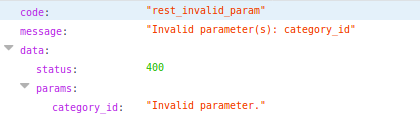
The parameter is the first argument passed to the callback. We use the `$value >= 6` expression to check whether the passed category ID is greater or equal to six. If we pass a value less than six, an *Invalid parameter(s): category\_id* error will be thrown.
Sanitization allows you to clean the parameters. For sanitizing data, you need to use the `sanitize_callback()` function in the following way:
```
'args' => [
'category_id' => array(
'sanitize_callback' => function($value, $request, $param) {
if($value < 6){
return 6;
};
})
],
```
If the category ID is less than six, we simply return six. This way, we make sure we only get an acceptable value event if the client passes a value not supported by the API. This example is a little bit artificial, since we don’t actually have any need to restrict the category ID to be greater or equal six, but just for the sake of demonstrating the two callback functions.
The validation callback will take precedence over the sanitization callback. For our example, if you use both callbacks and you submit an invalid value (`<6`) for the category ID, you’ll get the *Invalid parameter(s): category\_id* error, which won’t give the `sanitize_callback()` the chance to be fired and to sanitize the data.
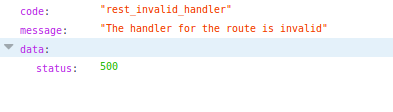
Please note that you may not need to add any validation or sanitization, because the regex pattern you use in the route can be enough. For example, in our case the `?P\d+` defines an URL that only accepts positive numbers. Any other input will throw *“The handler for the route is invalid”* error.
#### Restricting Access to Endpoints
You can restrict access to endpoints using the `permission_callback()` function, which checks if the user has the required permission to do the action before the main handler callback is called. This enables you to tell the client what actions they are able to do on a specific URL without needing to attempt the request first.
The `permission_callback()` function should return a true or false value or an instance of the `WP_Error` class.
You simply need to pass the `permission_callback` to the `register_rest_route()` function, which enables you to add permissions that control access to the endpoint. For example:
```
add_action('rest_api_init', function () {
register_rest_route( 'mytwentyseventeentheme/v1', 'latest-posts/(?P\d+)',array(
'methods' => 'GET',
'callback' => 'get_latest_posts_by_category',
'permission_callback' => function() {
return current_user_can('edit_posts');
}
));
});
```
The permissions callback is calling the `current_user_can()` function to check if the user is authenticated and has the required capability (`edit_posts`) to do the action. So if the client is not [authenticated](https://developer.wordpress.org/rest-api/using-the-rest-api/authentication/), an error will be thrown.
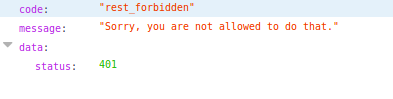
If you don’t have the permissions, you’ll get a `rest_forbidden` error:
We can also just return `true` from the `permission_callback` function to allow access to everyone without any authentication.
### Using the Controller Pattern
For working with complex endpoints, it’s recommended to use the controller pattern instead of defining custom routes in the way we’ve seen in the previous example.
The controller pattern simply involves extending the built-in `WP_REST_Controller` class, which implements the base functionality needed for handling HTTP requests and allows you to take benefit of a robust code, with best practices, used by the built-in WP-API endpoints
Using the controller pattern, you need to use the `register_routes()` method to register your custom routes and the `get_items()` , `get_item()`, `create_item()`,`update_item()` and `delete_item()` methods to implement the GET, POST, PUT and DELETE requests.
Let’s now see a simple example by converting our previous example to use the controller pattern. In the `functions.php` file add:
```
class Latest_Posts_Controller extends WP_REST_Controller {}
```
Next, you need to implement the `register_routes()` method where you would register your routes:
```
class Latest_Posts_Controller extends WP_REST_Controller {
public function register_routes() {
$namespace = 'mytwentyseventeentheme/v1';
$path = 'latest-posts/(?P\d+)';
register_rest_route( $namespace, '/' . $path, [
array(
'methods' => 'GET',
'callback' => array( $this, 'get_items' ),
'permission_callback' => array( $this, 'get_items_permissions_check' )
),
]);
}
}
```
We simply call the built-in `register_rest_route()` method to register a route for a GET request.
You need to override the `get_items_permissions_check()` and `get_items()` methods in you controller:
```
public function get_items_permissions_check($request) {
return true;
}
```
This method checks for the required permissions for the route. We simply return true to let everyone access the route.
Next, we override the `get_items()` method:
```
public function get_items($request) {
$args = array(
'category' => $request['category_id']
);
$posts = get_posts($args);
if (empty($posts)) {
return new WP_Error( 'empty_category', 'there is no post in this category', array( 'status' => 404 ) );
}
return new WP_REST_Response($posts, 200);
}
```
This method is nearly the same as our previous `get_latest_posts_by_category()` function.
That’s it! These are the two methods that we need to override in our example. In more complex scenarios, you’d need to override the other methods to create a fully working CRUD system — that is, the `create_item()`, `update_item()`, `delete_item()` and `get_item()` methods.
Finally, we need to create an instance of our `Latest_Posts_Controller` class and call its `register_routes()` method in a `rest_api_init` action hook:
```
add_action('rest_api_init', function () {
$latest_posts_controller = new Latest_Posts_Controller();
$latest_posts_controller->register_routes();
}
```
In this simple example, the controller pattern may not seem very useful, but for more complex scenarios — for example, when you have a custom post type and you need to provide a custom RESTful API to read, create, update and delete items with multiple routes and endpoints — you would benefit from the OOP concepts and the controller pattern to better organize your code and take advantage of the existing classes.
### Conclusion
In this tutorial, we’ve seen how to create your own custom route(s) for WP-API. This will allow you to create mobile and web clients for your WordPress website that can also interact with your [custom post types](https://www.sitepoint.com/definitive-guide-to-wordpress-custom-post-types/), not just the built-in WordPress types (such as posts and categories etc.).